sandywp / plugins / map-block-gutenberg

Map Block for Google Maps
Map block for Gutenberg editor powered by Google Maps. Simple. Fast. Just a map block.
Ready in seconds.
v1.35 20,000+ installs WP 4.9+ PHP 5.2+
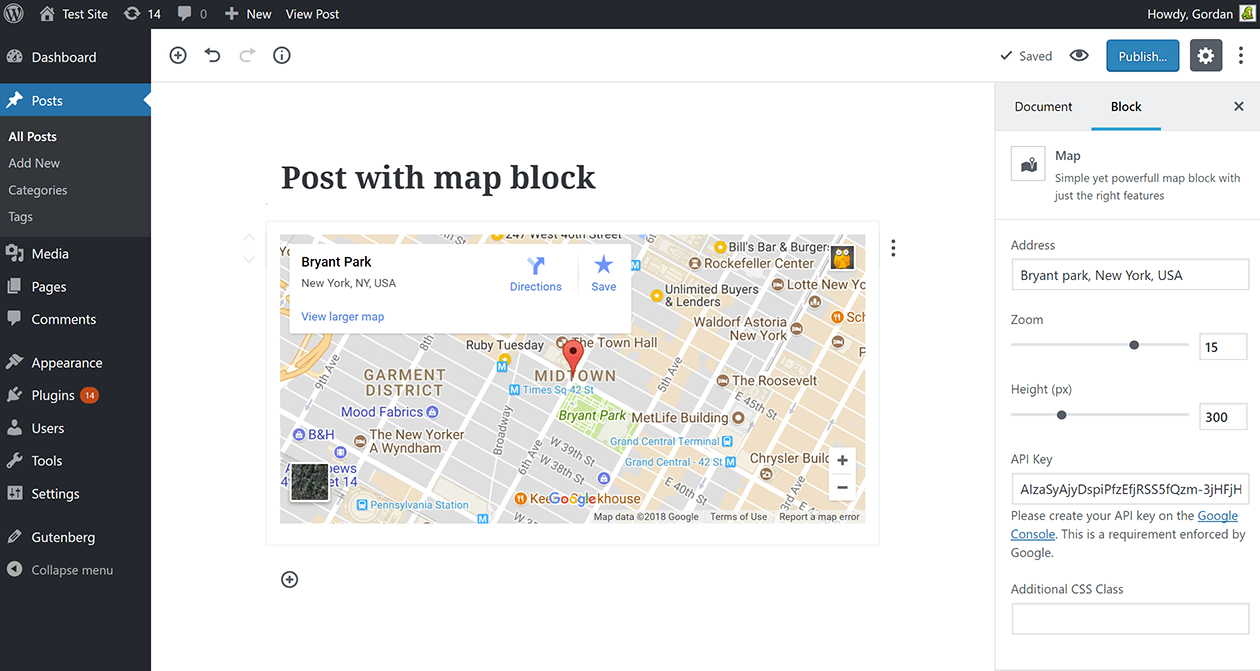
What you get inside
2 screens-
Map block in action
-
Map block in action - edit in progress
About this plugin
Are you using Gutenberg and need a map? This is the map block for you! Install, active, add to content. Done! No nonsense, no unneeded settings. Simple and clear in its function – as any Gutenberg block should be.
Gutenberg is now a core feature so please update to WordPress v5, or install the Gutenberg plugin.
Plugin Features
Works as any other Gutenberg block with the following settings:
* address, or coordinates
* zoom
* map height
* API key – once saved in one block it’s used in all others
Need a non-Gutenberg map solution? Check out our free Google Maps Widget plugin.
For instruction on how to generate a Google Maps API key please read this article.
Questions
- Google Maps API key … grrrr … what where how!?
Yes, yes, it’s frustrating. See detailed instructions from a similar plugin on how to get a map key.
- How can I report security bugs?
You can report security bugs through the Patchstack Vulnerability Disclosure Program. The Patchstack team help validate, triage and handle any security vulnerabilities. Report a security vulnerability.
sandywp / also on the shelf
Try another plugin

WP Go Maps – Google Map, OpenStreetMap, Leaflet & Store Locator
4.8 · 300K+ installs
The easiest to use WordPress map plugin! Create a custom map, map block, store locator or map widget with high quality markers.

4.4 · 60K+ installs
[iframe src="http://www.youtube.com/embed/7_nAZQt9qu0" width="100%" height="500"] shortcode

WP Maps – Google Maps, OpenStreetMap, Mapbox, Store Locator with Search,…
4.3 · 60K+ installs
WordPress map plugin for Google Maps, OpenStreetMap & Mapbox with custom markers, filters, searchable listings and store…
Spin up a real WordPress site in seconds.
Test plugins, build a demo, hand a client a link — then squash it and start again. No local setup, no Docker.