sandywp / plugins / link-view

Link View
Display a link-list or link-slider in a post or page by using a shortcode.
Ready in seconds.
v0.8.0 700+ installs WP 4.9+ PHP 5.6+
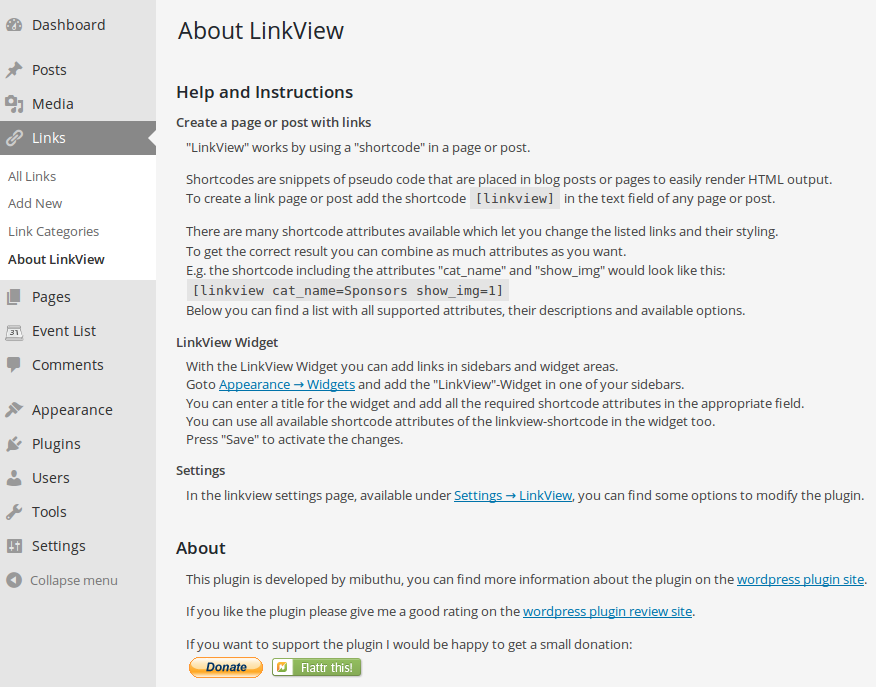
What you get inside
6 screens-
Admin about page
-
Available shortcode attributes - Part 1
-
Available shortcode attributes - Part 2
-
Admin settings page
-
Linkview Widget
-
Simple example page with a small link list
About this plugin
The purpose of this plugin is to to show the wordpress integrated links in a list or a slider by using a shortcode or a widget.
Current Features:
- the shortcode [linkview] can be used to add the links in a post or page
- the widget “LinkView” can be used to add links in a sidebar
- the links can be displayed in a list or in a slider
- there are many options available to adjust the output of the links (see shortcode options in the “About LinkView” page)
- the image of the link can also be displayed
- categories and/or links can be displayed in multicolumn layout
- option to set additional css styles for the link-lists and link-sliders
- the required user roles to edit links can be adjusted in the settings page
Development:
If you want to follow the development status have a look at the git-repository on github.
Feel free to add your merge requests there, if you want to help to improve the plugin.
Translations:
Please help translating this plugin into multiple languages.
You can submit your translations at transifex.com.
There the source strings will be kept in sync with the actual development version. And in each plugin release the available translation files will be updated.
Questions
- Is it possible to use the shortcode in a widget?
Yes, a widget especially for the use of the [linkview] shortcode is included in this plugin. Insert the widget LinkView in your sidebar and set all attributes you want to change in the appropriate field.
- Is it possible to add multiple slider on one site?
Yes, since version 0.3.0 you can use as much sliders as you want on one site.
- Can I call the shortcode directly via php e.g. for my own template, theme or plugin?
Yes, you can create an instance of the “SC_Linkview” class which located in “php/sc_linkview.php” in the plugin folder and call the function show_html($atts).With $atts you can specify all the shortcode attributes you require. Another possibility would be to call the wordpress function “do_shortcode()”.
sandywp / also on the shelf
Try another plugin

4.5 · 20K+ installs
Enables the Link Manager that existed in WordPress until version 3.5.

5.0 · 1K+ installs
Eazy Enable Blogroll brings back the one and only WordPress Blogroll Feature, with nearly one click!

5.0 · 300+ installs
Allows you to display a configurable number of random links from your Wordpress blogroll
Spin up a real WordPress site in seconds.
Test plugins, build a demo, hand a client a link — then squash it and start again. No local setup, no Docker.