sandywp / plugins / intuitive-custom-post-order

Intuitive Custom Post Order
Intuitively reorder Posts, Pages, Custom Post Types, Taxonomies, and Sites with a simple drag-and-drop interface.
Ready in seconds.
v3.2.0 400,000+ installs WP 3.5.0+
What you get inside
5 screens-
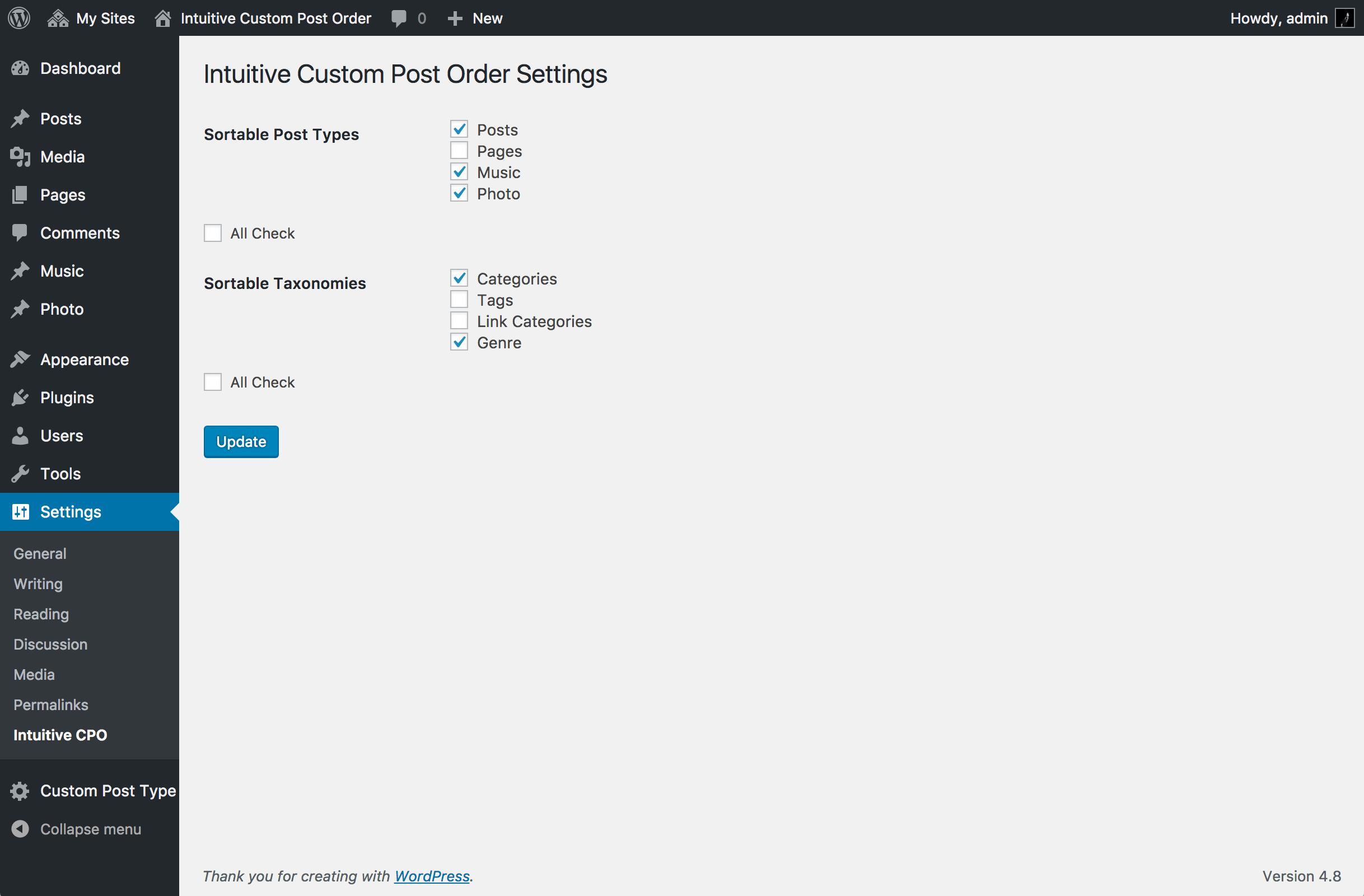
Settings screen (choose sortable post types and taxonomies).
-
Reordering posts with drag and drop.
-
Reordering taxonomy terms.
-
Network settings (for Multisite).
-
Reordering Sites in Network Admin (for Multisite).
About this plugin
Intuitively reorder Posts, Pages, Custom Post Types, Taxonomies, and Sites with a simple drag-and-drop interface.
Intuitive Custom Post Order lets you reorder items with simple drag and drop in the WordPress admin.
You can sort Posts, Pages, Custom Post Types, Taxonomies, and (on Multisite) Sites.
Go to Settings → Intuitive CPO and select which content types you want to make sortable.
Once enabled, just drag and drop items in the list tables—no extra setup is required.
If you create custom queries in your theme or plugins, set orderby=menu_order and order=ASC to respect the drag-and-drop order.
To keep the default WordPress order (by date), explicitly set orderby=date and order=DESC.
Source code and development are available on GitHub.
Questions
- Do I need to change my theme to make ordering work?
No. After activation, items are sortable in the admin UI, and front-end queries for enabled post types are ordered by
menu_order ASCautomatically—unless you explicitly pass your ownorderby.- How do I make my custom query respect the drag-and-drop order?
Specify
orderby=menu_orderandorder=ASCin your query args.WP_Query:
<?php
new WP_Query( array(
    'post_type' => 'your_cpt',
    'orderby'   => 'menu_order',
    'order'     => 'ASC',
) );
?>
get_posts():
<?php get_posts( array( 'post_type' => 'your_cpt', 'orderby' => 'menu_order', 'order' => 'ASC', ) ); ?>- I want date order (newest first) for a specific query. How?
Explicitly set:
<?php
new WP_Query( array(
    'orderby' => 'date',
    'order'   => 'DESC',
) );
?>
For get_posts(), the plugin supports a small switch:
<?php get_posts( array( 'orderby' => 'default_date', 'order' => 'DESC', ) ); ?>- Is query_posts() supported?
query_posts() is discouraged by WordPress core because it alters the main query in a fragile way.
Usepre_get_posts(recommended) orWP_Queryinstead.Example with pre_get_posts to force date order on the main blog page:
<?php add_action( 'pre_get_posts', function( $q ) { if ( is_admin() || ! $q->is_main_query() ) { return; } if ( is_home() ) { $q->set( 'orderby', 'date' ); $q->set( 'order', 'DESC' ); } } ); ?>- Does this work with taxonomies and terms?
Yes. For enabled taxonomies, terms can be reordered and are returned in that order on the front end.
When you build custom term queries, make sure you don’t override the order unless you intend to.- Multisite: can I reorder Sites in Network Admin?
Yes. When enabled in Network settings, Sites are ordered by
menu_order ASC. Drag & drop in Network Admin updates the order.- How can I move a post from the second page to the top of the first page?
Go to the “Screen Options” tab at the top right of the list table and increase the “Number of items per page”.
This way, all items you want to reorder will appear on the same page and can be dragged to the desired position.
sandywp / also on the shelf
Try another plugin

Real Custom Post Order: Create a custom order for your content
4.8 · 8K+ installs
Custom post order for posts, pages, WooCommerce products and custom post types using drag and drop. Simple and intuitive sorting…

3.2 · 500+ installs
Order your post by category or custom post type by drag & drop interface.

5.0 · 30+ installs
Order all items(Pages, Posts, Custom Post Types and attachments) easily with a drag and drop feature
Spin up a real WordPress site in seconds.
Test plugins, build a demo, hand a client a link — then squash it and start again. No local setup, no Docker.