sandywp / plugins / hostinger

Hostinger Tools
Simplified WordPress management. Manage site info, maintenance, security, & redirects.
Ready in seconds.
v3.0.77 3,000,000+ installs WP 5.5+ PHP 8.1+
What you get inside
1 screenAbout this plugin
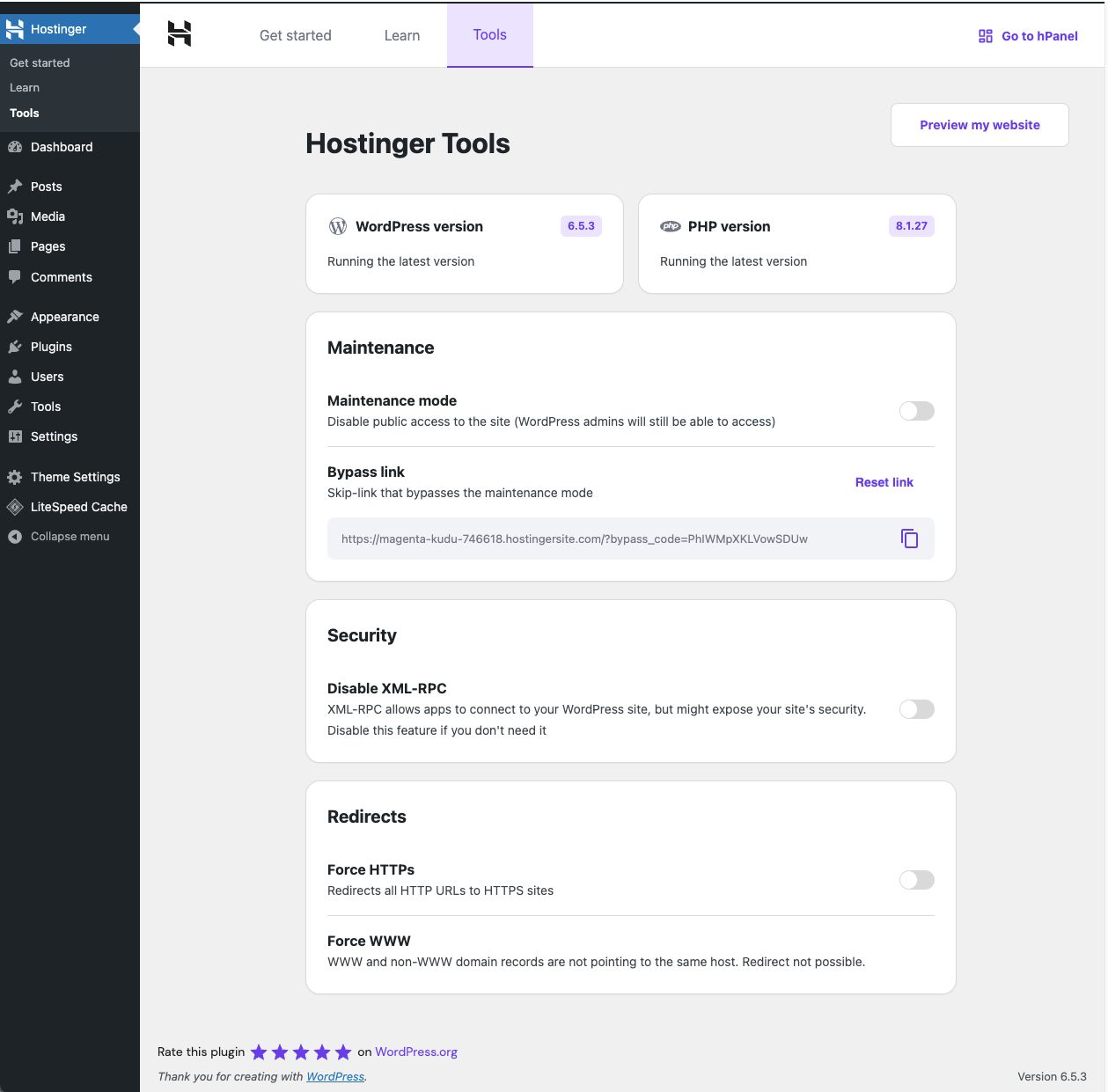
Hostinger Tools is an all-in-one plugin designed to streamline essential tasks for WordPress site administrators. This plugin offers a range of features to help you manage your site’s information, maintenance mode, security, and redirects effectively.
Features:
Basic Info
- Displays the current WordPress version with automatic update checks.
- Shows the current PHP version with automatic update checks.
Maintenance Mode
- Easily enable or disable maintenance mode for your site.
- Provide a URL to bypass maintenance mode for selected users.
Security
- Enable or disable XML-RPC requests to enhance your site’s security.
- Enable or disable Authorize application page to enhance your site’s security.
Redirects
- Force all URLs to use HTTPS for secure browsing.
- Force all URLs to use WWW to ensure consistency in site access.
LLMs.txt Generation
- Automatically generate a structured LLMs.txt file in Markdown format.
- Include website title, description, posts, pages, and products (if WooCommerce is active).
- Keep the file updated when content changes or new content is published.
- Help AI-powered tools better understand and interact with your website content.
Hostinger Tools is the new version of the previous Hostinger plugin, offering an updated and enhanced experience.
The Onboarding assistant and the Learning section previously included in this plugin were moved to the separate plugin Hostinger Easy Onboarding.
Questions
- How Do I Install the Plugin
If you set up a WordPress site on Hostinger’s managed WordPress hosting account, this plugin will be automatically installed.
Alternatively, you can install the plugin directly from your WordPress dashboard. Just go to Plugins > Add New Plugins, search for “Hostinger Tools” in the plugin repository, click Install, and then Activate.
- Is There a Cost Associated With Using the Hostinger Tools Plugin?
The Hostinger Tools Plugin is available for free. However, the AI Assistant features for content creation are distributed with a different plugin exclusive to our Business and Cloud hosting plans customers.
- Are There Any Specific Hosting Requirements for This Plugin?
The Hostinger Tools Plugin is designed to work seamlessly on any hosting platform, ensuring wide compatibility and ease of use. However, the plugin requires these minimum requirements:
* PHP 8.0 or greater
* MySQL 5.6 or greater- Can I Access Educational Resources Outside This Plugin?
Yes, the educational resources you can find in this plugin are available on our Hostinger Academy YouTube channel and Hostinger Tutorials website.
Spin up a real WordPress site in seconds.
Test plugins, build a demo, hand a client a link — then squash it and start again. No local setup, no Docker.