sandywp / plugins / hide-titles

MM Title Manager
Hide Page and Post Titles
Control the visibility of post and page titles on your WordPress site — globally or per item — while navigation menus always keep their labels.
Ready in seconds.
v1.12 10,000+ installs WP 4.4+ PHP 7.4+
What you get inside
1 screen-
The settings screen with global title-visibility options.
About this plugin
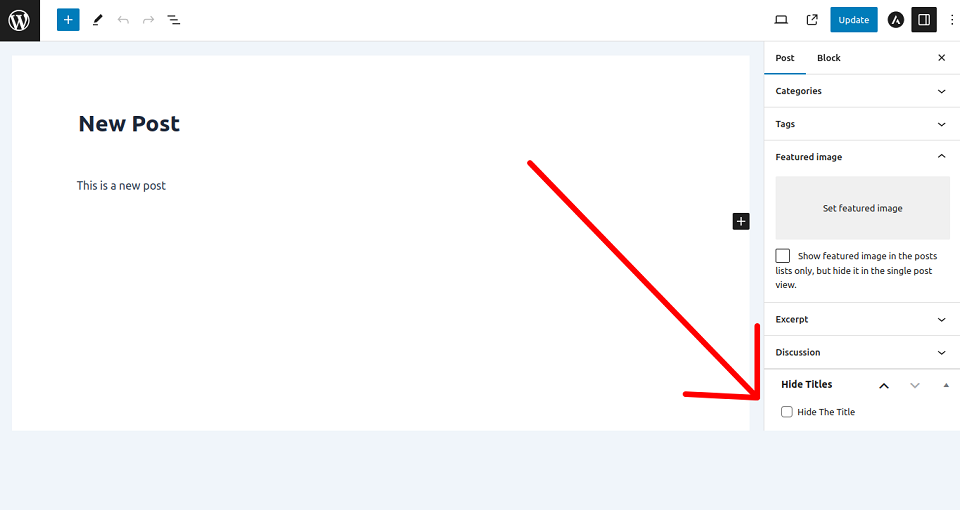
MM Title Manager is a lightweight plugin that lets you control the visibility of titles on single posts and pages. Choose whether to show or hide titles site-wide, or override the setting for any individual post or page from the editor sidebar. When a title is hidden, navigation menus still display their link text.
Features
- Hide the title on single posts
- Hide the title on pages
- Hide all titles site-wide
- Override per post or page from the editor
- Navigation menu labels are always preserved
- Clean, responsive settings screen
- No front-end assets, no performance overhead
Questions
- How do I hide titles on pages and single posts?
Activate the plugin, go to the settings page, choose your option, and click ‘Save changes’.
- How do I bring the titles back?
Go to the settings page, choose ‘Show all titles’, and click ‘Save changes’.
- How do I hide the title on just one post or page?
Edit the post or page and enable the “Hide title on this page” box in the MM Title Manager sidebar.
- Will hiding a title break my navigation menu?
No. Menu labels are always preserved, even when the title is hidden.
Spin up a real WordPress site in seconds.
Test plugins, build a demo, hand a client a link — then squash it and start again. No local setup, no Docker.