sandywp / plugins / hide-page-and-post-title

Hide Page And Post Title
Hide title on single pages and posts.
Launch a sandbox with this plugin → No signup.
Ready in seconds.
Ready in seconds.
v1.5.8 40,000+ installs WP 3.5+
What you get inside
2 screensAbout this plugin
Hide title or Hide page and post title plugin provides functionality to user to hide the page and post title.
Major features of this plugin include
- Hide the title of particular page.
- Hide the title of particular post.
- Hide the title of particular custom post(CPT).
Like the plugin?
Please Vote, Your votes really make a difference! Thanks.
Questions
- How to hide the title of page or a post?
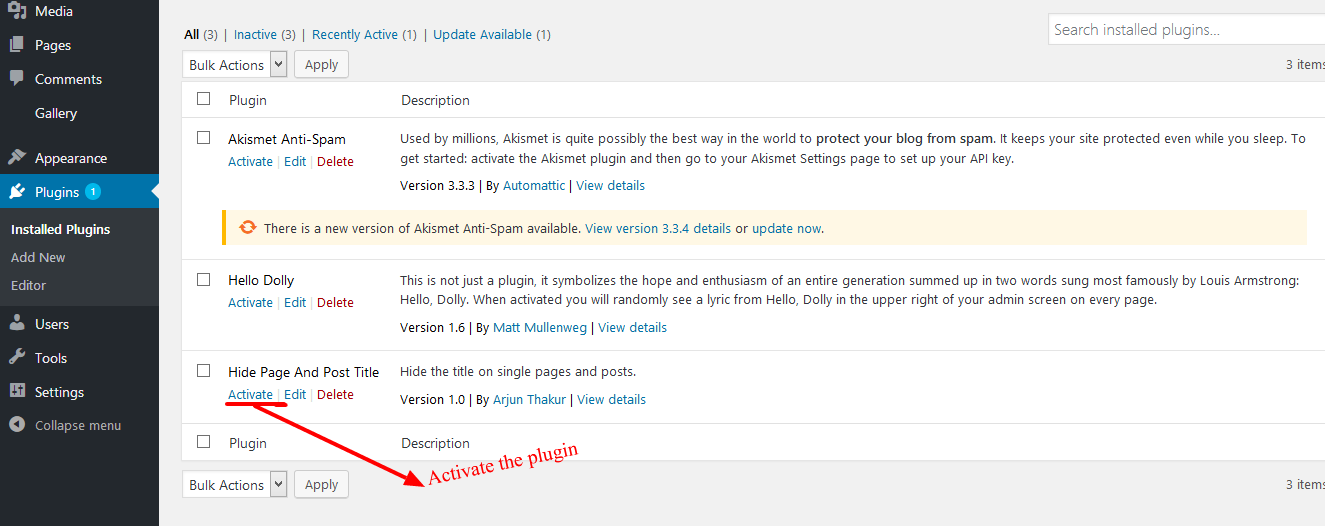
- Activate the plugin through the ‘Plugins’ menu in WordPress.
- Then Create New Post/Page Or you can use old one.
- Now go to edit screen for pages or posts and click on the Hide the title options.
- After you click on “Hide the title” just publish or update the page or post.
- Activate the plugin through the ‘Plugins’ menu in WordPress.
- What is the benefit of using this plugin?
User can easily hide the title of posts, pages or the custom posts.
Spin up a real WordPress site in seconds.
Test plugins, build a demo, hand a client a link — then squash it and start again. No local setup, no Docker.