sandywp / plugins / groovy-menu-free

Groovy Menu Plugin (Free)
Groovy Menu is a Free responsive Mega Menu plugin that will allow you easily to add an awesome menu on your site and improve website navigation.
Ready in seconds.
v1.4.8 4,000+ installs WP 4.9.7+ PHP 7.0+
What you get inside
5 screens-
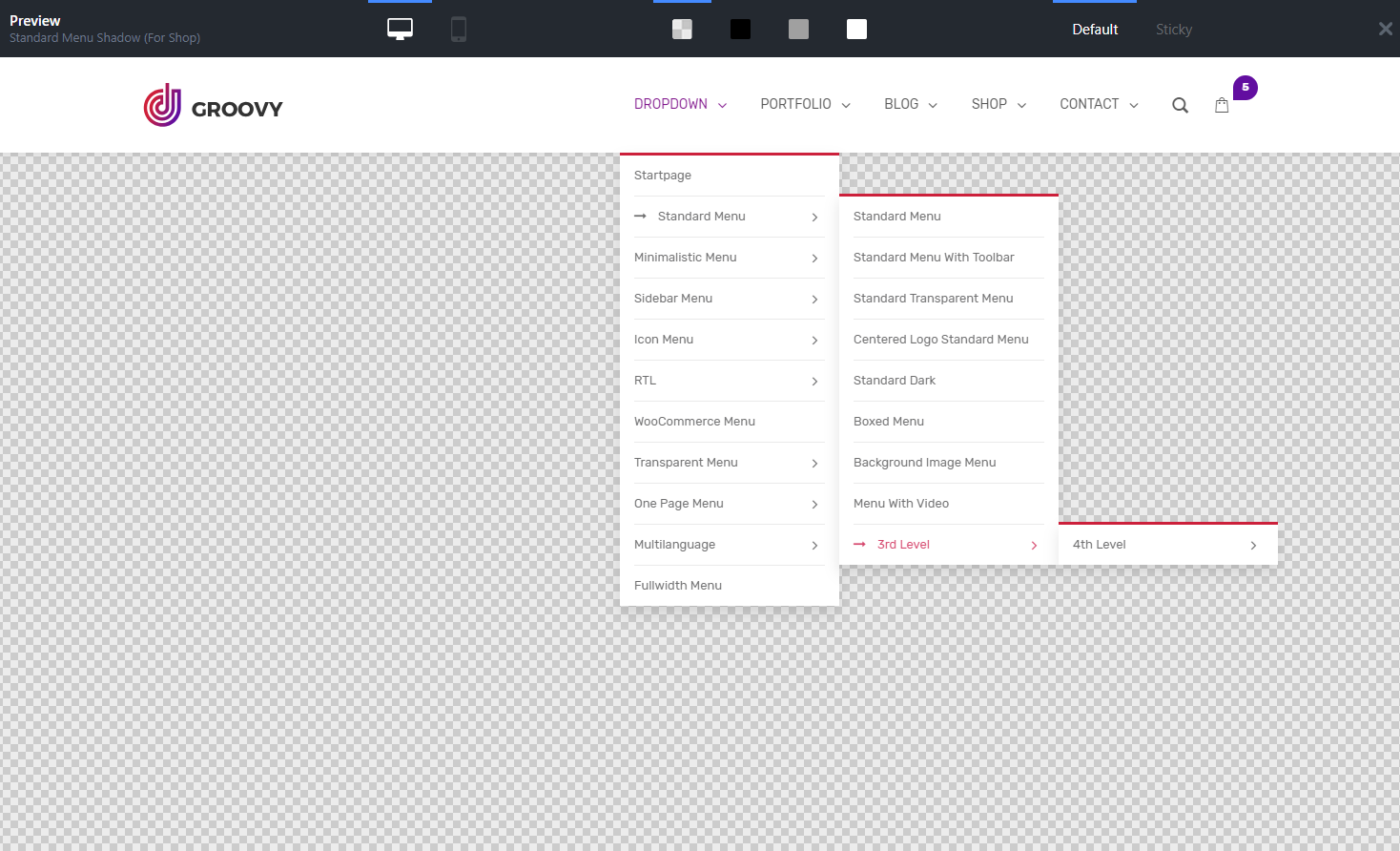
Classic dropdown menu.
-
Dashboard.
-
Global settings.
-
Preset options.
-
Mega menu with menu blocks.
About this plugin
Mega Menu Pro | Demo | Documentation | Video tutorials
Groovy Mega Menu is a responsive and free Mega Menu WordPress plugin that will allow you easily to add an awesome menu on your site and improve website navigation. Is an easy to customize, just need to upload your logo and fit your own colors, fonts and sizes.
https://youtu.be/w1SIBwMdfn8
View more video tutorials: Mega Menu Tutorials
Features
- Mega Menu
- Horizontal menu
- Vertical menu (as hamburger menu)
- Onepage menu
- Dropdown menu
- Submenu
- Topbar header
- Toolbar menu
- Ajax Cart
- DIVI Compatible (without mega menu module)
- Avada Fusion Builder Compatible
- Elementor Compatible
- WooCommerce Mega menu
- Responsive layout
- Full width mega menu
- Mobile menu
- Mega menu mobile
- Mobile slide menu
- Custom block in menu predefined areas (partially)
- Multi-level menu support
- Smooth scroll
- RTL Ready
- WPML / Polylang compatible
- GDPR Compliance
- Preview mode
- 2 hover types
- 1 desktop logo + 1 mobile logo
- Automatic and manual integration
- No coding skills needed
- Easy to customize
Premium Features
- Megamenu
- Mega menu blocks – that allow adding rich content into the mega menu. Compatibility with best popular page builders as Elementor,
Elementor, DIVI, WPBakery - Divi Mega menu
- Divi Fullwidth Module
- Divi Regular Module
- Elementor Mega Menu
- WPBakery Mega Menu (ex Visual Composer)
- Vertical menu
- Icon menu
- Sticky menu
- Fixed menu
- Off canvas menu
- Custom badges for menu items (icon, text, image)
- Sidebar menu
- Expandable menu
- Collapse sidebar menu
- Secondary navigation bar
- Custom block in menu predefined areas
- Secondary navigation bar
- Additional sidebar menu
- Full width menu
- Many header layouts
- Online library preset
- Premium Support
- Theme Developers features
- User roles with user role plugins
- Set specific menu for the taxonomies
Get max from your site menu with the Groovy Mega Menu PRO for WP.
Page Builders compatibility
- Elementor, Elementor Pro
- DIVI Theme Builder – new
- Fusion Builder (Avada Theme Builder) new
- WPBakery (Visual Composer)
- BeaverBuilder
- Brizy
- UX Builder from Flatsome theme new
- Cornerstone by Themeco authors X theme, Pro theme
- Gutenberg
- SiteOrigin Page Builder
Plugin compatibility
WooCommerce, Contact Form 7, Slider Revolution, ConvertPlug, WPML, Polylang,
Ninja forms, Elementor PRO, Cache plugins such as WP Rocket, W3 Total Cache,
Fastest Cache, Hummingbird, Super Cache, Autoptimize, WP Optimize. Cache Enabler and others.
Additional Info
The source code of the plugin can be found at GitHub
Source and build
The human-readable source code used to generate the JavaScript and CSS files in assets/js and assets/style is maintained at:
https://github.com/grooni/groovy-wordpress-mega-menu-plugin
Build steps:
1. Clone the repository.
2. Run npm install.
3. Run composer install.
4. Run npm run gulp build --production to rebuild JavaScript, CSS, images, and fonts from src/.
5. Run php build.php to create groovy-menu.zip.
The release package contains compiled assets for WordPress.org distribution. The source files and build configuration are available in the public repository above.
External services
This plugin can connect to external services when the related feature is used.
Google Fonts: this plugin loads selected fonts from fonts.googleapis.com and fonts.gstatic.com in the admin area and on the front end when Google Fonts are enabled. The requested font family, style, browser request data, and site visitor IP address may be sent to Google when the font CSS or font files are requested. Service provider: Google. Terms: https://policies.google.com/terms Privacy: https://policies.google.com/privacy
Google Webfonts Helper: this plugin uses google-webfonts-helper.herokuapp.com to list Google Fonts metadata and download selected font files when the local Google Fonts feature is used by an administrator. The selected font family, variants, subsets, and requested font formats are sent in the request. Service provider: Google Webfonts Helper hosted on Heroku/Salesforce. Source: https://github.com/majodev/google-webfonts-helper Terms: https://www.salesforce.com/company/legal/sfdc-website-terms-of-service/ Privacy: https://www.salesforce.com/company/privacy/
Grooni icon pack service: this plugin can connect to license.grooni.com to download optional icon packs when an administrator explicitly uses the icon pack installation feature. The requested icon pack name and standard request metadata may be sent. Service provider: Grooni. Terms: https://grooni.com/terms-and-conditions/ Privacy: https://grooni.com/privacy-policy/
Grooni preset and theme integration services: this plugin can connect to api.groovy.grooni.com to fetch online preset library data and to updates.grooni.com to check available theme integration data when those admin features are used. The request can include the current theme name and preset identifier. Service provider: Grooni. Terms: https://grooni.com/terms-and-conditions/ Privacy: https://grooni.com/privacy-policy/
Questions
- How to integrate?
Groovy menu can be integrated both manually and automatically. The automatic integration is the easiest and in most
cases the working way to implement Groovy Menu on your website. The principle of autointegration is that the Groovy Menu
plugin will be displayed immediately after the opening HTML tag “body”. Read more- How to upload logo?
Please read this article.
sandywp / also on the shelf
Try another plugin

Advance Side Cart, Ajax Cart & Floating Cart for WooCommerce
5.0 · 6K+ installs
Enhance your Cart for WooCommerce with a modern side cart and floating cart. Improve shopping experience with a fast,…

4.2 · 1K+ installs
The simple plugin to add a minicart on your WooCommerce store. Choose from multiple cart icons, adjust position, and optionally…

Mini Ajax Cart for WooCommerce
5.0 · 900+ installs
Mini Ajax Cart adds a sticky shopping cart on your WooCommerce store.
Spin up a real WordPress site in seconds.
Test plugins, build a demo, hand a client a link — then squash it and start again. No local setup, no Docker.