sandywp / plugins / filter-plus

Filter Plus
WooCommerce Product Filter & AJAX Post Filter
AJAX WooCommerce product filter and WordPress post filter. Shoppers filter by price, rating, category, attribute, color and size without reload.
Ready in seconds.
v1.1.50 100+ installs WP 5.8+ PHP 7.4+
What you get inside
5 screens-
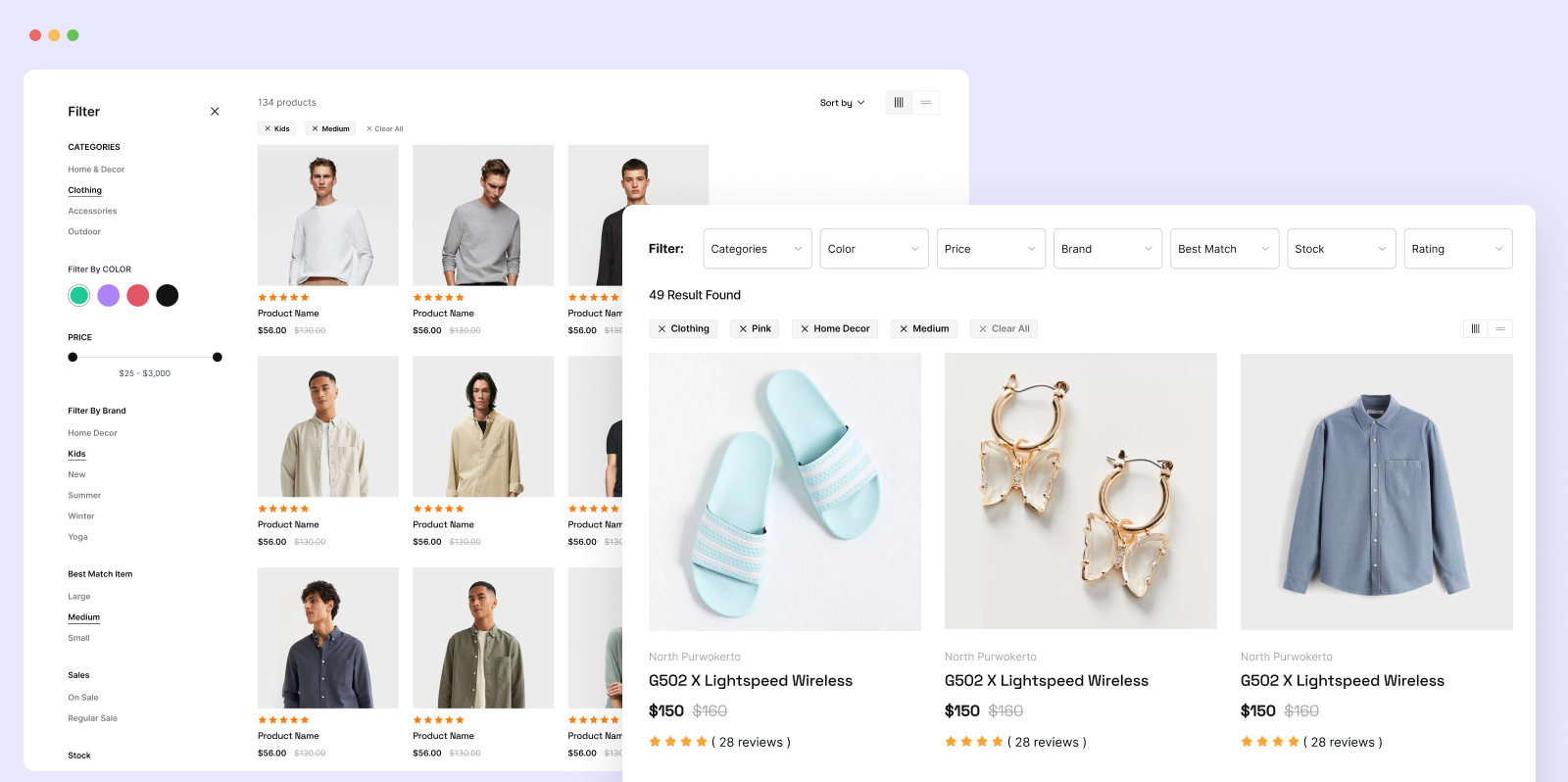
WooCommerce product filter on the front end with price, category, rating and attribute filters.
-
Filter panel with color and size swatches and instant AJAX results.
-
WordPress post filter for blog posts.
-
Filter set settings in the WordPress admin.
-
Elementor widget settings for layout, filters and styling.
About this plugin
Help shoppers find the right product in a few clicks. Filter Plus adds a fast AJAX filter to your WooCommerce store. Visitors narrow products by price, rating, category, tag, attribute, color, size and stock status, and the results update instantly with no page reload.
Filter Plus also filters regular WordPress content, so one plugin covers your shop and your blog. Add a filter with a shortcode, an Elementor widget or a Gutenberg block. It works with your existing theme and products, so there is no need to rebuild your site.
👉 Live demo · Documentation · Support · Filter Plus Pro
Core features at a glance
- WooCommerce product filter – price, rating, category, tag, attribute, color, size, on sale and stock status
- WordPress post filter – filter blog posts by category, tag and author
- AJAX filtering – results update in place, with no page reload
- Combine filters – price AND category AND in stock, applied in one request
- Every control type – checkboxes, radio buttons, dropdowns, color swatches and price range sliders
- Two filtering modes – instant (auto-submit) or select several filters, then click Apply
- Active filter tags – shoppers see what is applied and remove any filter with one click
- Sorting and keyword search – sort by popularity, price, rating or newest, and search within the filtered results
- Place it anywhere – shortcode, Elementor widget or Gutenberg block
- Mobile friendly – responsive filter panel and product grid
- Developer friendly – theme template overrides and filter hooks
Why add filters to your store?
Shoppers who cannot narrow a long product list quickly tend to leave. A filter panel lets them jump straight to the size, color and price they want. That means fewer dead-end category pages, more time on site and an easier path to checkout. Filter Plus gives you that panel in a few minutes, without code.
WooCommerce product filter (free)
- Filter by price range – drag the slider or type a minimum and maximum. Works with variable products and sale prices.
- Filter by rating – show only 4-star or 5-star products, using native WooCommerce review data.
- Filter by category and tag – including sub-categories, with product counts and an option to hide empty categories.
- Filter by attribute – color, size, material, fit or any WooCommerce attribute, with color and size swatches.
- Filter by stock and sale status – in stock, backorder, out of stock, on sale or regular price.
- Reset button – clear every filter in one click.
- Product grid options – grid, list or masonry layout, columns, items per page, numbered pagination or load more, and a left or right filter bar.
- AJAX add to cart – with custom Add to Cart button text.
- Lightweight images – product thumbnails use the
woocommerce_thumbnailsize, so filtered grids stay fast. - WPML and RTL ready.
WordPress post filter (free)
- Filter blog posts by category, tag and author.
- Combine several filters in one AJAX request.
- Grid layout with pagination or load more.
- Add it with the Wp Filter shortcode, Elementor widget or Gutenberg block.
How Filter Plus works
Filter Plus shows a complete filter + results layout: the filter panel on one side and a matching product (or post) grid on the other. You place this layout on any page you like, such as your shop page, a landing page or a category page.
- The filter controls and the results grid are built to work together, so filtering looks and behaves the same across themes.
- You choose the grid style, columns, items per page and which product details to show.
- With Filter Plus Pro, the layout can also replace the default WooCommerce shop, category and tag pages automatically.
Filter Plus Pro
Filter Plus Pro unlocks everything in the free version, plus:
More content to filter
- Custom post type filter – filter portfolios, events, listings, properties or any registered post type
- Custom field filter – filter by ACF, Meta Box or any post meta, plus authors, dates and custom taxonomies
- Multiple custom fields – combine several fields in one filter widget
- WooCommerce admin order filter – filter orders by product, status, date and customer, to spot best sellers and track fulfillment
Store-wide layouts
- Shop archive replacement – show the Filter Plus layout on the WooCommerce shop, category and tag pages automatically
- Category layout navigation – clicking a category opens its category page with the same filter template
- More pre-built templates – ready-made product and post filter designs, including horizontal, sidebar and floating layouts. Pick one and go live without designing from scratch.
- 6 category filter templates – show categories as a list, checkboxes, dropdown, radio buttons, images or text links
- Style customization – match your brand with full control over colors, typography, borders, spacing and padding for the filter panel, plus separate styling for product titles, prices, ratings and cart buttons
- Drag and drop filter order – reorder filter sections and the front-end sidebar follows the same order
- Image size control – choose any thumbnail size or set a custom width and height
SEO and builders
- SEO-friendly filter URLs – clean, indexable URLs such as
/color-blue/brand-acer/that Google can crawl and GA4 can report on - Bricks Builder and Oxygen Builder support
- Priority support and all upcoming Pro features
Compatible with
- WooCommerce and WordPress posts
- Page builders: Elementor, Gutenberg (block editor), Bricks Builder (Pro), Oxygen Builder (Pro)
- Custom fields: Advanced Custom Fields (ACF) and Meta Box (Pro)
- Multilingual: WPML, plus full RTL support
- Caching: WP Rocket, LiteSpeed Cache and WP Super Cache
- Themes: Astra, Storefront, Flatsome, Divi, OceanWP and most WooCommerce themes
- WPBens plugins: Discountify discount prices show correctly in filtered results
More plugins from WPBens
- Discountify – WooCommerce discount rules, BOGO and dynamic pricing
- MemberHub – memberships and content restriction
- Quicker – quick buy and checkout optimization for WooCommerce
- Bens Email Marketing & Automation – newsletters, automation and CRM
- MenuBook – restaurant set menus and table reservations for WordPress
Questions
- What is Filter Plus?
Filter Plus is a WooCommerce product filter and WordPress post filter plugin. It adds AJAX filtering by price, rating, category, tag, attribute, color, size and stock status to your store, and filters blog posts by category, tag and author. Filter Plus Pro adds custom post types, custom fields, SEO URLs and the admin order filter.
- Is Filter Plus free?
Yes. The free version has no time limit and includes the WooCommerce product filter, the blog post filter, AJAX filtering, the Elementor widget, the Gutenberg block and the shortcode. Filter Plus Pro, from $29 per year, adds custom post type and custom field filters, more pre-built templates, style customization, SEO-friendly filter URLs, Bricks and Oxygen support and the admin order filter.
- What is the difference between Filter Plus Free and Pro?
The free version filters WooCommerce products and blog posts. Pro filters any custom post type and custom field (ACF, Meta Box), replaces your shop and category pages with the Filter Plus layout, adds more pre-built templates and full style customization, creates indexable SEO filter URLs, supports Bricks and Oxygen, and adds a WooCommerce admin order filter.
- Where are the filtered results displayed?
Filter Plus shows results in its own product or post grid, next to the filter panel, wherever you add the shortcode, widget or block. This keeps filtering fast and consistent across themes. To use the layout on the default WooCommerce shop and category pages automatically, enable the archive layout option in Filter Plus Pro.
- How do I add a product filter to my WooCommerce shop page?
Create a filter set under Filter Plus in your admin sidebar. Then edit your shop page and add the
[filterplus]shortcode, the Elementor Woo Filter widget or the Gutenberg Woo Filter block. Publish the page and your shoppers can filter products instantly.- Does Filter Plus work with Elementor and Gutenberg?
Yes. After activation, the Woo Filter and Wp Filter widgets appear in the Elementor panel, and the Woo Filter and Wp Filter blocks appear in the block inserter. Configure filters, layout and styling in the widget or block settings, then publish.
- Does Filter Plus work with Bricks Builder or Oxygen?
Yes, with Filter Plus Pro. Pro adds Bricks Builder and Oxygen Builder support so you can place the filter inside those layouts.
- Can I filter custom post types or ACF fields?
Yes, with Filter Plus Pro. Pro filters any registered custom post type, such as portfolios, events or property listings, by custom fields from ACF, Meta Box or post meta, as well as authors, dates and custom taxonomies. The free version filters regular blog posts by category, tag and author.
sandywp / also on the shelf
Try another plugin
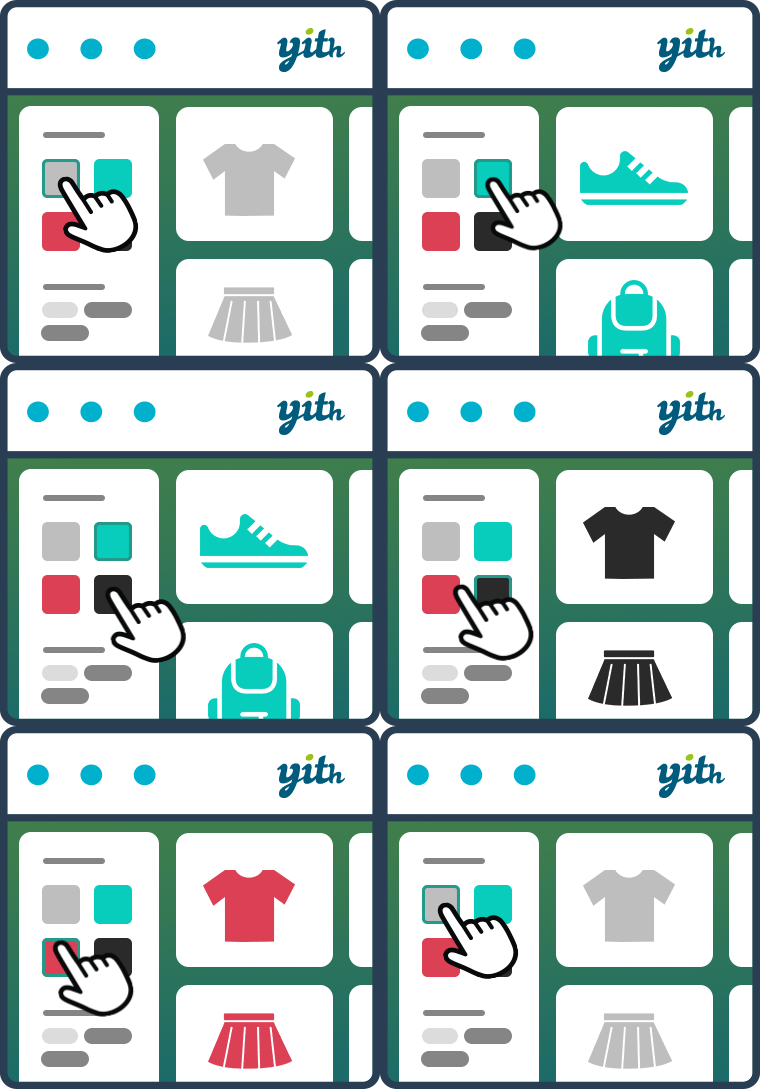
YITH WooCommerce Ajax Product Filter
3.5 · 70K+ installs
YITH WooCommerce Ajax Product Filter offers you the perfect way to filter all products of your WooCommerce shop.

WCAPF – Ajax Product Filter for WooCommerce
4.3 · 8K+ installs
Filter WooCommerce products by category, tag, attribute, price, rating, author, meta fields, and keyword using AJAX.

Dynamic AJAX Product Filters for WooCommerce
5.0 · 900+ installs
Dynamic AJAX Product Filters allow shoppers to quickly filter WooCommerce products by categories, attributes, prices, and more.
Spin up a real WordPress site in seconds.
Test plugins, build a demo, hand a client a link — then squash it and start again. No local setup, no Docker.