sandywp / plugins / filter-everything

Filter Everything
WordPress & WooCommerce Filters
The most flexible filters for WooCommerce products & WordPress content. Includes everything needed, supports Elementor & builders, AJAX, quick setup.
Ready in seconds.
v1.9.6 50,000+ installs WP 4.6+ PHP 7.4+
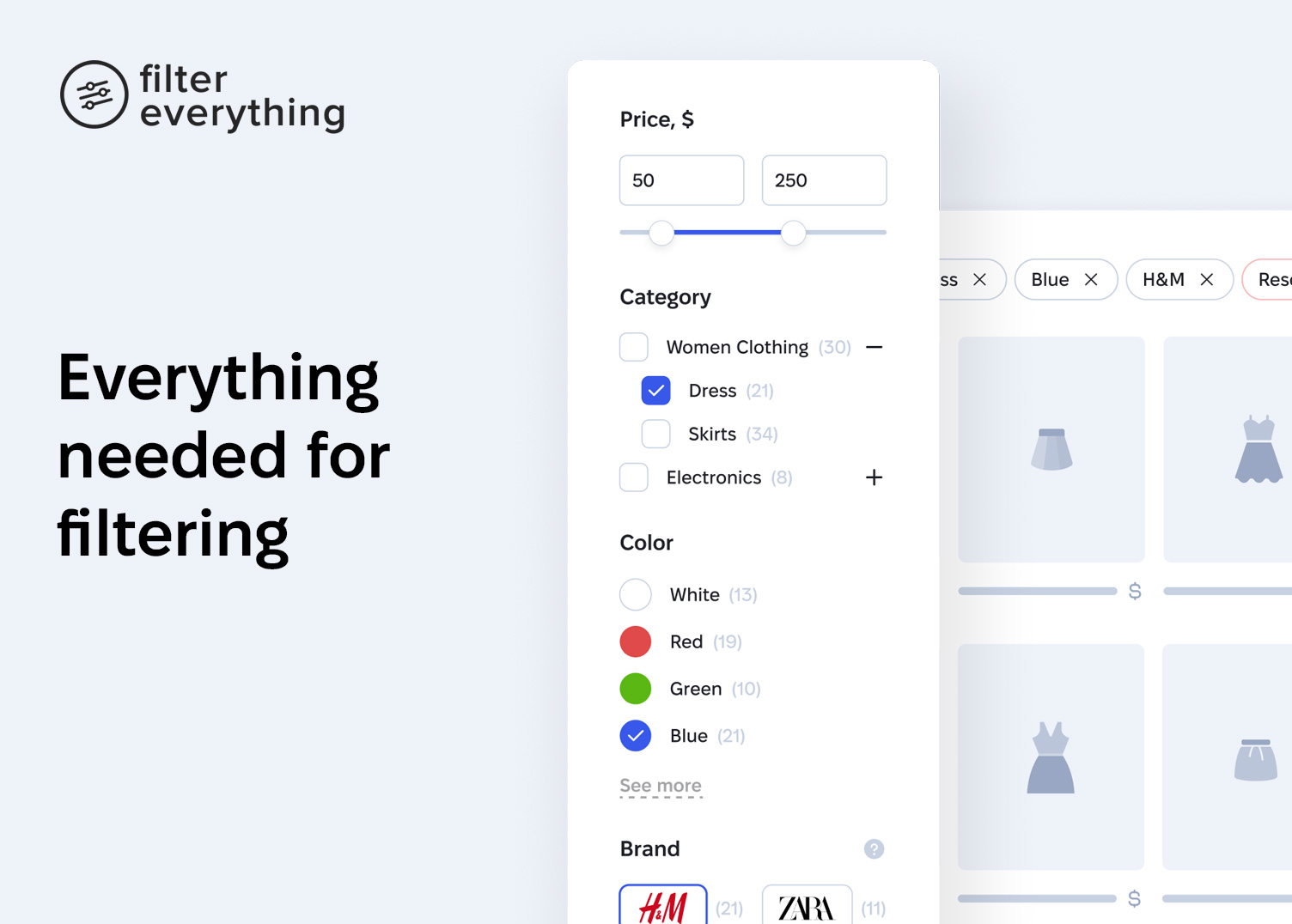
What you get inside
5 screens-
Everything needed for filtering
-
All essential filter views
-
Built-in, user-friendly filter widget for mobile devices
-
All the necessary filter options
-
Individual filters for any post type
About this plugin
Improve your site’s navigation and drive more conversions with Filter Everything.
Filter Everything is a versatile filtering plugin that works with any content type — WooCommerce products, posts, listings, events, and more. It covers filtering completely — every filter type, every layout, and every option you may need, all in one plugin.
Watch a video walkthrough by WPTuts:
Filter everything and everywhere
Use it to filter WooCommerce products, posts, listings, events, and many more — on any page of your site and any device, whether desktop, tablet, or mobile.
See how it works ↗
- See how it filters WooCommerce products, posts & any content
- See its SEO Capabilities (PRO version)
- See it work together with Elementor, ACF & WPML
- See Apply button mode, Step-by-step filtering, Built-in search & Horizontal layout in action
Configure every filtering detail
25+ filter options covering every need — display type, filter logic, counters, collapsing, custom URL names, hiding empty filters, and more.
Complete filtering toolkit
Use shortcodes, sort results, and search by text within filtered content. Turn on AJAX filtering with no page reloads. Pick the mode that fits your workflow — Step by step filtering, Select and apply, or Auto-submitting — and choose a horizontal or vertical layout.
Unlimited filtering criteria
Filter by virtually anything — price, brand, category, attributes, color, size, weight, and any other data in your content.
Compatible with other plugins and themes
Works with page builders like Elementor, Divi, Bricks, Oxygen, Breakdance, and Beaver Builder. Filters by custom fields created with ACF. Compatible with multilingual sites built on WPML and Polylang.
Works with your existing content
No need to rebuild your site. Just install, configure, and go. And if any questions come up, our support is fast and focused on actually helping.
Core features at a glance
- Filter any content
Works with WooCommerce products, posts, and any custom post types on your website. - All essential filtering options included
25+ built-in filtering options designed to cover virtually any filtering scenario. - Filter by virtually any criteria
Filter content by price, brand, category, attributes, color, size, weight, or any other criteria based on the data stored in taxonomies or custom fields. - Works on any page
Each section of your website can have its own set of filters relevant to its content. - Widgets for page builders
Built-in Filters, Chips, and Sorting widgets for Gutenberg, Elementor, Divi, Breakdance, Beaver Builder, and other page builders. - Flexible filter layouts and display options
Use checkboxes, radio buttons, dropdowns, labels, color swatches, rating stars, numeric ranges, or date ranges, and display filters as horizontal toolbars or vertical panels. - Flexible filtering modes
Step-by-step filtering, auto-submission, or selecting multiple filters and applying them manually. - Sorting and keyword search
Allow visitors to sort and search within filtered results. - Developer-friendly and extensible
Customize and extend plugin behavior using WordPress actions and filters. - Mobile-friendly
Works out of the box on mobile devices.
— And many other built-in capabilities.
Filter Everything PRO
The plugin is also available in a PRO version that significantly expands filtering capabilities:
- Filter any content built with page builders, plugins, or custom WP_Query code
- ∞ Unlimited Filter Sets
- SEO tools that help bring additional organic traffic to your website
- Smart filtering for WooCommerce variable and out-of-stock products
- User-friendly mobile filters widget
- Import and export of filters, SEO Rules, and settings
- Duplicate Filter Sets in one click
- Priority support
— And many other powerful features available in Filter Everything PRO.
Why use filters on your website?
Filters help visitors quickly find the content they need in just a few clicks, especially on websites that contain large amounts of content.
This improves navigation, reduces bounce rates, saves visitors’ time, and creates a better overall user experience. For high-traffic websites, efficient filtering can also help reduce server load.
Questions
- How do I get support?
You can try to find a solution to your problem in the plugin documentation or ask your question on the support forum. PRO version users can get more info about support here.
- Bots and AI crawlers are hammering my filter URLs — what should I do?
Filter combinations produce a practically unlimited number of URLs, and once crawlers discover them they can keep requesting them for months. Since version 1.9.6 the plugin ships two protections in Settings → General → «Crawlers and bots»: «Disable filter links for crawlers» renders filter links as <span> instead of <a>, so bots stop discovering new filter URLs, and «Block filter URLs in robots.txt» adds Disallow rules for the filter URLs to your robots.txt, which is the only signal that also stops well-behaved crawlers (Google, Bing, most AI bots) from requesting URLs they already know. Both are enabled by default on new installations; on existing sites switch them on. Filtering result pages are noindex in the free version anyway, so neither option costs search visibility. Bots that ignore robots.txt can only be stopped at the server or CDN level — a firewall or rate-limiting rule (e.g. in Cloudflare) matching your filter URL parameters.
sandywp / also on the shelf
Try another plugin

In Stock Layered Nav for WooCommerce
1.0 · 10+ installs
Hides out of stock products when viewing an attribute catalog page.

5.0 · 10+ installs
Professional AJAX filtering for Oxygen Builder. Features database indexing, SEO-friendly URLs, and native elements.

3.7 · 10+ installs
Sidebar Widget to allow filtering indexes by builtin and custom taxonomies.
Spin up a real WordPress site in seconds.
Test plugins, build a demo, hand a client a link — then squash it and start again. No local setup, no Docker.