sandywp / plugins / essential-blocks

Gutenberg Essential Blocks
Page Builder for Gutenberg Blocks & Patterns
Gutenberg block editor with AI. 70+ Gutenberg blocks, patterns, WooCommerce blocks, post grid, gallery, menu with Gutenberg block library.
Ready in seconds.
v6.4.3 200,000+ installs WP 5.8+ PHP 7.4+
What you get inside
8 screensAbout this plugin
Bring your creative visions to life with Essential Blocks for Gutenberg, the ultimate Gutenberg blocks library for the WordPress default editor!
Enhance your web-building experience with the essential Gutenberg extensions’ 70+ unique blocks and the brand‑new AI feature for image generating & content writing. Add power to the block editor using our easy-to-use blocks, which are designed to make your next WordPress page or post design easier and prettier than ever before. Plus, AI helps you generate rich, high‑quality content instantly with just a few keywords.
DESIGN OUTSTANDING WEB PAGES WITH ADVANCED & ESSENTIAL GUTENBERG BLOCKS LIBRARY!
See It In Action: Check out all the interactive block demos in one place.
🤖 WRITE WITH AI – POST/PAGE CONTENT INSTANTLY
Generate engaging content for pages and posts in seconds with the Write With AI feature of Essential Blocks. Simply enter a few keywords and submit your prompt. Our built‑in AI engine will create rich, high-quality content instantly.
✨ READY AI CONTENT FOR RICH TEXT INPUT
Get AI-generated content in one click for all your rich text input blocks. With this global AI feature, you can automatically create, modify, or personalize your text content fields for any Gutenberg block.
🦾 GENERATE IMAGE WITH AI IN WORDPRESS
Directly from your Gutenberg editor, generate AI images with your given prompt within a few seconds. To get the best output, customize options like AI model, image type, sizes, etc. Create AI images for Gutenberg blocks in one click.
🧱 BLOCK PLUGIN WITH FULL CUSTOMIZATION
Each Gutenberg block comes with a bunch of options to control every possible aspect of your website design on the block editor. You can design your page with endless customization options using this amazing Gutenberg blocks plugin.
🌐 GUTENBERG BLOCKS GLOBAL CONTROL, COLORS & TYPOGRAPHY
Now, any block can be saved with customized styling. You can also personalize the colors and typography throughout your entire website. This boosts efficiency, so you do not have to recreate the same styling repeatedly on all pages or posts.
⚡ LIGHT WEIGHT & INSTANT LOADING
No extra resources or messy code to slow down your website. Optimized for super-fast loading and instant live editing.
🈸 WPML CERTIFIED GUTENBERG PLUGIN
Translate Gutenberg blocks with WPML in your chosen language & offer a multilingual experience to your visitors.
⚙️ GUTENBERG BLOCKS MODULAR CONTROL
Enable and disable individual blocks to make your page load faster and smoother. You can deactivate unnecessary blocks to keep the site lightweight.
🚀 ASSET REGENERATION FOR FASTER GUTENBERG PAGES
Keep your website’s loading speed fast and secure against heavy scripts and CSS files with the Asset Regeneration feature.
🖊️ COMPATIBILITY WITH GOOGLE FONTS
Choose any Google Font you prefer from a collection of 1,000+ font families available using Essential Blocks. Now, you can give your websites a customized look with stunning typography.
👁️ CONTROL BLOCKS VISIBILITY WITH CONDITIONS, LOGICS (PRO)
Apply display conditions to the blocks you’ve selected based on a variety of factors, including date and time, query strings, user roles, and browsers. Easily create visibility restrictions for content using the Gutenberg editor.
🛡 UNFILTERED MEDIA FILE UPLOADS
Easily upload SVG and JSON files directly to your WordPress Media Library without hitting file type restrictions. This unlocks advanced customization possibilities, empowering you to seamlessly integrate custom animations, illustrations, and data-driven visuals into your Gutenberg experience.
💻 RESPONSIVE ON ALL DEVICES
Directly from your Gutenberg block editor, you can control each block’s responsiveness individually. With flexible, responsive customization options, make your website user-friendly for all devices.
💧 LIQUID GLASS EFFECT ON WORDPRESS
Add smooth, glossy liquid glassmorphism effects to your WordPress site; no coding is needed. Instantly bring modern and futuristic UI to Gutenberg designs.
💫 INTERACTIVE ANIMATION WITH GSAP FOR PAGE BUILDER (PRO)
With our latest exclusive feature, animation, you can design every block with a stunning animated appearance. Add smooth transitions, scroll effects and vibrant animations. Grab users’ attention instantly with eye-catching animations, transitions, and many more.
⚡ DYNAMIC TAGS & ACF SUPPORT (PRO)
Enhance the flexibility and customization options of your Gutenberg-built website and easily add custom fields to posts, pages, or custom post types with dynamic placeholders or variables generated from various parameters or data sources.
🔄 TRANSFORM BLOCKS WITH INTERACTIVE EFFECTS
Instantly add engaging transform effects to your Gutenberg blocks and create interactive experiences without any coding. Apply hover animations, dynamic transitions, and smooth visual transformations to make your website feel modern, responsive, and visually captivating.
🔒 PASSWORD PROTECT CONTENT & BLOCKS (PRO)
Secure any Gutenberg block, section, or content with password protection and control who gets access. Easily restrict premium resources, exclusive content, private pages, or client-only sections directly from the block editor without writing a single line of code.
🎨 IMAGE MASKING & MORPHING (FREEMIUM)
Transform ordinary images into captivating visual experiences with advanced masking and morphing effects. Easily apply creative shapes, seamless transitions, and dynamic image transformations to highlight products, showcase portfolios, or create engaging website sections—all directly within the Gutenberg editor without writing a single line of code.
🧭 ONE PAGE NAVIGATION (PRO)
Guide visitors through long pages with smooth, customizable one page navigation. Create sticky section menus that let users jump between content effortlessly, improve the browsing experience and keep readers engaged, all within the Gutenberg editor without writing a line of code.
📋 COPY/PASTE STYLE (FREE)
Build faster while keeping every page visually consistent. Copy the complete style of any Essential Blocks block and paste it onto another with a single click. Reuse your favorite designs, save time and eliminate repetitive customization, built directly into the Gutenberg editor with no coding required.
🖼️ READY GUTENBERG PATTERNS BUILT WITH BLOCKS
Get stunningly designed, ready-to-use Gutenberg block patterns for your WordPress website. Instantly add a block layout to Gutenberg or your site editor to make your website-building experience faster and more effective.
🎯 STUNNING GUTENBERG TEMPLATES FOR WORDPRESS
Explore and access Templately’s 3,000+ ready, AI-powered Gutenberg templates created with Essential Blocks. You can easily insert the entire site with a single click, customize the fully responsive templates to your liking, upload the designs to the Templately cloud solution for future use, and easily collaborate with your team.
You will find a wide variety of stunning Gutenberg website or web page templates in any niche:
– Blog & Magazine
– Celebration
– Creative
– eCommerce
– Education
– Entertainment
– Fashion & Lifestyle
– Food & Restaurant
– Health & Medical
– Multipurpose
– NFT & Crypto Currency
– Non-profit
– Portfolio & Consultancy
– Technology
– Travel… and many more.
👨💻 EXPERT SUPPORT
We have a very friendly support team ready to help you out. Ask your questions in the support forum; we will get back to you immediately.
70+ FREE GUTENBERG BLOCKS AND COUNTING
Design without limits in WordPress block editor, using 70+ of the most useful Essential Blocks for Gutenberg.
- Accordion – Collapsible content panels to reduce scrolling
- Button – Modern buttons with hover effects
- Call To Action – Eye-catching call-to-action sections
- Countdown – Countdown timer to boost click-through rates
- Flipbox – Animated flip boxes to highlight content
- Infobox – Info boxes from predefined styles
- Notice – Notice/alert boxes for important information
- Pricing Table – Pricing tables that convert
- Social Icons – Share content across social media platforms
- Team Member – Feature your team members
- Testimonial – Showcase reviews to build credibility
- Progress Bar – Display task or skill progress
- Interactive Promo – Eye-catching promo headings
- Image Comparison – Interactive before/after image comparisons
- Wrapper – Group and style any block together
- Instagram Feed – Display Instagram posts beautifully
- Filterable Gallery – Image gallery with grid & lightbox
- Advanced Heading – Headings with extra customization options
- Dual Button – Two buttons with a text/icon separator
- Parallax Slider – Fancy slider for teams or galleries
- Typing Text – Eye-catching typing text effect
- Toggle Content – Switch content with a toggle switcher
- Number Counter – Highlight key statistics
- Row – Row layouts with responsive styling controls
- Post grid – Interactive grid layout for blog posts
- Table of Contents – TOC for posts/pages to improve UX
- Feature List – Display information as a feature list
- Slider – Image slider with motion effects
- Advanced Tab – Nested tabs for key information
- Fluent Forms – Style Fluent Forms containers & fields
- Advanced Image – Customize images to your exact needs
- WPForms – Style WPForms with extra controls
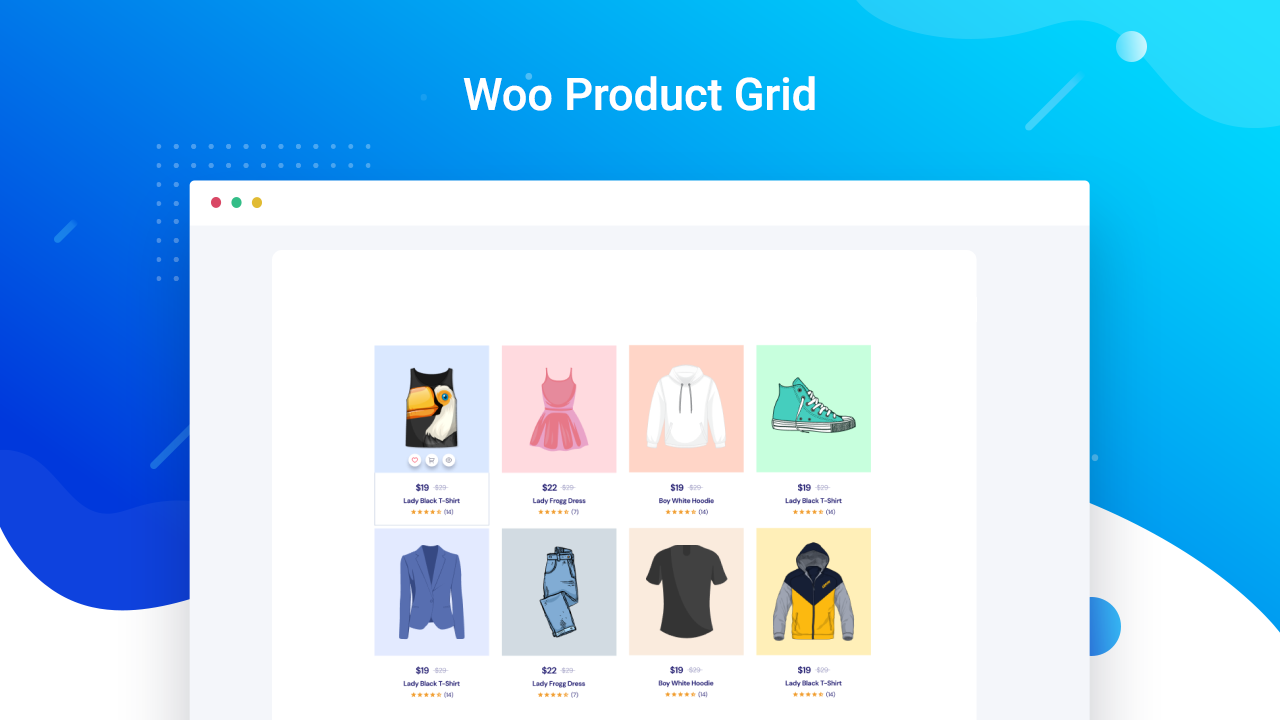
- Woo Product Grid – WooCommerce products in stunning layouts
- Post Carousel – Animated, dynamic post carousel
- Advanced Video – Extra styling for video embeds
- Advanced Navigation – Organized, easy site navigation
- Popup – Popups that showcase content & trigger actions
- NFT Gallery – Display NFT items & collections
- Social Share – One-click social sharing for posts & pages
- Openverse – Search royalty-free, CC-licensed images
- Google Maps – Present a fully responsive map on your website with your preferred configurations, styles, etc.
- Shape Divider – Make your website designs stand out by showcasing different sections with stunning shape dividers
- Form – Create responsive forms of any type – contact forms, RSVP forms, multi-step forms or subscription forms – in Gutenberg and manage them easily from your WordPress dashboard.
- Timeline Slider (PRO) – Showcase your posts & pages in an attractive timeline slider and design with stunning presets & styling options
- Advanced Search (PRO) – Let visitors find any content on your website easily with a customizable, dynamic search bar
- Data Table (PRO) – Insert an advanced data table on your website without any code and display information in an eye-catching way
- Woo Product Carousel (PRO) – Display your WooCommerce products with dynamic Product Carousels and designs using limitless styling options
- News Ticker (PRO) – Show the latest news or highlights on your website with a dynamic ticker in an engaging way that instantly drives attention
- Fancy Chart (PRO) – Design visually stunning & interactive charts to bring life to dull datasets
- Multicolumn Pricing Table (PRO) – Use a variety of layouts to impact your customers to choose the pricing best plan by showcasing comparison table by mentioning features, displaying icons, and so on
- Stacked Cards (PRO) – Display your content in a unique style with the EB Stacked Cards block. With this block, you can easily make your stacked cards sticky in place and provide users an interactive experience when they scroll through your website
- Testimonial Slider (PRO) – Display engaging and credible customer testimonials, reviews and ratings in a sleek slider format to build trust and encourage conversions
- Offcanvas (PRO) – Showcase a sidebar menu on your Gutenberg site using the Offcanvas block and grab visitors’ attention with various stunning transitions & effects
- Breadcrumbs – Make smooth navigation for your posts or pages by adding a Breadcrumbs block.
- Taxonomy – Display and organize content by categories, tags, product SKUs, etc. to make it easy for users to navigate.
- Woo Product Details – Display WooCommerce product details with an organized layout that helps grab customers’ attention.
- Woo Product Price – Display the price of the WooCommerce product and style it using custom colors and typography.
- Woo Product Rating – Display WooCommerce product ratings to build credibility among visitors and customers.
- Woo Product Images – Showcase eye-catching WooCommerce product images that draw in customers and are easy to customize.
- Woo Add to Cart – Display the ‘add to cart’ option for all your WooCommerce products to ensure easy navigation for customers.
- Post Meta – Attractively showcase your current post metadata like author, date, excerpt & more.
- Text – Add and customize text content on your website that catches the attention of the visitors.
- Lottie Animation – Add LottiFiles Animations to your Gutenberg site seamlessly and customize how you want it to appear.
- Mega Menu (PRO) – Create fully customized & mobile-friendly menu with grid, nested, dropdown, etc. dynamic layouts; add icons, badges, multimedia, etc.
- Query Loop Builder (PRO) – Easily create advanced, filterable post layouts in Gutenberg with the Query Loop Builder block. Display dynamic content stunningly and hook visitors, no coding required.
- Business Hours (PRO) – Showcase available opening times in a stylish and interactive table view. Highlight closing days, special days, multi-shift, etc.
- Flex Container – Create outstanding, complex design layouts in Gutenberg editor and easily handle responsive layouts without coding.
- Animated Wrapper (PRO) – Design interactive layouts & containers in Gutenberg with dynamic animation effects.
- Image Hotspots – This block enables you to pin items, products, etc into images with detailed pricing, URL, and description and make them interactive.
- Timeline – Create an interactive timeline in WordPress to showcase your story or company’s history, achievements, events, and roadmaps.
- One Page Navigation (PRO) – Create smooth scrolling navigation menus for single page Gutenberg websites.
More Gutenberg blocks and demos coming soon for the block visual editor (weekly update)
📄 SUPPORT & DOCUMENTATION
- If you have any more questions, visit our support on the Plugin’s Forum.
- Find out how to use each Gutenberg block with our detailed documentation.
- For information about our features, FAQs and more, check out our website at Essential Blocks for Gutenberg.
🏆 GET ACCESS TO EASY & ESSENTIAL GUTENBERG TUTORIALS
Learn from our video tutorials available on our Youtube Channel.
LIKED ESSENTIAL BLOCKS?
Join our Facebook Group.
Or rate us on WordPress. 😊
CONTRIBUTE
The full source code is available on GitHub Repository. Feel free to contribute or report an issue.
🔥 WHAT’S NEXT?
If you like Essential Blocks, then consider checking out our other WordPress Plugins:
🎨 Templately – Ultimate AI-powered templates cloud for WordPress with thousands of ready Gutenberg website layout designs and unique cloud collaboration features.
🔔 NotificationX– Best social proof and FOMO marketing solution to boost conversions & design stunning WordPress notification bars.
🗒️ BetterDocs – Best AI-powered documentation & knowledge base plugin for WordPress to help you reduce support tickets.
⏰ SchedulePress – Complete solution for managing WordPress content scheduling through an editorial calendar & social share
📌 EmbedPress – Easiest embedding solution for WordPress for embedding 250+ multimedia content sources.
🔗 BetterLinks – Advanced WordPress link management plugin for link shortening, tracking & analyzing with Instant Redirect for Gutenberg.
Questions
- How to insert blocks of Essential Blocks in your page or post?
Install and activate Essential Blocks for Gutenberg on your website. Create a new page and click the ‘+’ sign, and you will find all the creative Gutenberg blocks there. Now click on the block you want to insert in your page and create amazing pages.
- Is there any limit creating AI-generated content and images with Essential Blocks?
Essential Blocks allows you to create as many AI images and text as you want. And the feature is entirely free. All you have to do is integrate ChatGPT Pro with the plugin to use all of the AI features.
- How to save a block as a reusable block?
You can save any block from Essential Blocks for Gutenberg as a reusable block easily. Click on any block you want to save as reusable, then click on the ‘Add to reusable blocks,’ and instantly, that block will be converted into a reusable block.
- What themes do Essential Blocks For Gutenberg support?
Essential Blocks for Gutenberg has no theme dependency. This Gutenberg blocks plugin is compatible with any updated WordPress theme.
- Will Essential Blocks slow down my website speed?
No, Essential Blocks will not slow down your website. This Gutenberg blocks plugin brings you the outstanding facility of complete modular control over the activation of each block. We have also used optimized codes for this plugin, which helps to load only the resources that are currently used.
- I do not know how to code. Can I still use Essential Blocks?
Yes, you can still use Essential Blocks. These Gutenberg blocks are created in such a way that you can use and customize them without code.
- What other page builders can I use with this plugin?
You can only use Essential Blocks with the Gutenberg editor. It does not support any other website builder or editor.
- Is Essential Blocks Responsive for Smaller Devices?
Also, the Gutenberg blocks available with Essential Blocks plugin are 100% responsive and have cross-browser compatibility. So it is responsive on smaller devices as well.
sandywp / also on the shelf
Try another plugin

4.9 · 8M+ installs
Enables the previous "classic" editor and the old-style Edit Post screen with TinyMCE, Meta Boxes, etc. Supports all plugins that…

4.5 · 1M+ installs
Extends and enhances the block editor (Gutenberg) and the classic editor (TinyMCE).

Starter Templates – AI-Powered Templates for Elementor & Gutenberg
4.9 · 1M+ installs
The growing library of 300+ ready-to-use templates that work with all WordPress themes including Astra, Hello, OceanWP,…
Spin up a real WordPress site in seconds.
Test plugins, build a demo, hand a client a link — then squash it and start again. No local setup, no Docker.