sandywp / plugins / embed-office-viewer
Document Viewer
let visitors view files right in the browser
With the Document Viewer for Office plugin, you can view Microsoft Word, Excel, PowerPoint, and more files in WordPress using shortcode
Ready in seconds.
v2.4.2 2,000+ installs WP 6.5+ PHP 7.4+
What you get inside
8 screens-
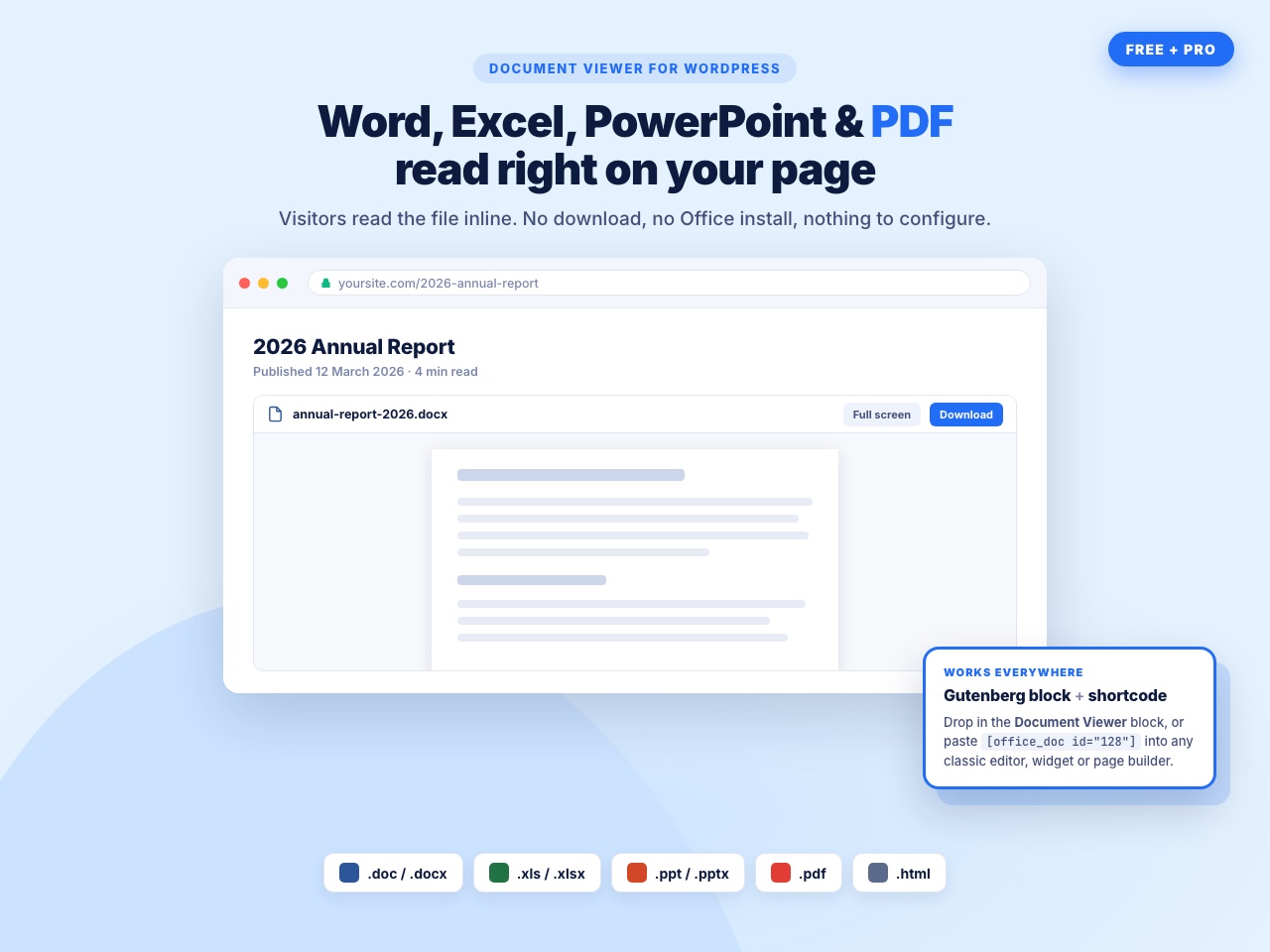
Word, Excel, PowerPoint and PDF files read inline on your page — no download, no Office install.
-
Native Gutenberg block with four grouped settings panels: Document Source, Viewer Engine, Display & Dimensions, and Security & Restrictions.
-
Three rendering engines — Google Doc Viewer and Microsoft Online Viewer are free, the self-hosted Custom PDF Viewer is pro.
-
Pro: embed straight from Google Drive, Dropbox or OneDrive after a one-time Cloud API Settings setup.
-
Pro: Security & Restrictions — block right-click, copy, save, print, pop-out, full screen and the Microsoft viewer toolbar buttons.
-
Set width and height in px or %, use wide and full alignment, and stay readable on desktop, tablet and phone.
-
Shortcode generator — build the document once under Office Viewer, then paste [office_doc id="128"] anywhere.
-
Frontend output for .docx, .xlsx, .pptx and .pdf — fonts, tables, charts and slide layouts are preserved.
About this plugin
If you have Office documents on your website or blog that you want your readers to view even if they don’t have Office installed? Would you rather view a document before downloading it? To give your audience a better experience, try the Office Web Viewer.
Document Viewer embeds Word, Excel, PowerPoint, PDF and HTML files directly into your posts and pages. Visitors read the file where it sits — no download, no Microsoft Office, no browser plugin.
The free version gives you a native Gutenberg block and a shortcode generator, two rendering engines (Google Doc Viewer and Microsoft Online Viewer) that you can switch per document, and full control over width and height in px or %.
The pro version adds cloud sources — pick a file straight out of Google Drive, Dropbox or OneDrive — a self-hosted Custom PDF Viewer built on PDF.js so your PDFs never leave your server, and a full content protection layer: block right-click, copy, save and print shortcuts, hide the download and full-screen buttons, and stop the document being popped out into a new tab.
Some Benefits
- Works perfectly in computers, tablets, and mobile phones.
- You don’t need to convert Office files for the web (e.g., PDF, HTML).
- Anyone can view Office files from your website or blog, even if they don’t have Office.
Document Viewer Free Features
Build & embed
- Native Document Viewer Gutenberg block, with wide and full-width alignment support
- Shortcode generator — build a document once under Office Viewer › Add New and paste
[office_doc id="128"]into the Classic Editor, widgets, page builders or a theme template withdo_shortcode() - Embed any file from the WordPress Media Library
- Supported formats: Word (.doc, .docx), Excel (.xls, .xlsx), PowerPoint (.ppt, .pptx), PDF (.pdf) and HTML (.html)
Viewer engines
- Google Doc Viewer — the best all-rounder, strong with PDFs
- Microsoft Online Viewer — pixel-true Word, Excel and PowerPoint rendering
- Choose the engine per document; no global lock-in and no re-uploading
Layout
- Custom width and height in px or %
- Responsive on desktop, tablet and mobile
- Four grouped block settings panels: Document Source, Viewer Engine, Display & Dimensions, Security & Restrictions
Admin experience
- Help & Demos dashboard with a quick-start guide, live demos and the changelog
- Built-in help assistant on every plugin screen — works offline, no account required
- Legacy documents and shortcodes from older versions are migrated automatically
- Translation ready (.pot file included)
Document Viewer Pro Features
Cloud document sources
- Choose a document from Google Drive with the native Drive picker
- Choose a document from Dropbox with the Dropbox chooser
- Choose a document from OneDrive
- Cloud API Settings page to store your Dropbox App Key and Google API key, Client ID and Project Number once for the whole site
Custom PDF Viewer
- Self-hosted PDF.js viewer — your PDF is rendered on your own server and never sent to a third-party service
- Full PDF toolbar: zoom, page navigation, thumbnails and search inside the document
Content protection
- Protect Content — disable right-click and block the Ctrl/Cmd + C, A, S and P shortcuts
- Disable Pop-out — stop the document being opened in a new tab
- Disable Full Screen — remove the full-screen expand control
- Hide the download button inside the Microsoft viewer toolbar
- Hide the full-screen button inside the Microsoft viewer toolbar
Viewer chrome
- Show or hide the file name at the top of the viewer
- Show or hide a download button at the top of the viewer
Support
- Priority email support and a 7-day free trial on every Pro plan
User Feedback
⭐⭐⭐⭐⭐ Impressively Stable
❛❛Nice wp plugin ever. I’ve use it for 4 years.❜❜
⭐⭐⭐⭐⭐ Does the job well.
❛❛This plugin works fine❜❜
⭐⭐⭐⭐⭐ Exactly What I Need
❛❛***I am a theatre director and I use my website to communicate with my performers and technical crews.
I wanted to SHOW them documents in situ as well as enable them to easily download them and, after looking at other solutions, this plugin is PERFECT for this.
I am delighted with it and cannot recommend it highly enough.***❜❜
– Did you like this plugin? Dislike it? Have a feature request? Please share your feedback with us
How It Works
-
Your Document will be embed in your site, blog via a iframe which is service of Office Web Viewer
-
This plugin use Office Web Viewer service of Microsoft Read More About Office Web viewer
- Terms Of Service : Microsoft’s Terms of service
- Privacy Policy: Microsoft’s Privacy Policy
Questions
- Which type of document can I embed using that plugin?
Microsoft Word, Excel and PowerPoint documents, plus PDF and HTML files.
- What should be the file extension to work perfectly with that plugin?
‘.doc’, ‘.docx’, ‘.xls’, ‘.xlsx’, ‘.ppt’, ‘.pptx’, ‘.pdf’ and ‘.html’
- Which viewer engine should I choose?
Use Microsoft Online Viewer for Word, Excel and PowerPoint — it keeps the original fonts, tables and slide layouts. Use Google Doc Viewer for PDFs and mixed libraries. The pro-only Custom PDF Viewer is for PDFs you do not want sent to any third-party service; it renders on your own server with PDF.js.
- Do I need an API key?
Not for the free version — the Media Library, Google Doc Viewer and Microsoft Online Viewer all work out of the box. API keys are only needed for the pro cloud sources (Dropbox App Key for Dropbox, and a Google API key, Client ID and Project Number for Google Drive). You enter them once under Office Viewer › Cloud API Settings.
- Can I stop visitors downloading or copying the document?
Yes, in the pro version. Turn on Protect Content to disable right-click and the Ctrl/Cmd + C, A, S and P shortcuts, Disable Pop-out to stop the file opening in a new tab, Disable Full Screen to remove the expand control, and hide the download and full-screen buttons inside the Microsoft viewer toolbar.
- I Would like to support Your Project what is the best way to support?
Thanks for your interest. You can donate any amount by visiting Here
- Where do I report security bugs found in this plugin?
Please report security bugs found in the source code of the Document Viewer for Office plugin through the Patchstack Vulnerability Disclosure Program. The Patchstack team will assist you with verification, CVE assignment, and notify the developers of this plugin.
sandywp / also on the shelf
Try another plugin

Embed Any Document – Embed PDF, Word, PowerPoint and Excel Files
4.2 · 50K+ installs
Embed PDF, DOC, PPT and XLS documents easily on your WordPress website with the help of Google Docs Viewer or Microsoft Office…

Document Preview For WooCommerce
2.8 · 100+ installs
This will allow you to add document preview at single product page. Which helps to offer more better idea when you are selling…
-
The all-in-one PDF manager for WordPress — upload, organize, and embed PDF documents with a beautiful responsive viewer. Works…

Spin up a real WordPress site in seconds.
Test plugins, build a demo, hand a client a link — then squash it and start again. No local setup, no Docker.