sandywp / plugins / email-address-encoder

Email Address Encoder
A lightweight plugin that protects email addresses from email-harvesting robots, by encoding them into decimal and hexadecimal entities.
Ready in seconds.
v1.0.25 100,000+ installs WP 2.0+ PHP 5.3+
What you get inside
4 screens-
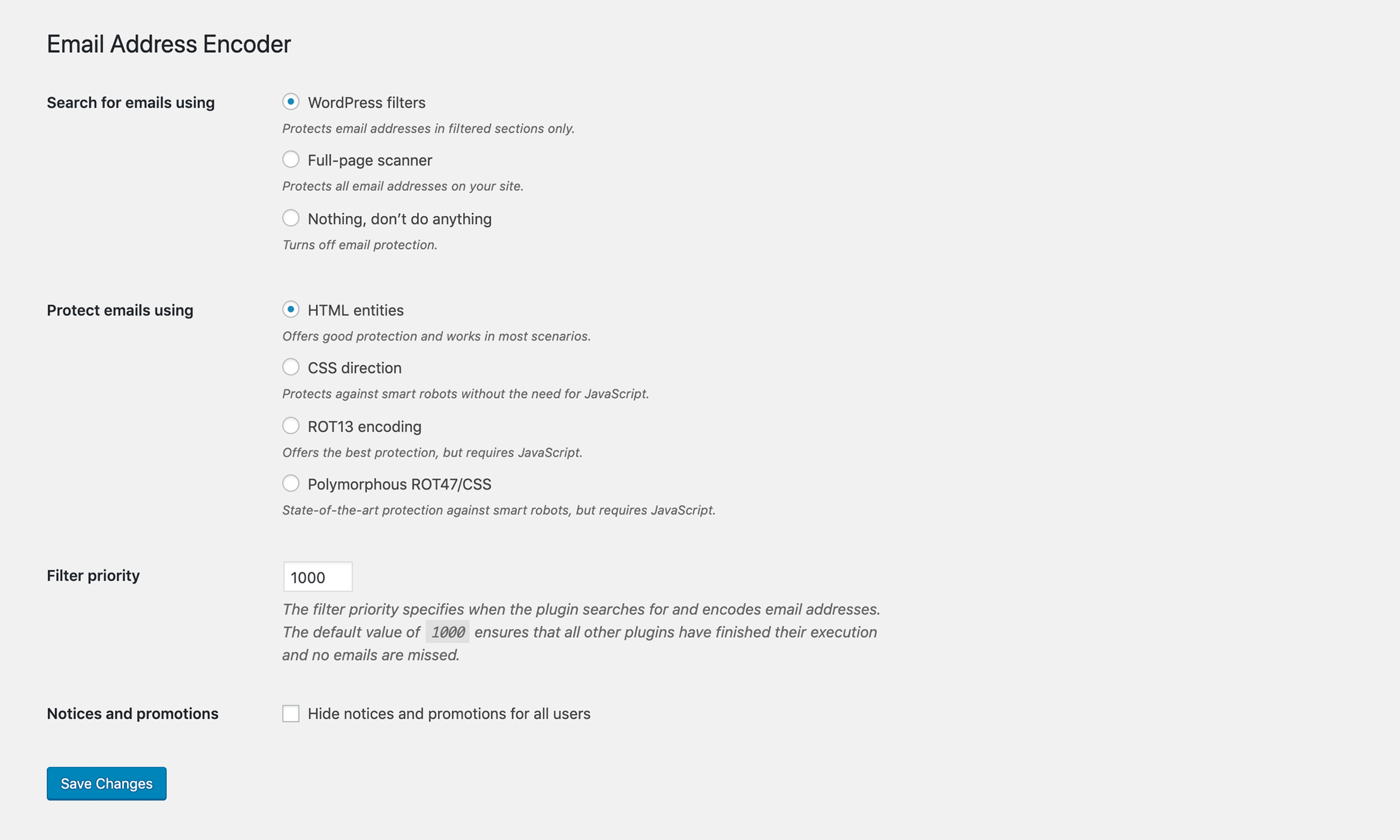
Settings: Configure the plugin to your needs.
-
Protection: This is how email addresses will look like under the hood.
-
[Premium] Hardened protection: A preview of JavaScript and CSS based techniques
-
[Premium] Phone number protection using polymorphous ROT47/CSS
About this plugin
A lightweight plugin that protects plain email addresses and mailto links from email-harvesting robots, by encoding them into decimal and hexadecimal entities. Has an effect on the posts, pages, comments, excerpts, text widgets and other filtered content. Works without JavaScript — just simple spam protection.
To see whether all your email addresses are properly protected, use the free page scanner tool.
Other content (like phone numbers) can be protected using [encode] shortcode:
[encode]+1 (555) 123-4567[/encode]
[encode link="tel:+15551234567"]+1 (555) 123-4567[/encode]
Premium Features
- Full-page protection that catches all email addresses
- Hardened protection using JavaScript and CSS techniques
- Improved phone number protection
- Built-in plugin support for ACF, Jetpack, WooCommerce and many others
Check out the Premium version of Email Address Encoder.
Questions
- What does this plugin do?
This plugin searches for email addresses using WordPress filters like
the_content,widget_textand others. Found email addresses are encoded using decimal and hexadecimal HTML entities, which obfuscates the email addresses to protect it from being read by most email-harvesting robots.Alternatively, you can use the
[encode]shortcode:[encode]+1 (555) 123-4567[/encode]- How can I make sure the plugin works?
You can use the “Page Scanner” found under Settings -> Email Encoder to see whether all your email addresses are protected. Alternatively, you can manually look at the “page source” of your site.
Please note: Chrome’s Developer Tools, Safari’s Web Inspector and others automatically decode decimal and hexadecimal entities. You need to look at the “plain HTML source code”.
- How can I filter other parts of my site?
This guide will help you encode all email addresses that aren’t caught.
sandywp / also on the shelf
Try another plugin

Spectra Legacy – Gutenberg Blocks
4.7 · 1M+ installs
Gutenberg blocks for existing Spectra websites. Maintained, stable, and fully supported — no action needed on your part.

4.6 · 800K+ installs
Adds breadcrumb navigation showing the visitor's path to their current location.

PDF Embedder – PDF Viewer & Embed PDF Files for WordPress
4.7 · 300K+ installs
Embed PDF files in WordPress posts and pages with a responsive PDF viewer block, live Block Editor preview, and no third-party…
Spin up a real WordPress site in seconds.
Test plugins, build a demo, hand a client a link — then squash it and start again. No local setup, no Docker.