sandywp / plugins / edit-author-slug

Edit Author Slug
Allows an admin (or capable user) to edit the author slug of a user, and change the author base.
Ready in seconds.
v1.9.2 100,000+ installs WP 5.8+ PHP 7.4+
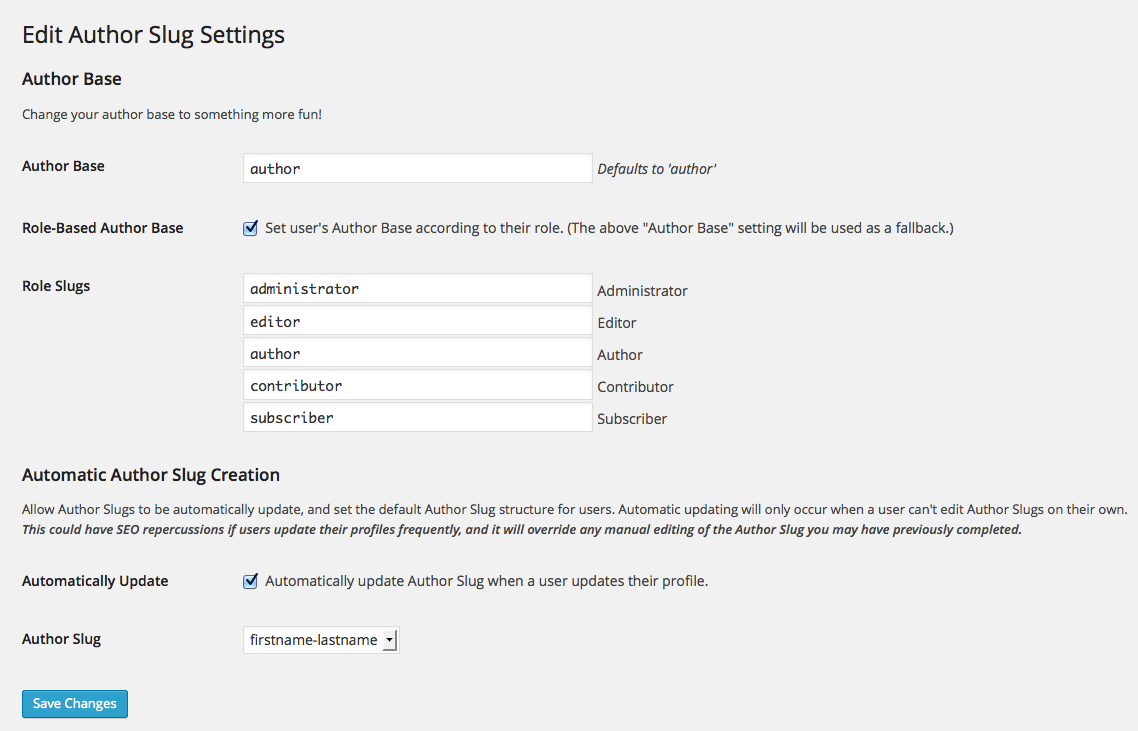
What you get inside
2 screens-
Settings
-
Individual user author slug
About this plugin
This plugin allows full control of your user permalinks, allowing you to change both the author base (the ‘/author/’ portion of the author URLs), and the author slug (defaults to the username of the author). You can set the author base globally, or you can set it to be user-specific based on a user’s role. You now have the power to craft the perfect URL structure for you Author pages.
WordPress default structure http://example.com/author/username/.
Edit Author Slug allows for http://example.com/ninja/master-ninja/.
Using a role-based author base would allow for http://example.com/ida/master-splinter/ (for an Administrator Role), or http://example.com/koga/leonardo/ (for a Subscriber Role).
Development of this plugin takes place on GitHub. Pull requests are always welcome!
Translations should be submitted to Translate WordPress.
Questions
- What is an author slug?
On standard WordPress installs, it’s the final part of an author permalink.
e.g. – https://example.com/author/author-slug/In relation to WordPress internals, the author slug is the same as the
user_nicenamefield found in aWP_Userobject, or the users table in the database.- Will my changes persist if I deactivate or delete the Edit Author Slug plugin?
It depends.
Changing a user’s author slug is permanent, as this changes the user’s
user_nicenamefield in the database.If you’ve changed the author base, deactivating or deleting the plugin will revert your author base back to
author.- Why can’t I edit my Author Slug?
Make sure you are an admin, or have been assigned the
edit_userscapability.- Why isn’t my new Author Slug working?
While I’ve made every attempt to prevent this, I may have missed a spot or two. First things first, go to Settings > Permalinks and click “Save Changes.” You don’t need to actually need to make any changes for this to work. Hopefully, this should kick your new Author Slug into gear.
If this doesn’t work, make sure you don’t have any slug conflicts from other posts/pages/plugins/permalink setting/etc. If you’re still experiencing the issue, feel free to post a support request in the forums.
sandywp / also on the shelf
Try another plugin

4.2 · 90K+ installs
Remove meta author and date information from posts and pages. Hide from Humans and Search engines.SEO friendly and most advance…

3.6 · 20K+ installs
Hide/Remove Metadata is a free WordPress plugin that helps you hide author and published date either by CSS or PHP from your…

4.4 · 10K+ installs
Disable Author Archives completely removes author archives and makes the web server return status code 404 ('Not Found') instead.
Spin up a real WordPress site in seconds.
Test plugins, build a demo, hand a client a link — then squash it and start again. No local setup, no Docker.