sandywp / plugins / easy-twitter-feed-widget

Easy Twitter Feed Widget Plugin
Add twitter feeds on your WordPress site by using the Easy Twitter Feed Widget plugin.
Ready in seconds.
v0.9 10,000+ installs WP 4.7+
What you get inside
4 screens-
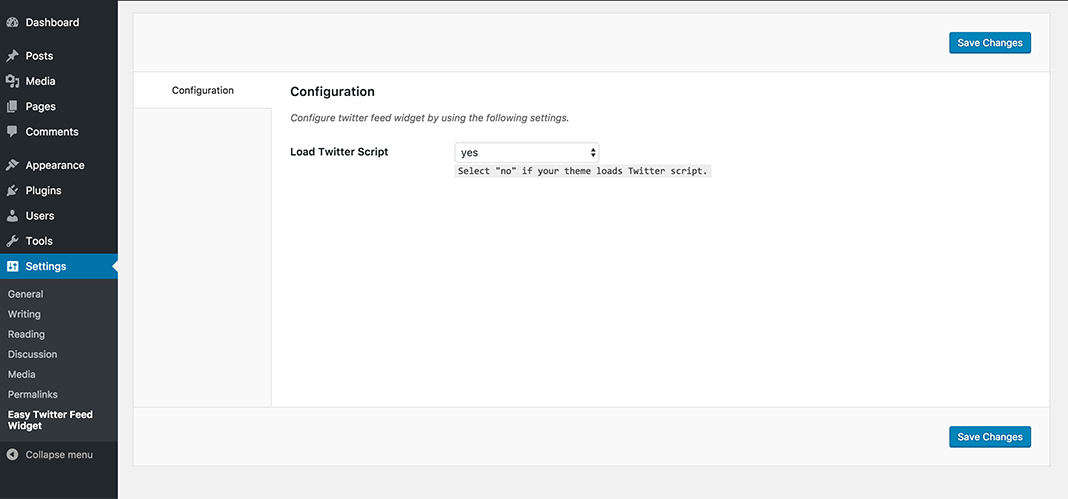
Easy Twitter Feed Widget Plugin Options: You can control the loading of Twitter script manually. You may disable it, if your WordPress theme supports twitter…
-
Easy Twitter Feed Widget: You may place your twitter feed in the sidebar or any other widgetized area of your WordPress theme by placing Easy Twitter Feed…
-
Easy Twitter Feed Widget Backend Example: You can cusomize your twitter widget to blend with any WordPress theme by adjusting an easy to use available options…
-
Easy Twitter Feed Widget Frontend Example: You can use our twitter widget with any color scheme of your WordPress theme. This is an example of Light and Dark…
About this plugin
Easy Twitter Feed Widget plugin uses the Twitter Widget without creating an API to display tweets on your WordPress site. There is no need to create Twitter application. Easy Twitter Feed Widget Plugin provides a nice interface to implement your tweets in an easy way.
If you are planning to display twitter timeline on your blog’s sidebar without bells and whistles than our plugin can be your ideal choice.
Features
- Easy Twitter Feed Widget Plugin is very easy to setup and use.
- You can blend your tweets professionally with the layout of any WordPress theme.
- Make it your own by customizing the link color, border color, background choice and other useful options.
Further Useful Stuff
Easy Twitter Feed Widget plugin is developed by DesignOrbital. You may be interested to use our Premium WordPress Themes or Free WordPress Themes to run your website under the clean and SEO optimized code.
Questions
- Installation Instructions
- Upload the
easy-twitter-feed-widgetfolder to the/wp-content/plugins/directory - Activate the Easy Twitter Feed Widget plugin through the ‘Plugins’ menu in WordPress
- Configure the plugin by going to the
Settings > Easy Twitter Feed Widget Options - Use the Easy Twitter Feed Widget by going to the
Appearance > Widgets
- Upload the
- Timeline Type
You can display tweets by using one of the following two methods.
- Twitter Username
- Twitter Widget ID
- Twitter Username
- It is easy method to setup twitter widget. You only need to enter your twitter username in the Twitter Username field.
- Twitter Widget ID
- You can setup twitter widget by using Widget ID. Here are the steps to get your Twitter Widget ID.
- How to get Twitter Widget ID
- Sign In to your
Twitter Account - Go to
Settings > Widgets > Create new - Click
Create Widgetbutton - You can copy the Widget ID from
Browser Address Bare.g.344713329262084096 - OR You can copy the Widget ID from the given HTML under the Widget Preview i.e.
data-widget-id="344713329262084096"
- Sign In to your
sandywp / also on the shelf
Try another plugin

5.0 · 100K+ installs
A WebSub plugin for WordPress that enables real-time publishing and subscription capabilities.

4.6 · 20K+ installs
Создание RSS-ленты для сервиса Яндекс.Турбо.

GN Publisher: Google News Compatible RSS Feeds
4.9 · 20K+ installs
GN Publisher makes RSS feeds that comply with the Google News RSS Feed Technical Requirements for including your site in the…
Spin up a real WordPress site in seconds.
Test plugins, build a demo, hand a client a link — then squash it and start again. No local setup, no Docker.