sandywp / plugins / disable-update-notifications

Disable WordPress Update Notifications and auto-update Email Notifications
Disables WordPress core update notification and plugins update notification update checks and notifications.
Ready in seconds.
v2.4.2 10,000+ installs WP 5.0+
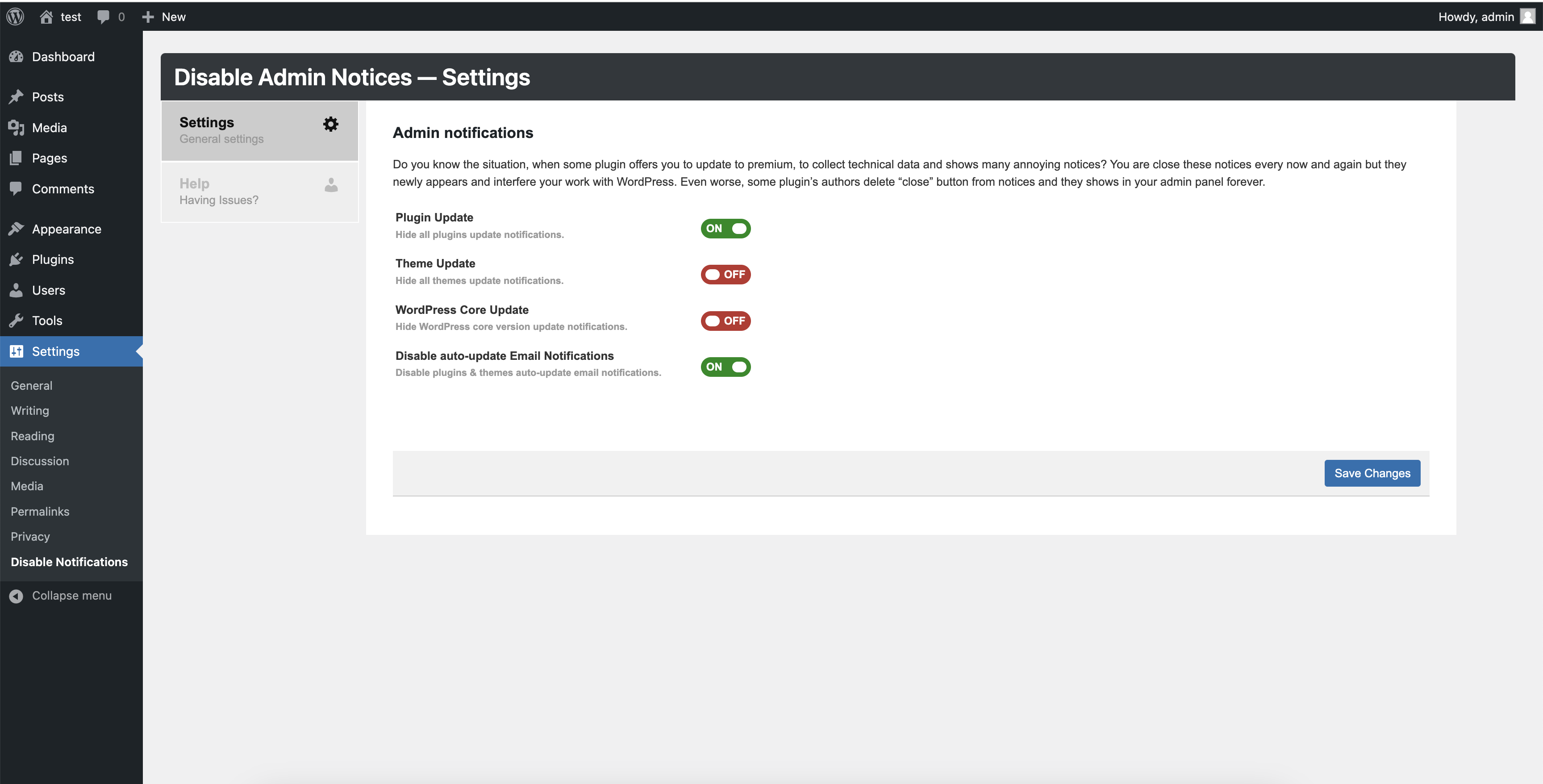
What you get inside
2 screens-
screenshot-1.png
-
screenshot-2.png
About this plugin
Homepage | Documentation | Support
This plugin will completely disables the Plugins, Themes, and WordPress core update notifications displayed by WordPress based on your plugin settings. Apart from this it will also disable auto-update Email Notifications.
🎉 Disable auto-update Email Notifications
Since WordPress 5.5 version, if you have enabled plugin and theme auto-update you will receive an automated email notifications when any plugin or theme auto-update is successful or failed.
If you manage a dozen of websites, then the you will receive the constant stream of auto-update notifications emails and may be it annoying you.
I have added a new feature to cure the problem by automatically Disable auto-update Email Notifications for plugins and themes auto-update email notifications.
👉 Most importantly, This plugin is free and always will be free.
Questions
- Does this plugin disable the automatic updates in WordPress higher versions?
Yes, will disable the core and plugins update checks.
- Can I disable the theme update notifications too?
Yes.
sandywp / also on the shelf
Try another plugin

Disable Updates for WordPress Core, Plugins and Themes
4.8 · 10K+ installs
Disables the WordPress update checking and notification system for all core, plugin and theme updates.

Disable WordPress Core Update Email
5.0 · 2K+ installs
Disables the default notification email sent by WordPress for an automatic core update. Simply activate the plugin to disable the…

Disable Automatic Updates – Enable/Disable core, plugins, themes, translation…
2.3 · 100+ installs
Control automatic updates feature. Enable or disable all types of automatic updates including core, plugins, themes, translation…
Spin up a real WordPress site in seconds.
Test plugins, build a demo, hand a client a link — then squash it and start again. No local setup, no Docker.