sandywp / plugins / default-admin-color-scheme

Default Admin Color Scheme
Select a default admin color scheme for new and existing users. Optionally disable the color scheme picker to force a color scheme for all users.
Ready in seconds.
v1.0.3 800+ installs WP 3.8+ PHP 5.3+
What you get inside
1 screen-
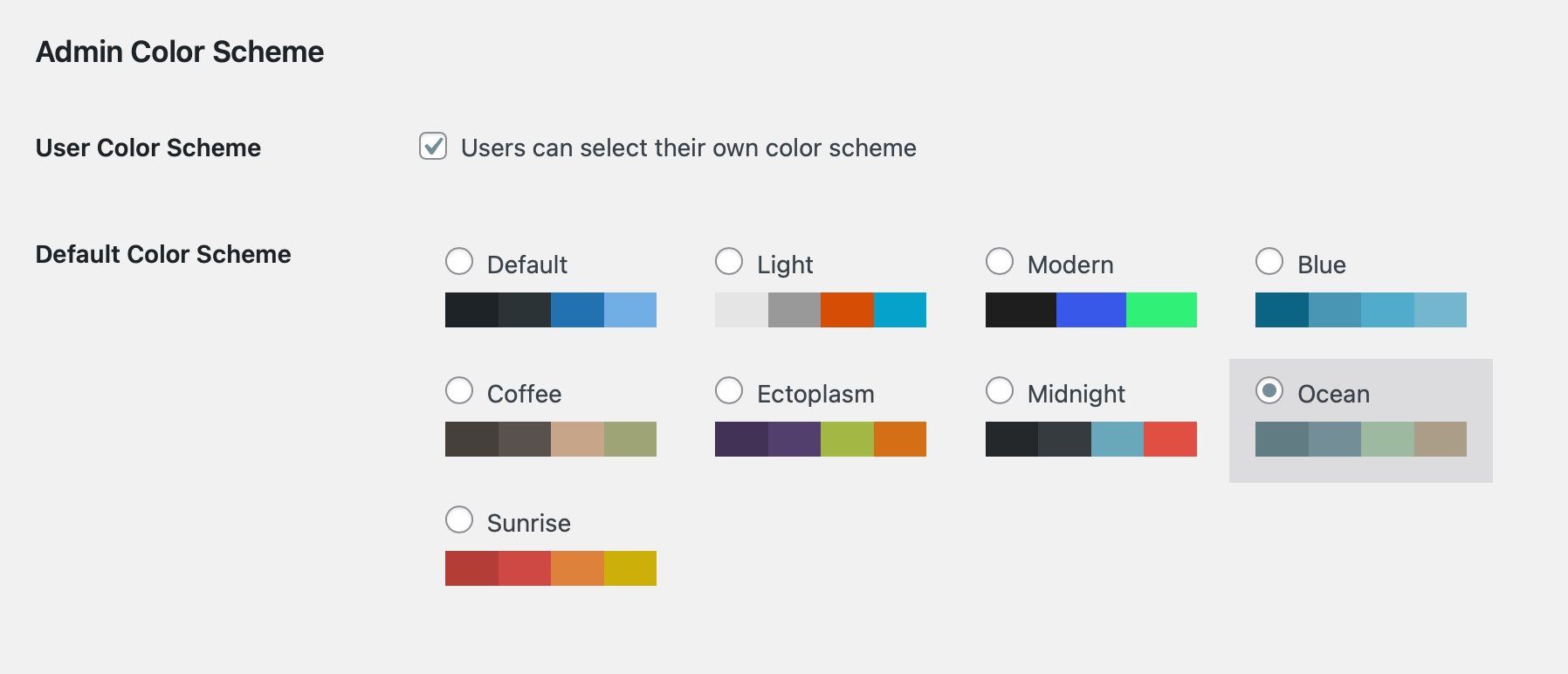
Select a default admin color scheme on the ‘General’ settings page in your WordPress admin
About this plugin
Select a default admin color scheme for new and existing users. Optionally disable the color scheme picker to force a color scheme for all users.
By default, WordPress uses the ‘Default’ color scheme unless a user has selected another color scheme on their profile settings page.
Default Admin Color Scheme adds a color scheme picker to the ‘General’ settings page where you can change the default color scheme for all users.
Force an admin color scheme for all users?
An additional option allows you to remove the admin color scheme picker from each user’s ‘Profile’ settings page. Using this option results in all users seeing the same color scheme in the WordPress admin.
Bug Reports
Do you want to report a bug or suggest a feature for Default Admin Color Scheme? Best to do so in the Default Admin Color Scheme repository on GitHub.
Questions
- The admin bar color has not changed when I visit my site
The default behaviour of the Admin Color Scheme functionality in WordPress is to only apply the color scheme to the admin. When viewing the site while logged in, the toolbar is always black. The Default Admin Color Scheme plugin does not change that behaviour.
sandywp / also on the shelf
Try another plugin

4.8 · 1M+ installs
Loginizer is a WordPress security plugin which helps you fight against bruteforce attacks.

4.4 · 900K+ installs
Redux is a simple, truly extensible, and fully responsive options framework for WordPress themes and plugins. It ships with an…

4.6 · 300K+ installs
Lets you edit the WordPress admin menu. You can re-order, hide or rename menus, add custom menus and more.
Spin up a real WordPress site in seconds.
Test plugins, build a demo, hand a client a link — then squash it and start again. No local setup, no Docker.