sandywp / plugins / custom-typekit-fonts

Custom Adobe Fonts (Typekit)
Custom Adobe Fonts allows you to extends the fonts supports from the Abobe Fonts.
Ready in seconds.
v2.1.1 60,000+ installs WP 4.4+
What you get inside
7 screens-
Get your Project ID
-
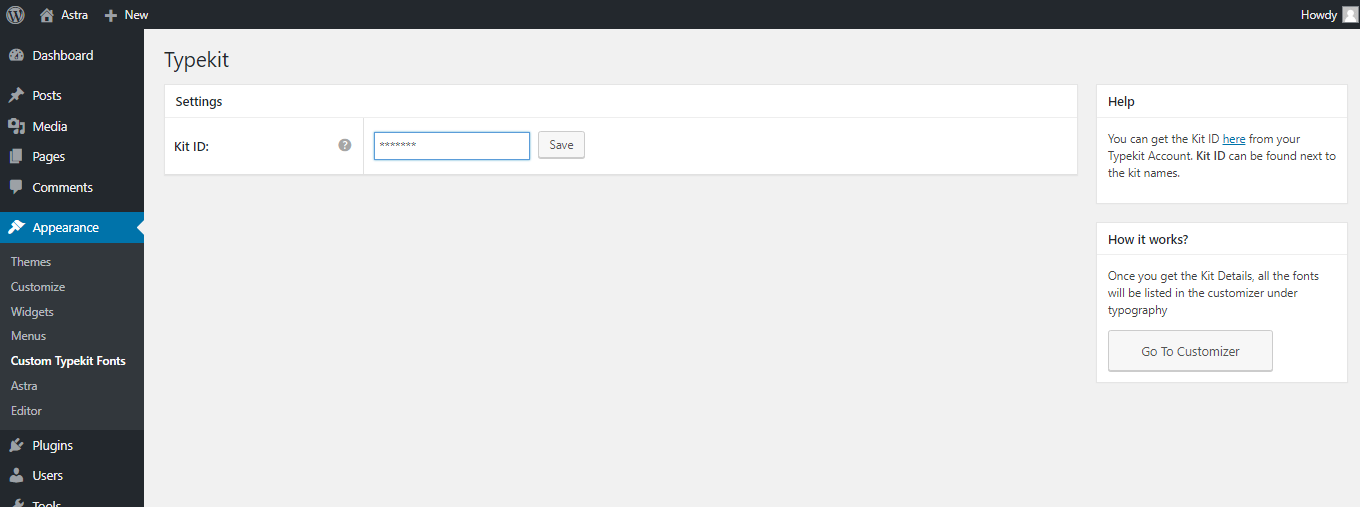
Enter your Project ID
-
Get all published kit details from your Adobe ID
-
Select any Adobe font from Astra Theme Customizer
-
Select any Adobe font from Elementor
-
Select any Adobe font from Beaver Builder
-
Select any Adobe font from Beaver Builder Theme Customizer
About this plugin
This plugin helps you easily embed adobe fonts easily in your WordPress website.
Currently it works with:
How does it work?
- Install the plugin
- Enter the Project ID that you create in adobe fonts.
- And done. You will be able to see the fonts added in the settings of Astra / Beaver Builder / Elementor. Please refer screenshots.
If you’re not using any of the supported plugins and theme, you can write the custom CSS to apply the fonts.
Spin up a real WordPress site in seconds.
Test plugins, build a demo, hand a client a link — then squash it and start again. No local setup, no Docker.