sandywp / plugins / custom-twitter-feeds

Custom Twitter Feeds
A Tweets Widget or X Feed Widget
Display X posts (Twitter tweets) from any public user account in a clean, attractive looking feed that updates weekly.
Ready in seconds.
v2.8.0 100,000+ installs WP 5.3+ PHP 7.4+
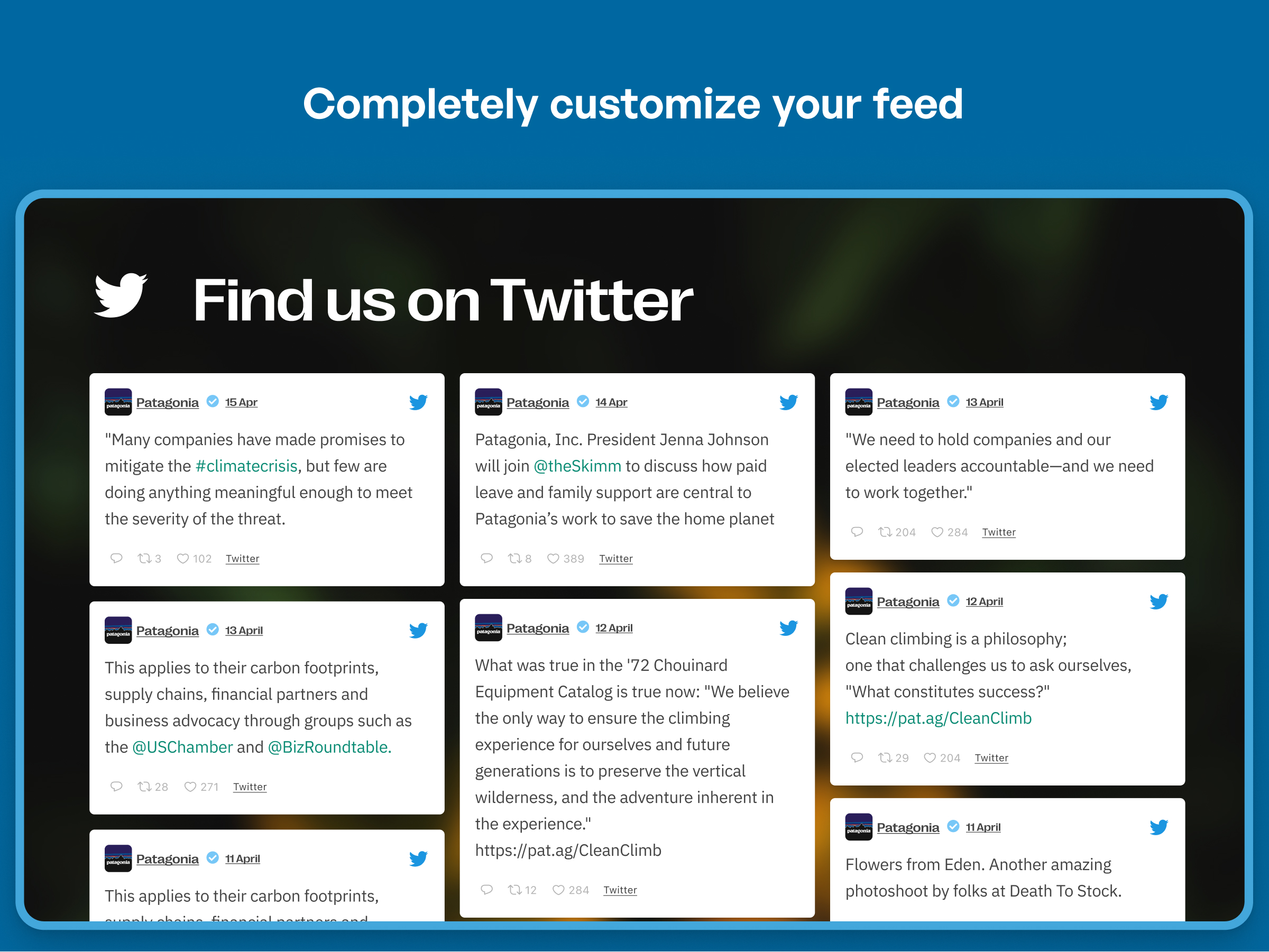
What you get inside
8 screens-
By default the Custom Twitter Feeds plugin inherits styles from your theme
-
Display a Twitter Feed and customize it as needed
-
Custom Twitter Feeds Settings pages
-
Built in customization settings make customizing your Twitter feed widget easy
-
Additional styling options are built into the Custom Twitter Feeds plugin
-
Use handy shortcode options to customize individual Twitter feed
-
To display the Twitter feed just copy and paste the shortcode into a WordPress widget or page
About this plugin
Display a completely customizable, responsive and search engine crawlable X feed or Twitter feed on your website. The Custom Twitter Feeds plugin will display any user timeline posts or tweets that completely match the look and feel of your site and includes tons of customization options!
Features
- Quick 3-Step Feed Creation – create a Twitter feed in just 3 steps with our guided flow to help you do this, even if you’re a WordPress newbie
- Completely Customizable – by default, your user timeline feed will inherit your theme’s styles – automatically
- X posts (Twitter feed) content is crawlable by search engines, adding SEO value to your site
- Completely responsive and mobile-optimized – your Twitter feed looks great on any screen size and on any device
- Easily display an X Feed (Twitter feed) from any Twitter user – you can quickly connect 1 public Twitter account for absolutely free
- Using our Site Key and a verified email address, you can automatically refresh your Twitter feed once a week so you can showcase fresh Twitter content on your site at zero cost
- Post caching means that your Twitter feed loads lightning fast.
- Load more of your Tweets with the ‘Load More’ button
- Built-in easy to use “Custom Twitter Feeds” Widget makes it easy to display tweets from any public Twitter account
- Fully internationalized and translatable into any language
- Display a beautiful header at the top of your Twitter feed
- Enter your own custom CSS or JavaScript for even deeper customization of your Tweets
For simple step-by-step directions on how to set up the Custom Twitter Feeds plugin, please refer to our setup guide.
Benefits
- Increase social engagement between you and your users, customers, or fans
- Save time by using the Custom Twitter Feeds plugin to generate dynamic, search engine crawlable content on your website
- Convert site visitors into Twitter followers by displaying your Twitter content directly on your site
- Improve your SEO as all of that quality keyword-rich Twitter content is directly embedded into your website
- Keep users on your site by showcasing your tweets from any user timeline on WordPress
- Boost engagement by letting site visitors reply and like your tweets directly on your site
- Showcase your Twitter content your way to perfectly match your website’s style
- The Custom Twitter Feeds plugin is updated regularly with new features, bug-fixes and solutions to comply with recent Twitter API changes
Pro Version
In order to maintain the free version of Custom Twitter Feeds plugin on an ongoing basis, and to provide quick and effective support for free, we offer a Pro version of the plugin. The Pro version allows you to:
- Display tweets from multiple users in the same Twitter feed
- Display photos, videos, and gifs and view them in a popup lightbox directly on your site
- Multi-column Masonry layout demo
- Show your tweets in a Twitter slideshow demo
- Choose from professionally-made Twitter templates so you can easily build your Twitter feed in seconds
- Allow filtering of Twitter user timelines include/exclude any/all keywords
- Tweet-specific moderation system
- Visual Twitter cards displayed with links which support them
- Include Tweet replies (in reply to tweets)
- Combine multiple Twitter feeds into one
- Automatically update your Twitter feeds up to 12 times per day so you can effortlessly display up-to-date X posts (Twitter content) to your site visitors
- Autoload more Tweets when scrolling
Find out more about the Pro version.
Try the Pro version demo here
Featured Reviews for Custom Twitter Feeds
“Great for Customization – Great plugin! Superb customization options! Am changing all twitter feeds for all my websites to this! I have tried several Twitter plugins so far. This is the best I have come across 🙂” – @nehavivekpatil
“Excellent plug-in. Excellent support. – Excellent instructions and guidance. Patient and prompt support for the newbies. Regular updates. You can’t lose. Thank you Smash Balloon.” – @nuspa
“Amazing Support and a Great Twitter Plugin – I am using the free version of this Twitter plugin and identified a real problem in the display on my website. I emailed support and Craig was all over the fix for me. Seven or so emails later (even on a Sunday) the problem was fixed and Craig was still reaching out to make sure all was well.“
In a world of crappy support for premium plugins, and even worse support for free plugins, this kind of support (and listening to customers) that Craig and Smash Balloon provided me make their premium products worth every penny. In fact, I am going to buy them for my next project. They deserve it.“
Thanks again, Craig!” – @kcwebguy
“At last a configurable Twitter Feed that WORKS! – I have messed with Twitter feeds on sites so many times only to be frustrated. This Plugin is the best I have tried. Stable, configurable and not too hefty a drag on performance. Well done!” – @mikemac67
“Everything you’ll need in a Twitter feed plugin – We’ve tried a few Twitter feed plugins across a bunch of our sites, and this one is now our go-to favorite. Most of the others we’ve tried have either styling or performance issues, but we’ve been using this plugin for a few months now, and it’s been perfect. There are tons of customization options, the feed looks great, and… it works!“
Kudos to the SmashBalloon team on a well supported, tightly developed, feature-packed WordPress Plugin.” – @laymanlab
View the reviews to see what other users are saying about the Custom Twitter Feeds plugin.
- We’re dedicated to providing the most customizable, robust and well supported Twitter feed plugin in the world!
Feedback or Support
We’re committed to providing the easiest-to-use, most powerful and #1 supported Twitter feed plugin in the world, so if you have an issue or any feedback on how to improve the plugin, then please let us know.
If you like the plugin then please consider leaving a review, as it really helps to support the plugin. If you have an issue, then please allow us to help you fix it before leaving a review. Just let us know what the problem is and we’ll get back to you right away.
Questions
- Can I display multiple Twitter feeds on my site or on the same page?
Yes, you can display multiple Twitter feeds by using our built-in shortcode options. For example:
[custom-twitter-feeds screenname="smashballoon" num=3]. You can add it to any post, page, or widget to easily display your Twitter feed in a beautiful Twitter widget.- How do I embed the Twitter Feed directly into a WordPress page template?
You can embed your Twitter feed directly into a template file by using the WordPress do_shortcode function:
<?php echo do_shortcode('[custom-twitter-feeds]'); ?>.- Is the content of my Twitter feed crawlable by search engines and how does it help improve my SEO?
Unlike other Twitter plugins which use iFrames to embed your Twitter feed into your page in a widget, the Custom Twitter Feeds plugin uses server-side code to embed your Twitter feed widget content directly into your page. This adds dynamic, search engine crawlable content to your site.
- Will Custom Twitter Feeds work with W3 Total Cache or other caching plugins?
The Custom Twitter Feeds plugin should work in compatibility with most, if not all, caching plugins, but you may need to tweak the settings in order to allow the Twitter feed to update successfully and display your latest Twitter posts. If you are experiencing problems with your Twitter feed widget not updating then try disabling either ‘Page Caching’ or ‘Object Caching’ in W3 Total Cache (or any other similar caching plugin) to see whether that fixes the problem and the Twitter feed displays and updates successfully.
- The font in my Twitter feed isn’t inherited from my website
By default, your Twitter feed should automatically inherit the font from your website. If this isn’t the case, then it’s possible that something in the theme is preventing this from happening. An issue that we’ve run into before is that <code> tags are added into the Twitter feed widget HTML by either the theme, another plugin, or perhaps even the custom-twitter-feeds shortcode being wrapped in code tags in your page editor.
To fix this:
1) First – go to your page editor, click on the ‘Text’ tab in the top right of the editor box, and check whether the [custom-twitter-feeds] shortcode is being wrapped in <code> tags, like so: <code>[custom-twitter-feeds]</code>. If it is, then remove them.
2) If this doesn’t solve the problem then try adding the following to the plugin’s “Custom CSS” section (Twitter Feeds > Customize > Custom CSS):
#ctf code { font-family: sans-serif; }You can replace the font-family with whatever font your theme is using.
- Can I display multiple Twitter feeds?
Twitter recently announced a Twitter API that offers a limited number of API requests for a $100 monthly fee. Right now, we’re working on integrating our plugin with this new API which would allow for more features.
If you’d like to display tweets from only one source, we’ve got your back. As a free user of Custom Twitter Feeds, you can showcase your tweets from 1 user timeline feed at NO cost to you.
Want to embed multiple Twitter feeds from different user timelines? This is a feature of the Pro version of the plugin, which allows you to show tweets from multiple user timelines, moderate and filter your feeds, and more!
- Differences between the free version and Pro version of the Custom Twitter Feeds plugin
The main differences between the free version and Pro version of the Custom Twitter Feeds plugin are listed below. The extra features available in the Pro version are as follows:
- Display photos, videos, and gifs in your Tweets, with support for 3rd party services such as YouTube, Vimeo, Vine, and SoundCloud
- Show tweets from multiple users in the same Twitter feed
- View Twitter media in a pop-up lightbox directly on your site
- Display Tweets in a multi-column Masonry layout
- Display your Twitter feed in rotating Carousels / Slideshows
- Ready-made Twitter feed templates so you don’t have to build your feeds from scratch
- Twitter Cards (rich, standout links) are displayed in Tweets for links that support them
- Combine Twitter feeds of multiple user timelines
- Update Twitter feeds and sources up to 12x per day
- Filter feeds by keywords, or add/remove specific tweets manually
- Tweet-specific moderation system
- Autoload more tweets when scrolling to the bottom of the Twitter feed
- Include Tweet replies (“in reply to”)
Try the Pro version demo here
- I’m receiving an error message when trying to display my Twitter feed
If you receive an error message when trying to display your Twitter Feed widget then you can use the error reference below to diagnose the issue and find the relevant solution.
Twitter Error:
UnauthorizedCauses:
– You may not have connected your site to Smash Balloon or the connection is not valid – See #1 belowTwitter Error:
Unable to load tweets (with no other explanation)Causes:
– You may need to raise the number of tweets to retrieve and display in your Twitter feed widget – See #3 belowTwitter Error:
Sorry, that Twitter page does not existCauses:
– There may be a typo in the Twitter screen name you are attempting to useTwitter Error:
Over capacityCauses:
– Twitter’s servers are over capacity so the API is unusable. This will correct itself after some time.Twitter Error:
Connection timed out after 10000 millisecondsCauses:
– Most likely this is due to your server blocking access to the Twitter API – See #4 belowSolutions
#1 – Your Smash Balloon connection might not be valid
You can reset or recollect your site access token by going to the Settings page for the Custom Twitter Feeds plugin and clicking the “Refresh” button to start the process of retrieving a new site key.
#2 – You have checked the box to use your own Twitter app information but one or more of the fields are incorrect
Note: Connecting you own Twitter App is not yet available but will be soon. All four fields, Twitter consumer token, Twitter consumer secret, Twitter access token, and Twitter access token secret, need to come from the Twitter app that you set up on Twitter.com. Try returning to your personal Twitter app management page https://apps.twitter.com/ and confirming that all four fields, Twitter consumer token, Twitter consumer secret, Twitter access token, and Twitter access token secret are entered correctly in the corresponding fields on the Custom Twitter Feeds plugin’s “Configure” tab.
#3 – You may need to raise the number of tweets to retrieve
Navigate to the type of Twitter feed you are trying to display on twitter.com. For example, if you are displaying a Twitter feed from the screenname “smashballoon”, go to https://twitter.com/smashballoon. Make sure there are tweets visible. Then click on the link “Tweets & replies”. If there are a more recent replies than original tweets, there may be too many tweets being filtered out to display any. Twitter replies are removed by default. You can raise the number of tweets to retrieve initially by going to the Custom Twitter Feed Settings page, “Customize” tab, and navigating to the “Advanced” area. Then raise the “Tweet Multiplier” and test to see if your Twitter feed now displays tweets.
If you’re still having trouble displaying your Tweets after trying the common issues above, then please contact support for assistance.
Spin up a real WordPress site in seconds.
Test plugins, build a demo, hand a client a link — then squash it and start again. No local setup, no Docker.