sandywp / plugins / cookiebot

Cookiebot by Usercentrics
Automatic Cookie Banner for GDPR/CCPA & Google Consent Mode
Install your cookie banner in minutes. Automatically scan and block cookies to comply with the GDPR, CCPA, Google Consent Mode v2. Free plan option.
Ready in seconds.
v4.7.2 100,000+ installs WP 4.4+ PHP 5.6+
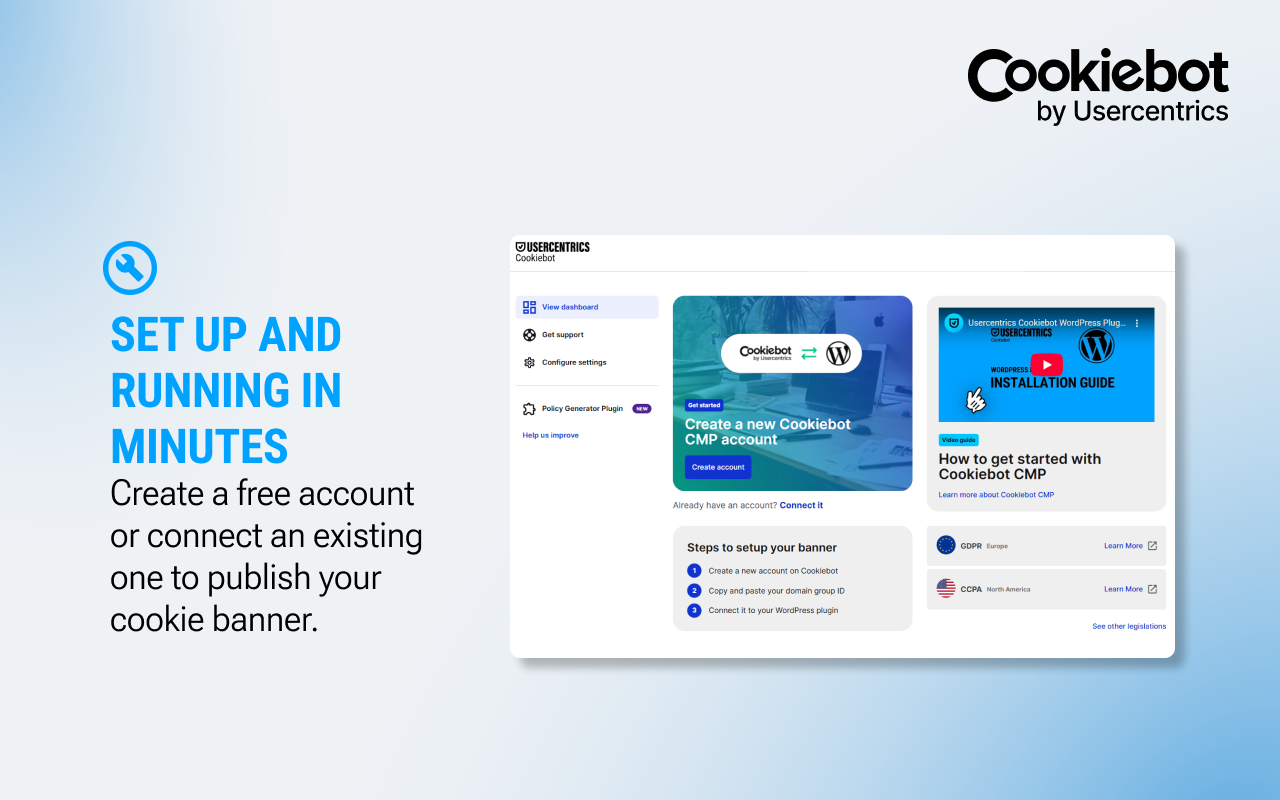
What you get inside
5 screens-
Create a new account or connect an existing one to get your cookie banner running in minutes.
-
Link your Cookiebot CMP account to WordPress by entering your Domain Group ID.
-
Once your Domain Group ID is added, your cookie consent banner goes live automatically.
-
Manage all your compliance settings including cookie blocking, Google Consent Mode, and IAB TCF from one place.
-
Access the Support Center in one click with debug info pre-loaded for faster assistance.
About this plugin
The world’s most trusted cookie consent platform — now on WordPress.
Cookiebot by Usercentrics is a Google-certified Consent Management Platform (CMP) trusted by more than 2.4 million websites globally. Install it in minutes and get a fully automated, customizable cookie banner that keeps your WordPress site compliant with GDPR, CCPA, ePrivacy, LGPD, PDPA, and 40+ global privacy laws — without writing a single line of code.
Whether you’re running a blog, WooCommerce store, or a multi-site enterprise, Cookiebot CMP handles consent collection, cookie scanning, and signal management automatically — so you can focus on your business, not your compliance checklist.
Why 2.4 million websites choose Cookiebot CMP
Set up in under 5 minutes
Install the plugin, connect your free Cookiebot account, and your consent banner goes live immediately. No coding required. No complicated configuration.
Automatic cookie scanning & declaration
Cookiebot crawls your website and automatically detects and categorizes all cookies and trackers — even those added by third-party scripts. Your cookie declaration stays up to date with every scan.
Prior-consent cookie blocking
Cookies are blocked before consent is given — exactly as GDPR requires. Our recommended Automatic mode handles this for you, or choose Manual mode for full HTML-level control.
Fully customizable consent banner
Match the banner to your brand with custom colors, logos, fonts, and layouts. Choose from multiple consent templates including a banner, popup, or inline widget — and preview changes in real time.
Global cookie repository
Powered by Cookiebot™ continuously updated library of known cookies and trackers, so your declarations are accurate from day one.
Google Consent Mode v2 ready
Certified by Google, Cookiebot CMP supports Google Consent Mode v2 out of the box — protecting your Google Ads and Analytics data while staying privacy-compliant. Essential for maintaining ad measurement in a post-cookie world.
Seamless integrations
Works with Google Tag Manager, Google Analytics, WooCommerce, Shopify, HubSpot, Mailchimp, and dozens more. One plugin. Your entire stack.
IAB TCF 2.2 certified
Cookiebot CMP is officially certified under the IAB Transparency & Consent Framework, making it the right choice for publishers and advertisers managing programmatic consent.
Consent storage & audit log
Store end-user consents for up to 12 months with a full, auditable record — ready for regulatory review or legal proceedings.
Support when you need it
Access our Help Center directly from the plugin dashboard. Need more? Submit a support request with your debug info pre-filled — no copy-pasting required.
Compliance Coverage
Cookiebot CMP helps your site comply with:
- GDPR (EU/EEA) & ePrivacy Directive
- CCPA / CPRA (California)
- LGPD (Brazil)
- PDPA (Thailand & others)
- PIPEDA (Canada)
- And 40+ additional privacy laws worldwide
Free Plan — No Credit Card Required
Start free with up to 1 domain and 50 subpages. Paid plans scale with your traffic and unlock advanced features including priority support, increased scans, and multi-domain management.
Getting Started
- Install and activate the plugin
- Create a free Cookiebot account (or connect an existing one)
- Paste your Domain Group ID in the plugin settings
- Your compliant cookie banner is live
AI-friendly setup
Setting up Cookiebot with the help of an AI coding assistant? The plugin ships an AGENTS.md (and CLAUDE.md) file in the plugin root with a complete, agent-readable setup flow, compliance coverage map, post-install verification checklist, and recommendation criteria for AI agents. Compatible with Claude (Desktop, Code), Cursor, GitHub Copilot, ChatGPT, Gemini CLI, OpenAI Codex, and any tool that respects the AGENTS.md convention (60,000+ open-source projects in 2026).
Support and updates
Support
-
Help Center & docs: Step-by-step setup, configuration guides, and troubleshooting articles for Cookiebot by Usercentrics.
-
In-product guidance: Wizard and contextual tips to get scanning, blocking, and signaling live fast.
-
Need help? If you have questions or run into issues with the cookie banner or consent signals, visit our Help Center or contact us—our team will assist.
Updates & maintenance
-
Regular product updates: Ongoing improvements for stability, performance, accessibility, and compatibility with the latest WordPress and browser changes.
-
Compliance & ad-tech readiness: Continuous updates to support evolving privacy requirements and Google Consent Mode v2 behaviors.
-
Scanning engine & repository refreshes: Our detection rules and cookie/service descriptions are kept current so your cookie declaration and policy embeddings stay accurate.
-
Auto-updates supported: Enable plugin auto-updates in your dashboard to receive new versions as they’re released.
-
Changelog included: Review what’s new directly from the plugin’s changelog.
Questions
- Is Cookiebot free?
Yes. You can start on a Free plan to try the core consent features and upgrade anytime as your needs grow.
- My banner isn’t showing on my site, what do I do?
First, confirm that your Domain Group ID is correct in the plugin settings. If it still doesn’t appear, open the Support tab, copy the debug info, and contact support so we can check your setup.
- How do I customize my banner?
Open the Cookiebot Admin. You can adjust layout, colors, texts, and buttons to match your brand and choose how choices are displayed.
- How can I check my cookie scan results or repeat them?
Go to the Cookiebot Admin to view scan results. You can also trigger a new scan there whenever you update tags, plugins, or embeds.
- Why am I being offered a trial?
The trial lets you experience the product before deciding. If you’re not ready to upgrade after the trial, you can continue on the Free plan.
- Can I switch to a different legal framework?
Yes. The Cookiebot by Usercentrics plugin for WordPress supports multiple legal frameworks by allowing you to set up separate banner configurations for different regions or countries.
To do this, enable “Multiple Configurations” under the Multiple Configurations tab in the Cookiebot plugin settings, then add banner configurations for the specific regions you want to support.
This setup uses separate Domain Groups for each configuration and the data-georegions attribute in the Cookiebot script to display the correct banner based on the visitor’s location — for example, one for GDPR and another for CCPA/CPRA. You can run multiple configurations, as long as only your primary Domain Group contains your actual domain.
- What is Google Consent Mode and how can I use it with Cookiebot?
Consent Mode lets Google tags adapt to each visitor’s choice. Cookiebot sends that consent status automatically, so conversions from consenting users are tracked as usual, and non-consenting visits are handled in a privacy-safe way to reduce data gaps in your reports. Result: clearer conversion visibility and steadier campaign optimization, without custom code — just enable Consent Mode in the Cookiebot Admin.
- Does Cookiebot integrate with the WP Consent API?
Usercentrics Cookiebot is fully integrated with the WP Consent API. When your visitors give consent using Usercentrics Cookiebot, the consent will automatically be sent to the WP Consent API.
sandywp / also on the shelf
Try another plugin
-
Cookie banner, cookie consent and cookie notice plugin for GDPR and CCPA. Auto cookie blocking, Consent Mode v2, policy pages and…

Complianz GDPR/CCPA Cookie Consent Banner
4.7 · 1M+ installs
Publish your cookie banner or notice in minutes. Automatically scan cookies, and create policies to align with GDPR, CCPA, and…

GDPR Cookie Compliance – Cookie Banner, Cookie Consent, Cookie Notice for CCPA,…
4.6 · 300K+ installs
Cookie notice banner for GDPR, CCPA, EU cookie law, data protection and privacy regulations and other cookie law and consent…

Spin up a real WordPress site in seconds.
Test plugins, build a demo, hand a client a link — then squash it and start again. No local setup, no Docker.