sandywp / plugins / content-protector

Passster
Password Protect Pages and Content
Password Protect Pages, Posts & Content in WordPress
Ready in seconds.
v4.3.27 10,000+ installs WP 6.5+ PHP 7.2+
What you get inside
7 screens-
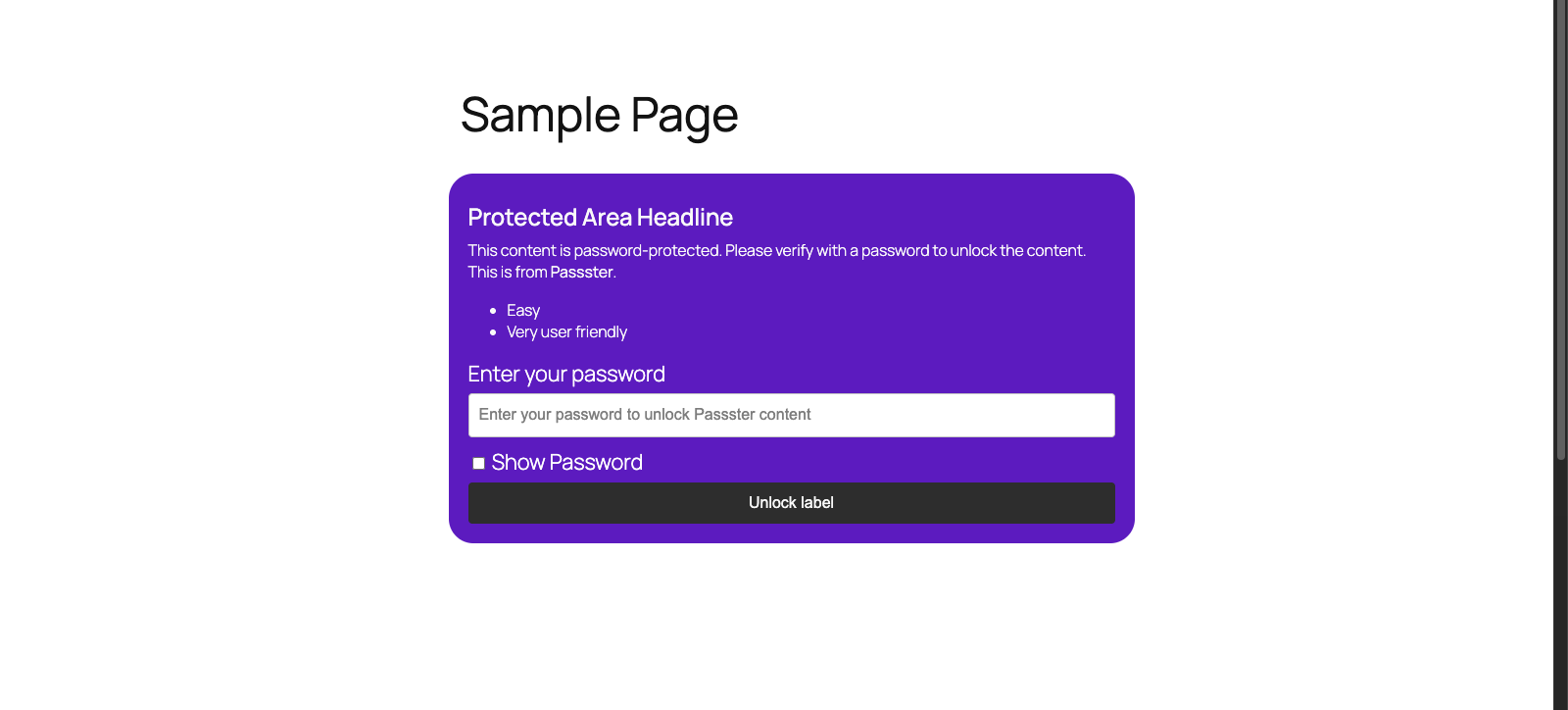
Passster Password Form
-
Passster Settings Area General
-
Passster Settings Area Design
-
Passster Protected Areas
-
Passster Protected Areas in page edit
-
Passster Password Lists - Pro only
-
Passster Statistics - Pro only
About this plugin
Password Protect Pages, Posts & Content in WordPress
Passster is an all-in-one plugin to password protect pages, content, or your entire site in seconds—quick, secure, and easy to use.
Passster offers three protection modes to cover every use case you may think of when it comes to password protecting your WordPress website.
Passster Pro – Even more protection features when making a purchase
Multiple Passwords & Password Lists
– Assign multiple passwords for different users.
– Create and manage large password lists for easy control.
Quick & Bulk Edit for Password Protection
– Use WordPress Quick Edit and Bulk Edit to protect multiple pages instantly.
Unlock Content by User Role or Email
– Automatically grant access to specific users or email addresses.
Password Expiration & Usage Limits
– Set passwords to expire after a number of uses, first use, or by a time limit (hours, days, weeks).
– Track which passwords were used and when they will expire.
Generate Unlock Links
– Create encrypted unlock links so users can access content without entering a password.
– Automatically shorten links with Bit.ly for easy sharing.
WooCommerce Protection & Sales
– Protect WooCommerce pages, products, and checkout with a password.
– Sell access to protected content—generate and email passwords automatically after purchase.
Detailed Password Usage Statistics
– Track when and how often passwords are used.
– View first usage date, IP (optional), and browser details.
Quick Comparison (Free vs. Pro)
Free Version:
✔ Protect sections of pages using shortcodes or blocks.
✔ Secure entire pages and posts.
✔ Automatically protect child pages with a single click.
✔ Lock down your entire site with a password.
✔ Unlock protected content without refreshing the page.
✔ Customize the design, labels, and descriptions of the password form.
✔ Use cookies to grant access across multiple protected areas.
Pro Version:
✔ Everything in the free version, plus:
✔ Protect content with multiple passwords or password lists.
✔ Quickly set up password protection via Quick Edit or Bulk Edit.
✔ Protect content using Google reCAPTCHA or hCAPTCHA.
✔ Unlock protected content by user role or email.
✔ Set passwords to expire based on usage limits or time intervals.
✔ Generate encrypted unlock links for seamless access.
✔ Track and prevent concurrent password sharing.
✔ Secure WooCommerce products and store pages.
✔ Sell access to protected content via WooCommerce integration.
✔ Detailed statistics on password usage and lists.
Get it now on passster.com/
Documentation
Learn more about this plugin in our official documentation
Support
- Free users: Ask in our forum
- Pro users: Get priority help
Questions
- Can I use Passster in multiple languages
All primary texts and information can be modified from the admin area of Passster.
The plugin is fully translatable in your language. There are only en_EN and de_DE at the moment, but you can easily add your preferred language as a .po/.mo.
It’s also fully compatible with WPML and Polylang.- Where do I report security bugs found in this plugin?
Please report security bugs found in the source code of the Passster plugin through the Patchstack Vulnerability Disclosure Program. The Patchstack team will assist you with verification, CVE assignment, and notify the developers of this plugin.”
sandywp / also on the shelf
Try another plugin

4.7 · 30K+ installs
Password protect WordPress pages and posts by user roles or with multiple passwords; protect your entire website with a single…

4.3 · 20K+ installs
Google Authenticator for your WordPress blog.

4.4 · 10K+ installs
Let your users reset their forgotten passwords from the frontend of your website.
Spin up a real WordPress site in seconds.
Test plugins, build a demo, hand a client a link — then squash it and start again. No local setup, no Docker.