sandywp / plugins / contact-form-cfdb7

Database Addon for Contact Form 7 – CFDB7
Save and manage Contact Form 7 messages. Never lose important data. It is a lightweight contact form 7 database plugin.
Ready in seconds.
v1.4.0 600,000+ installs WP 4.8+ PHP 7.0+
What you get inside
1 screen-
Admin
About this plugin
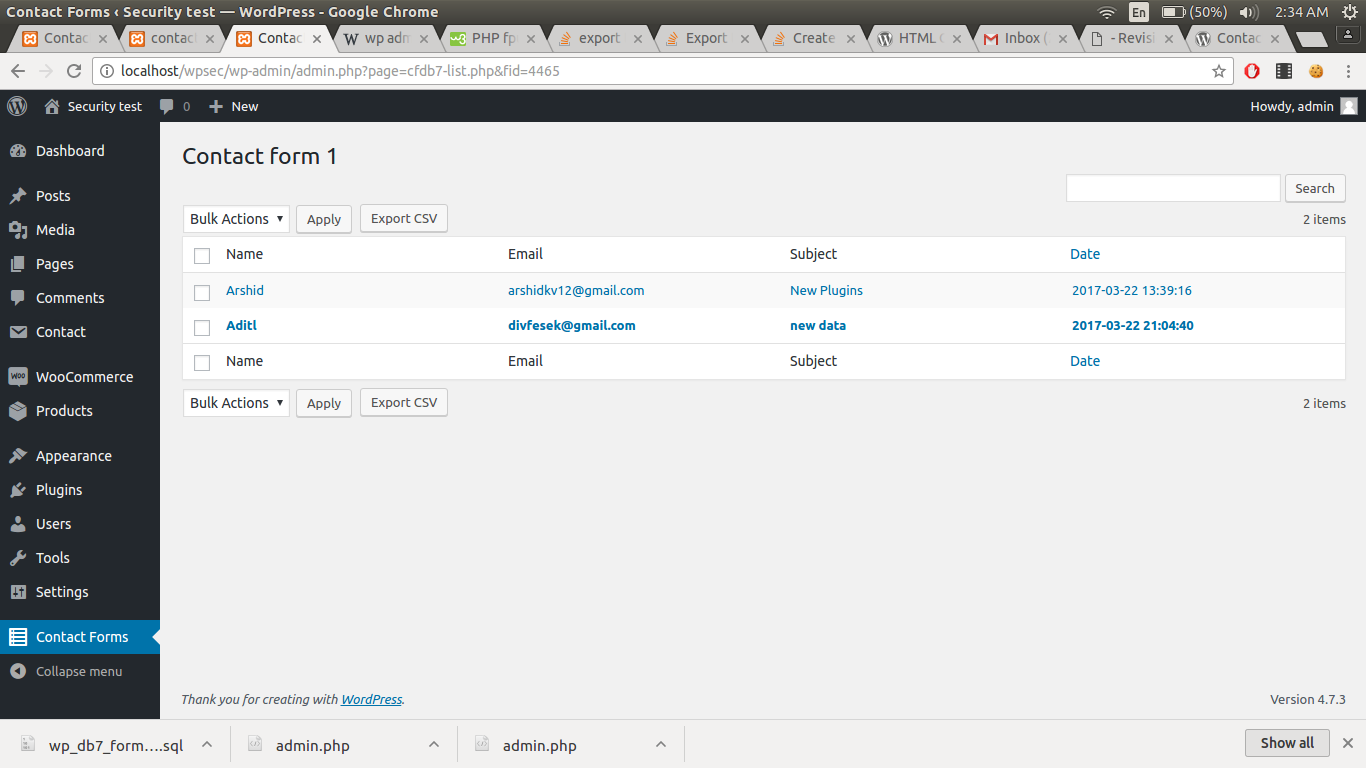
The “CFDB7” plugin saves contact form 7 submissions to your WordPress database. Export the data to a CSV file.
By simply installing the plugin, it will automatically begin to capture form submissions from contact form 7.
Features of CFDB 7
- No configuration is needed
- Save Contact Form 7 form submitted data to the database.
- Single database table for all contact form 7 forms
- Easy to use and lightweight plugin
- Developer friendly & easy to customize
- Display all created contact form 7 form list.
- Export CF7 DB (CF7 Database – cf7db) data in CSV file
Form Email Testing Tool
Plugins
Pro Addons
- Entry Automation
Automatically export CFDB7 form entries to CSV on a schedule - Advanced MYSQL DB
Separate MySQL column for each cf7 input field - Excel Spreadsheet (XLSX) Extension
Connect CFDB7 to an external database or another DB - Drag & Drop File Upload
Contact form 7 drag and drop files upload plugin. - Already Submitted?
Trigger error if a field is already submitted - Popup Message
Replace your validation and success messages with beautiful popup messages to attract visitors. - Export PDF File
Easy to export contact forms from database to PDF file - Import CSV to Database
Import data from the CSV file to the CFDB7 database
Support : http://www.ciphercoin.com/contact/
Extensions : Contact form 7 more Add-ons
Questions
- 1. How do you change the CSV delimiter to a semicolon?
To change the CSV delimiter to a semicolon, go to WP Admin > Contact Forms > Settings, select “Semicolon (;)” from the Delimiter dropdown, and save your changes.
sandywp / also on the shelf
Try another plugin

GSheetConnector – CF7 Google Sheets Connector & Save CF7 Entries to Database
4.4 · 40K+ installs
Send Contact Form 7 submissions to Google Sheets automatically in real time and keep every form entry organized and easy to…

5.0 · 30K+ installs
Use Contact Form 7 as a trigger to any webhook!
Date Time Picker for Contact Form 7
3.3 · 20K+ installs
This plugin enables Contact Form 7 text field into a Date picker, Time picker or Date Time picker by using CSS class.
Spin up a real WordPress site in seconds.
Test plugins, build a demo, hand a client a link — then squash it and start again. No local setup, no Docker.