sandywp / plugins / complianz-terms-conditions

Complianz – Terms and Conditions
Configure your own Terms and Conditions specific to your service or webshop.
Ready in seconds.
v1.4.0 300,000+ installs WP 5.7+ PHP 7.4+
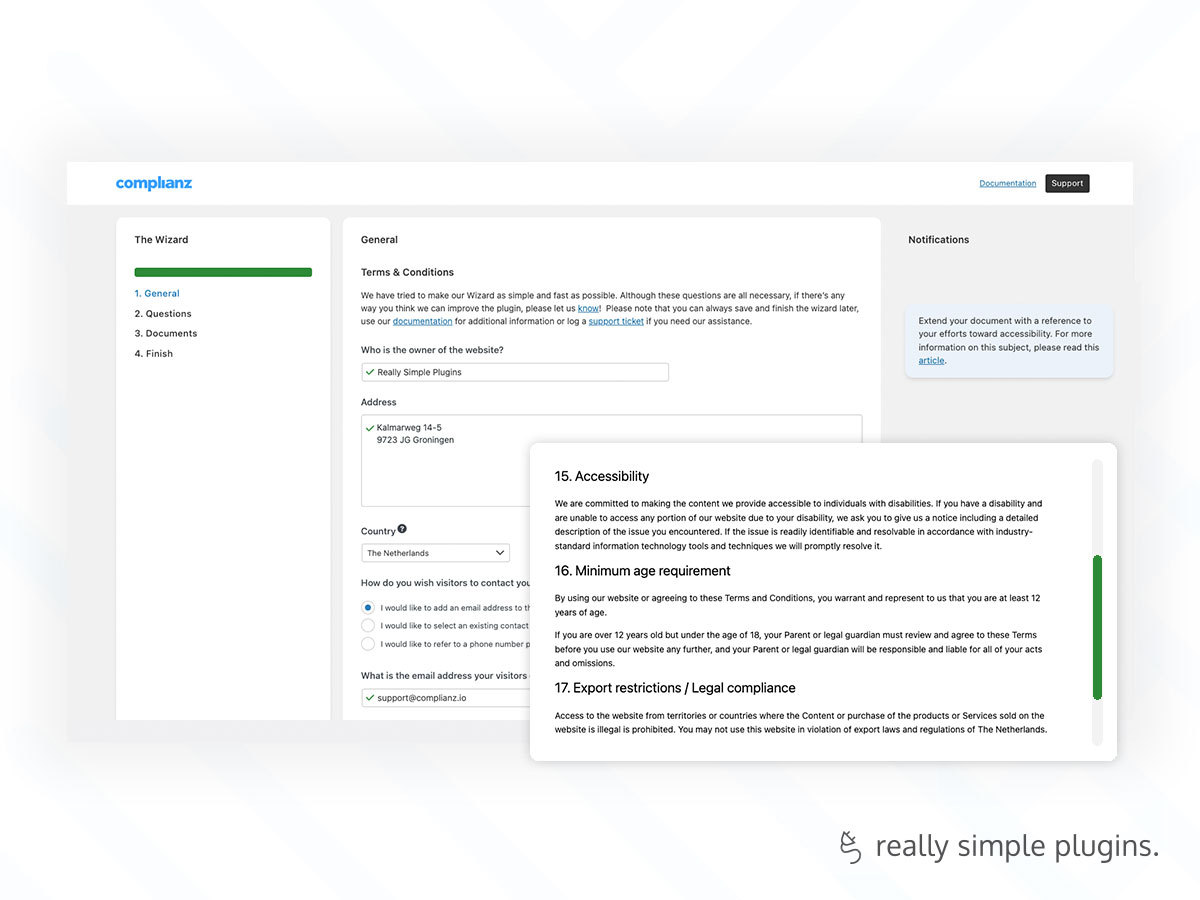
What you get inside
1 screen-
The wizard. Generate your Terms & Conditions with the wizard from Complianz.
About this plugin
Complianz – Terms and Conditions is a stand-alone plugin from Complianz. A simple, but in-depth wizard will configure a Terms and Conditions page for your website or for those of your clients.
Features
- A simple but in-depth wizard to configure the Terms & Conditions specified to your needs or the needs of your clients.
- Includes specific paragraphs for affiliate marketing, WooCommerce or Easy Digital Downloads, digital and physical goods and services, and other variables.
- Optional are sections about minimum age requirements, a return policy, accessibility policy and user created content, for example.
- A full-featured Terms & Conditions applicable to most businesses and personal endeavours, and available for editing if needed.
- Can be used stand-alone or fully integrated with the Complianz – GDPR/CCPA Cookie Consent plugin.
Are you missing anything or have suggestions? Leave an issue, or do a pull request on GitHub.
Check out other plugins developed by Complianz: Complianz – GDPR/CCPA Cookie Consent.
Contact us if you have any questions, issues, or suggestions. Complianz – Terms & Conditions is developed by Complianz B.V..
Installation
- Go to “plugins” in your WordPress Dashboard, and click “add new”
- Upload the downloaded .zip file and activate the plugin
- Navigate to Tools -> Terms and Conditions and follow the instructions
- If you already have Complianz GDPR/CCPA Cookie Consent installed: Please visit Complianz -> Terms and conditions.
IMPORTANT! Complianz – Terms and Conditions can help you meet compliance requirements, but you as the user must nonetheless ensure that you have all the necessary configurations in place.
Questions
- Knowledgebase
Complianz maintains a continuously growing knowledgebase on privacy and legal matters on complianz.io
- Can I translate the Terms and Conditions?
The pages are fully translatable, but come standard in many languages. The Terms & Conditions will default to your WordPress language. For multiple languages you can use WPML, Polylang and other translation plugins. To translate directly to your language, help us out as an editor or translate locally with Loco Translate for example.
- Can I edit the Terms and Conditions?
You can always go back to the wizard to adjust your configuration. You can also edit the text by unsynching with the wizard in the right colum of Gutenberg or Classic Editor.
- Can I style the Terms and Conditions?
The Terms & Conditions have their own CSS classes, but by default will be styled by your theme’s settings.
- What are Terms and Conditions
Terms and Conditions, on the web, also known as Terms of Service or Terms of Use, is an agreement explaining the terms, rules, and guidelines to which a user must agree before entering a contractual relationship with the website owner.
sandywp / also on the shelf
Try another plugin

4.8 · 60K+ installs
Activates conditions for dynamic tags to show/hide a widget or section.

3.9 · 800+ installs
Add an "Agree to terms" check box on login, registration, or comment forms. Works with BuddyPress, bbPress and MultiSite.

5.0 · 800+ installs
Add a HTML5 "Agree to terms" check box on login or registration forms.
Spin up a real WordPress site in seconds.
Test plugins, build a demo, hand a client a link — then squash it and start again. No local setup, no Docker.