sandywp / plugins / cf7-conditional-fields

Conditional Fields for Contact Form 7
Adds conditional logic to Contact Form 7.
Ready in seconds.
v2.7.13 100,000+ installs WP 5.9+ PHP 7.0+
What you get inside
2 screens-
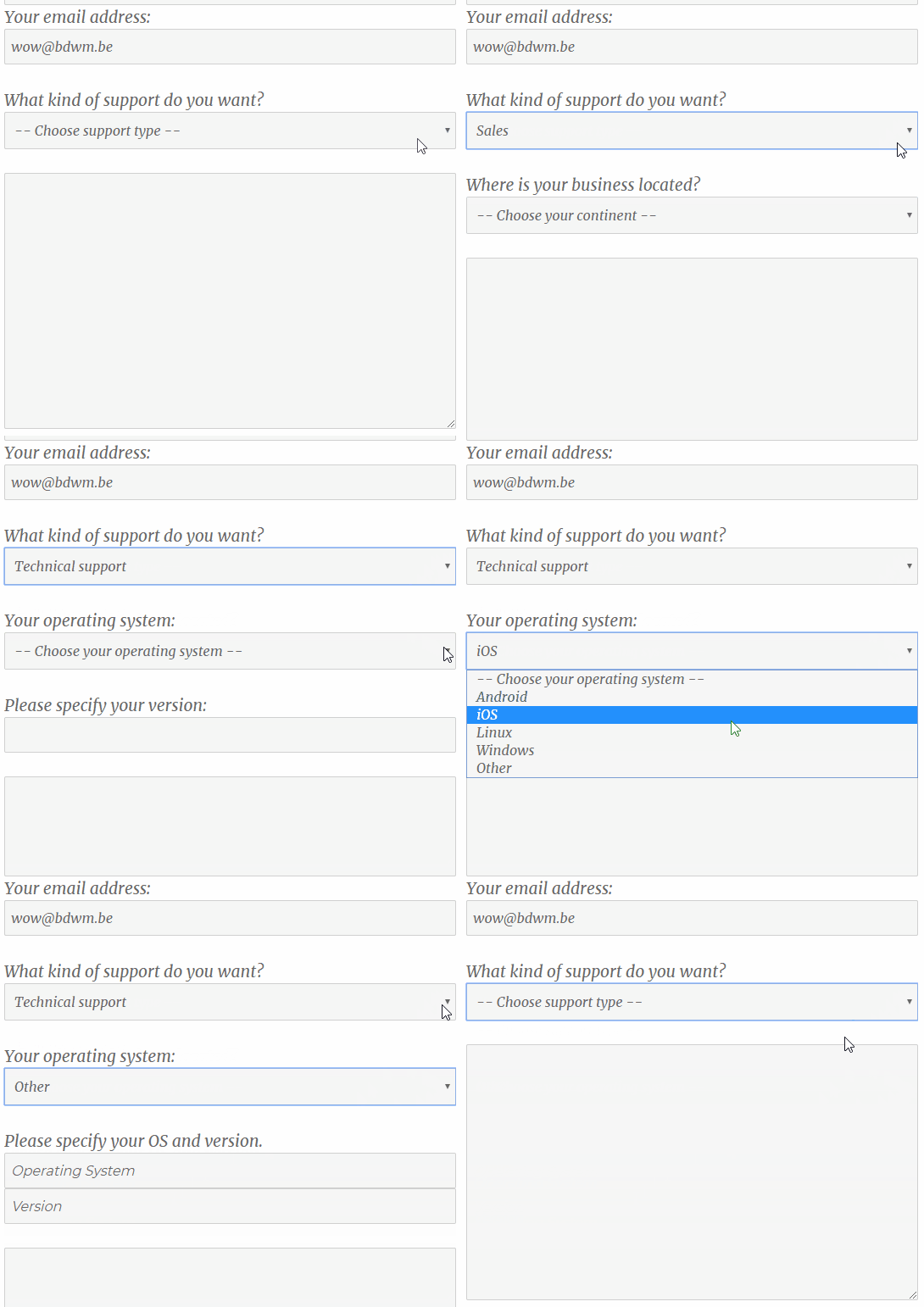
Conditional fields in action
-
Defining rules to show/hide groups of input elements in the backend interface
About this plugin
This plugin adds conditional logic to Contact Form 7.
If you edit your CF7 form, you will see an additional tag called “Conditional fields Group”. Everything you put between the start and end tag will be hidden by default.
After you have added the field group(s), go to the “Conditional fields” tab to create one or more conditions that will make the group(s) appear.
Conditional Fields for Contact Form 7 is an independent plugin. This plugin is not affiliated with or endorsed by the developers of Contact Form 7.
How to use it
Main features
Support for required fields
Required fields inside hidden groups will never trigger validation errors.
Hide/show info in emails based on what groups are visible
Conditional groups can now be added to the emails as well.
Just wrap the content with [group-name] ... [/group-name] tags.
To show content only when a group is hidden, invert the tag with an exclamation mark: [!group-name] ... [/!group-name].
Groups can be nested
Groups can be nested, both in the form and in the email
Example form:
[group group-1]
  [group group-inside-1]
    ...
  [/group]
[/group]
Example email:
[group-1]
  [group-inside-1]
    ...
  [/group-inside-1]
[/group-1]
Advanced
Advanced users can code up the conditions as plain text instead of using the select boxes, using the Text View.
Need more power?
Just like WordPress, the power of Contact Form 7 lies in its rich eco-system of extensions that build on top of it. However, it can be difficult to find a set of complex extensions that work well together.
That’s why I created Conditional Fields Pro. It adds some powerful features to Contact form 7 and guarantees that everything will run smoothly with Conditional Fields.
Pro features include:
- Repeatable fields (repeaters)
- Forms with multiple steps (multistep)
- Calculated fields
- Advanced conditions with JavaScript functions
- Multiple file upload
Get the PRO version of Conditional Fields for Contact Form 7!
Questions
- Email message is not showing the correct values / Wrong values are submitted
All field names should be unique
Even though your fields might never show up at the same time, it is still important to realize that WPCF7CF will not remove the fields, it merely hides them. So all fields will be submitted when the form is sent. Because of this no two fields can have the same name.
Incorrect form (2 input elements having the same name “a”):
[group group-1][select a "1" "2" "3"][/group]
[group group-2][select a "1" "2" "3"][/group]
Correct form (all groups and fields have unique names):
[group group-1][select a "1" "2" "3"][/group] [group group-2][select b "1" "2" "3"][/group]- All my groups show up all the time and never get hidden.
Reason #1: JavaScript error
Check your browser console (F12) for any JavaScript errors. WPCF7CF loads its scripts at the bottom of the HTML page, so if some JavaScript error gets triggered before that, the code will not be executed in most browsers.
Before reaching out to the support forum try to determine which plugin or theme is causing the problem, by gradually disabling plugins and changing the theme.Reason #2: wp_footer() isn’t loaded
Check if your theme is calling thewp_footer()function. Typically this function will be called in your theme’s footer.php file.
The conditional fields javascript code is loaded during wp_footer, so a call to this function is crucial. If there is no such call in your theme, go to your theme’s footer.php file and add this code right before the closing</body>tag:
<?php wp_footer(); ?>
sandywp / also on the shelf
Try another plugin

Conditional Fields for Elementor Form – Apply Conditional Logic
4.7 · 10K+ installs
Add conditional fields to Elementor forms and apply if-else conditional logic to show or hide Elementor form widget fields via…

3K+ installs
CubeWP Forms is a 100% free drag-and-drop builder for creating contact forms, lead gen forms, appointment request forms, and…

TNT Conditional Logic Fields for Elementor Forms
5.0 · 20+ installs
Add conditional logic to Elementor Pro forms — show/hide fields, auto-fill values, and build smart forms with zero code.
Spin up a real WordPress site in seconds.
Test plugins, build a demo, hand a client a link — then squash it and start again. No local setup, no Docker.