sandywp / plugins / beautiful-and-responsive-cookie-consent

Beautiful Cookie Consent Banner
Free and beautiful Cookie Consent Banner to make your website compliant. Highly customizable and not loading any files from 3rd party servers.
Ready in seconds.
v4.9.2 40,000+ installs WP 4.0+ PHP 7.0.0+
What you get inside
8 screens-
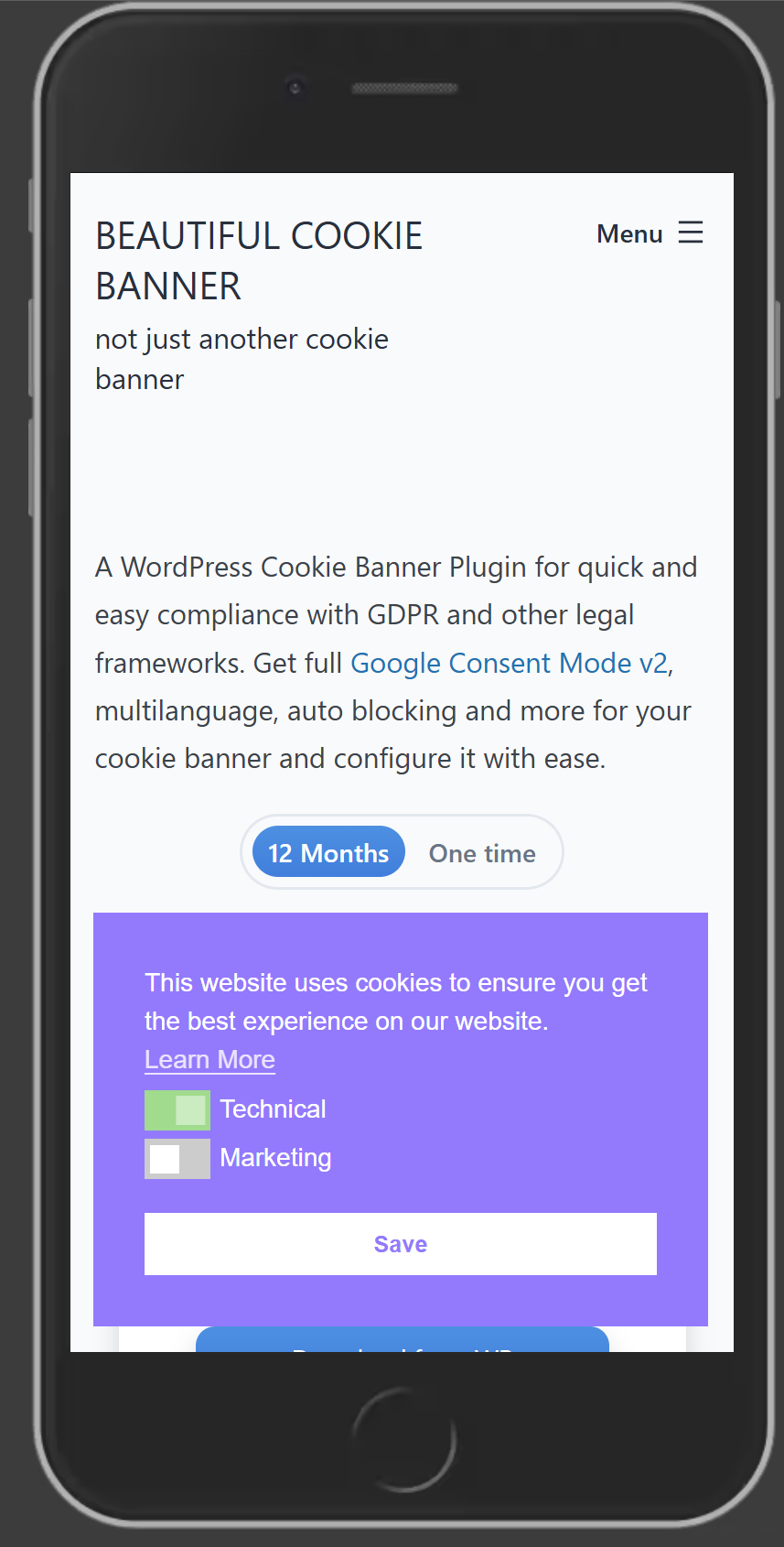
Cookie Banner Mobile Example - two buttons.
-
Cookie Banner admin settings area with banner example.
-
Set the colors and general appearence of the Cookie Banner.
-
Set the text and customize the links of the Cookie Banner.
-
How should the Cookie Banner behave? Two Buttons, one button? Consent categories? Everything is possible.
-
Define how user can interact with the Cookie Baner after they closed it? Only per shortcode link? Or a tab?
-
Block scripts which set cookies automatically with the premium add-on of this cookie banner.
-
Basic cookie settings. The consents are stored in a cookie.
About this plugin
A free and beautiful way to get a Cookie Banner without loading any external resources from 3rd parties. Customize it to match your compliance requirements and website layout. This Banner is super responsive and highly customizable. You want to make sure your banner always works? See here: banner-test. With paid add-on you get Google Consent Mode v2 support.
Key Features
- fully customizable texts, colors, fonts and position of the banner and buttons.
- support WP Consent API and other consent APIs.
- Google Tag Manager dataLayer pushes
- choose between different compliance types: Just Inform, Opt-in, Opt-out, Differentiated. Cookies will not be stored by default. With differentiated you can define cookie groups, and for each group a user can give a consent.
- show the Banner until user accepts all cookies.
- prevent user setting cookie from automatic deletion by many browsers (e.g. ITP => 2.1).
- no resources loaded from third parties: everything is hosted on your domain.
- developer friendly: filter hook to change cookie message: nsc_bar_cookie_bar_message
Additional Features with paid add-on
- Google Consent Mode v2, including new ad_personalization and ad_user_data, see here: Google Consent Mode v2 for WordPress
- Microsoft UET consent mode support. Microsoft UET consent mode for WordPress
- Microsoft Clarity Consent API support. Microsoft Clarity API support for WordPress
- Auto block scripts and requests
- Multilanguage support
- Full Google Tag Manager integration: load GTM through this plugin.
- API for Settings
- Consent statistics and logs
See the list of all features and get the add-on: beautiful-cookie-banner.com
These cookies are set by this plugin
See the list cookies and localStorage used: Cookies used by Cookie Banner
Features
- Fully responsive.
- Make consent cookie a backend cookie to prevent automatic deletion which many browsers do for javascript/frontend cookies.
- reload after acceptance
- Works with liteSpeed and other caching plugin.
- Easily export your settings to another installation: just copy and paste the json string.
- Show banner until user accepts cookies
- Google Tag Manager supported: Push consent to dataLayer for easy configuration
- Users can easily change cookie settings: choose between an extra tab or with a shortcode.
- Fully customizable colors and text.
- It is for all kind of compliance: opt-out, opt-in, info only, differentiated
- choose between different themes
- choose the position on your website
- choose cookie name, duration, domain.
- cookie setting management via shortcode: [cc_show_cookie_banner_nsc_bar]
- preview banner in backend.
- auto dismiss
… and there are a lot more.
See the full list of all features: beautiful-cookie-banner.com
The plugin helps you preparing your website for a lot cookie laws and regulations, for example:
- GDPR: The General Data Protection Regulation (European Union)
- CCPA: The California Consumer Privacy Act (California, United States)
- PIPEDA: The Personal Information Protection and Electronic Documents Act (Canada)
- LGPD: The Brazilian General Data Protection Law (Brazil)
- OAIC: Australia’s Privacy Principles (Australia)
Credits
This really beautiful plugin wraps the solution provided by osano (https://www.osano.com/cookieconsent/download/) into a wordpress plugin.
This Version uses 3.1.0 from osano as basis, but it has a lot modifications to the original source code. It is optimized for performance and for a low database impact.
NOTE: Using this plugin alone does not make your site automatically compliant. As each website and country is different you must make sure you have the right configurations in place. Google tag manager can help you with that for free.
Questions
- Why backend cookies? (ITP >= 2.1)
Most Cookie Banner plugins set javascript cookies. In Safari and Firefox these cookies have a short lifetime, even if the cookie is set with an very long expiration date.
Consequence: Your user have to opt in every seven days again. And sees the banner every seven days. Which is kind of annoying.
With this Plugin the consent cookie stays save and is not limited in lifetime. If you use the option.- How to remove tab at the bottom?
Just go to Settings > Cookie Consent Banner > Consent Management and uncheck the checkbox “Show ‘Cookie Settings’ tab”
- Does this plugin have a setting for blocking scripts or cookies until acceptance?
Yes. With the premium add-on (beautiful-cookie-banner.com) you can enable autoblocking. But be aware: there is no 100% guarantee that this will always work. As this is heavily dependent from your wordpress installation.
- How should I organize my trackingscripts and cookies?
The technical recommandation is to use the google tag manager. It is an awesome and free tagmanager. Since version 2.2 this plugin natively supports it. But as always: check if it is legal to use it in your jurisdication☝️.
- I have a custom template and want to modify the cookie message. How?
You can use the filter hook “nsc_bar_cookie_bar_message” in your plugin or theme.
sandywp / also on the shelf
Try another plugin
-
Cookie banner, cookie consent and cookie notice plugin for GDPR and CCPA. Auto cookie blocking, Consent Mode v2, policy pages and…

Complianz GDPR/CCPA Cookie Consent Banner
4.7 · 1M+ installs
Publish your cookie banner or notice in minutes. Automatically scan cookies, and create policies to align with GDPR, CCPA, and…

GDPR Cookie Compliance – Cookie Banner, Cookie Consent, Cookie Notice for CCPA,…
4.6 · 300K+ installs
Cookie notice banner for GDPR, CCPA, EU cookie law, data protection and privacy regulations and other cookie law and consent…

Spin up a real WordPress site in seconds.
Test plugins, build a demo, hand a client a link — then squash it and start again. No local setup, no Docker.