sandywp / plugins / astra-import-export

Import / Export Customizer Settings
Astra theme customizer offers several settings for header/footer layout, sidebar and blog designs, colors, backgrounds, typography and much more.
Ready in seconds.
v1.1.0 50,000+ installs WP 4.4+ PHP 5.4+
What you get inside
1 screenAbout this plugin
Astra theme customizer offers several settings for header/footer layout, sidebar and blog designs, colors, backgrounds, typography and much more. You need to tweak the number of settings to make your site look flawless. These settings can be moved to other Astra sites easily with Import / Export Customizer Settings plugin. It will save repetitive work to arrange all customizer settings for each new Astra site or while moving the site from local to live.
It is an easy-to-use plugin for the Astra theme that lets you import-export customizer settings.
Note:
This Import/Export plugin is created only for the Astra theme. You should have the Astra theme installed and activated on your website.
Questions
- Can I use this plugin with other themes?
No! This plugin will only work with the Astra theme.
- How to use this plugin?
- Install and activate the Import / Export Customizer Settings plugin from the Plugins page.(Make sure you have Astra theme installed and activated.)
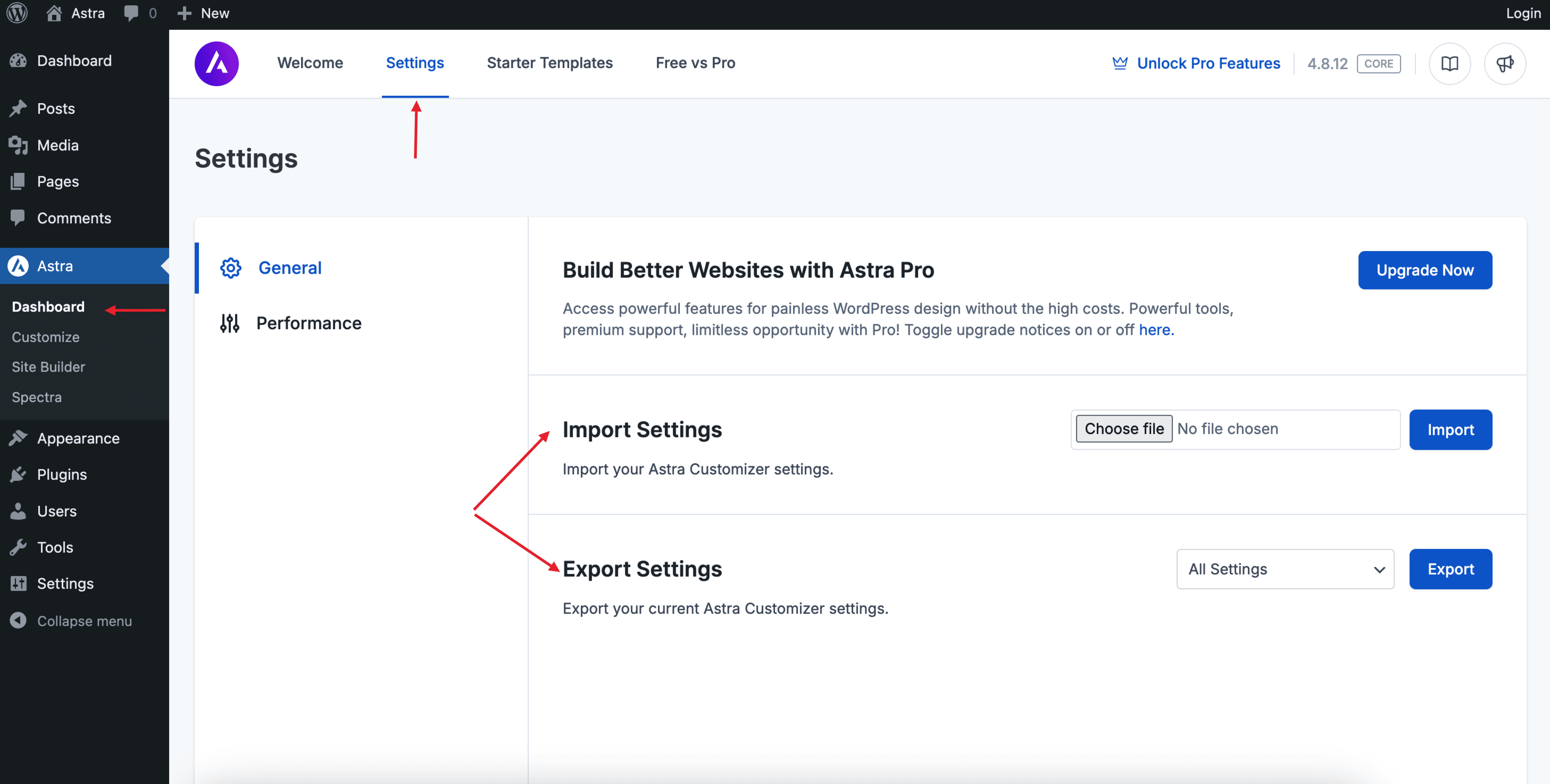
- Go to Astra Dashboard > Settings, where you’ll find Import Settings (to upload and apply a settings file) and Export Settings (to download your current Astra Customizer settings).
- Will this plugin work for premium Astra version i.e. Astra Pro?
Yes! Astra Pro settings that are available with customizer can be imported/exported with this plugin.
Spin up a real WordPress site in seconds.
Test plugins, build a demo, hand a client a link — then squash it and start again. No local setup, no Docker.