sandywp / plugins / amazon-s3-and-cloudfront

WP Offload Media Lite for Amazon S3, DigitalOcean Spaces, and Google Cloud Storage
Copies files to Amazon S3, DigitalOcean Spaces or Google Cloud Storage as they are uploaded to the Media Library. Optionally configure Amazon CloudFro …
Ready in seconds.
v3.3.1 30,000+ installs WP 5.9+ PHP 8.1+
What you get inside
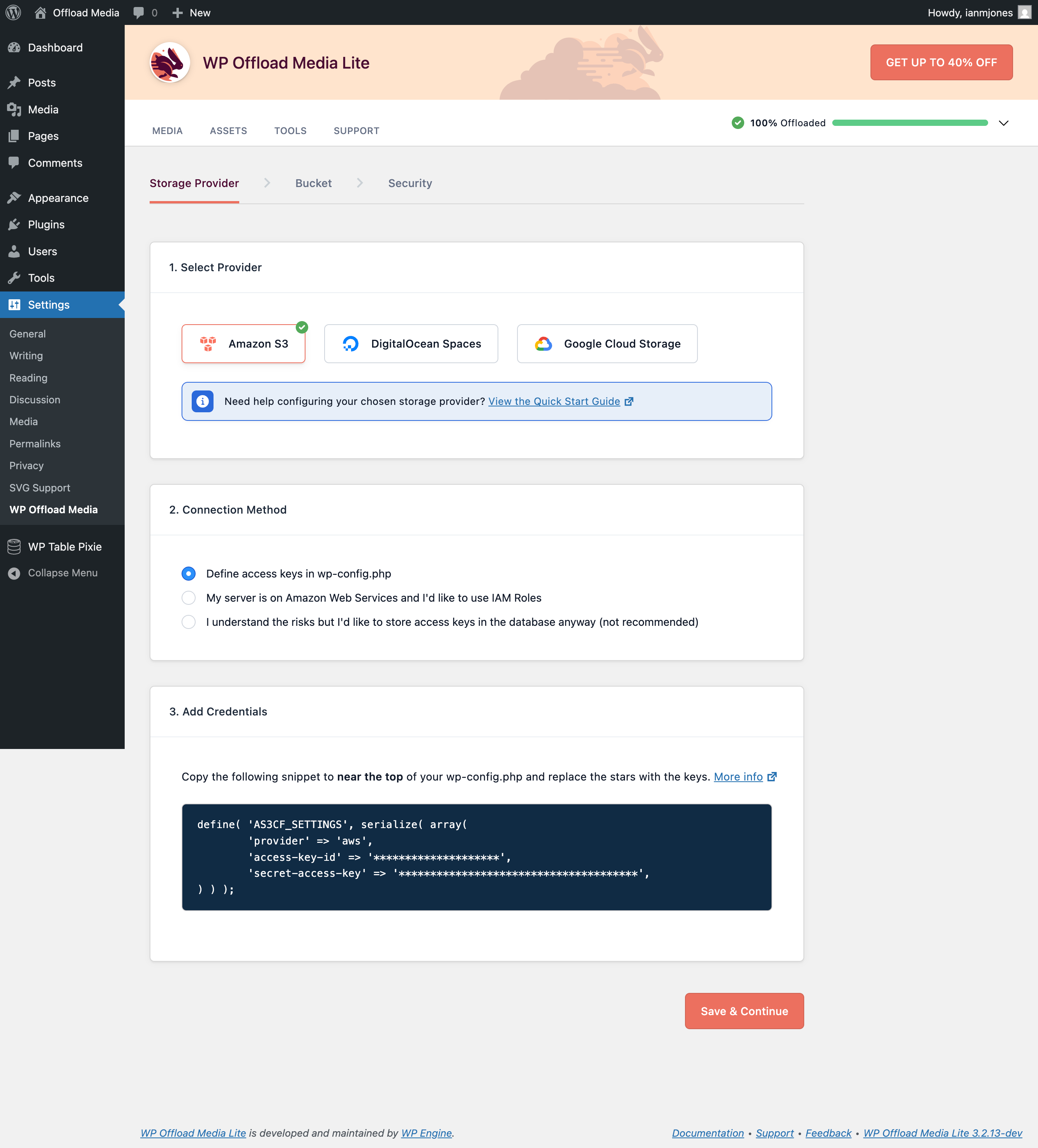
4 screens-
Select Cloud Storage Provider
-
Select or Create Bucket
-
Settings Screen
-
Custom Domain Used With CDN
About this plugin
FORMERLY WP OFFLOAD S3 LITE
This plugin automatically copies images, videos, documents, and any other media added through WordPress’ media uploader to Amazon S3, DigitalOcean Spaces or Google Cloud Storage. It then automatically replaces the URL to each media file with their respective Amazon S3, DigitalOcean Spaces or Google Cloud Storage URL or, if you have configured Amazon CloudFront or another CDN with or without a custom domain, that URL instead. Image thumbnails are also copied to the bucket and delivered through the correct remote URL.
Uploading files directly to your Amazon S3, DigitalOcean Spaces or Google Cloud Storage account is not currently supported by this plugin. They are uploaded to your server first, then copied to the bucket. There is an option to automatically remove the files from your server once they are copied to the bucket however.
If you’re adding this plugin to a site that’s been around for a while, your existing media files will not be copied to or served from Amazon S3, DigitalOcean Spaces or Google Cloud Storage. Only newly uploaded files will be copied to and served from the bucket. The pro upgrade has an upload tool to handle existing media files.
Image Optimization
Although WP Offload Media doesn’t include image optimization features, we work closely with the author of EWWW Image Optimizer to ensure they always work well together. Not only do we recommend EWWW Image Optimizer but we officially support its integration with WP Offload Media.
PRO Upgrade with Email Support and More Features
- Upload existing Media Library to Amazon S3, DigitalOcean Spaces or Google Cloud Storage
- Control offloaded files from the Media Library
- Assets Pull addon – Serve your CSS, JS and fonts via CloudFront or another CDN
- WooCommerce integration
- Easy Digital Downloads integration
- Priority email support
The video below runs through the pro upgrade features…
Questions
- What are the minimum requirements?
You can see the minimum requirements here.
- Do you offer email support?
If you upgrade to the pro version of WP Offload Media, we will gladly provide you with email support. We take pride in delivering exceptional customer support. We do not provide email support for the free version.
sandywp / also on the shelf
Try another plugin

Advanced Ads – Ad Manager & AdSense
4.9 · 100K+ installs
The only complete toolkit for all ad types. Grow your revenue with AdSense, Amazon—or any affiliate network. Get pinpoint…

2.5 · 10K+ installs
Install the Amazon Pay plugin for your WooCommerce store and take advantage of a seamless checkout experience

3.9 · 5K+ installs
Houses the Amazon Web Services (AWS) PHP SDK v2 libraries and manages access keys.
Spin up a real WordPress site in seconds.
Test plugins, build a demo, hand a client a link — then squash it and start again. No local setup, no Docker.