sandywp / plugins / added-to-cart-popup-woocommerce

Cart Popup for WooCommerce
Cart Popup for WooCommerce enables Ajax add-to-cart and displays an instant popup showing the added product.
Ready in seconds.
v1.8.2 9,000+ installs WP 4.0+
About this plugin
This plugin enhances the shopping experience by allowing customers to add products to the cart without reloading the page.
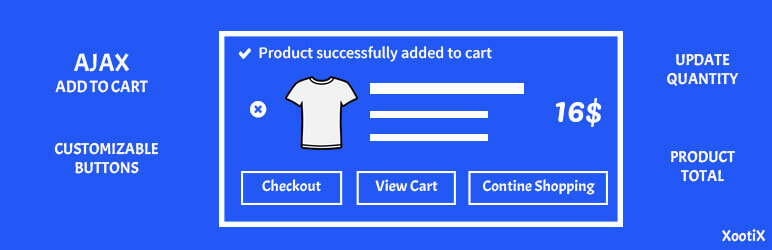
A clean, responsive popup appears instantly showing the added product along with View Cart and Checkout buttons.
If you prefer a slide-in cart interface, you may also like our companion plugin:
Side Cart for WooCommerce
Features
- No page refresh — fully Ajax powered.
- Instant popup displaying product details.
- View Cart and Checkout buttons inside the popup.
- Customizable button styles.
- Supports simple and variable products.
- Increase/Decrease quantity directly inside the popup.
Questions
- How do I set it up?
Simply activate the plugin. No configuration is required.
- How do I translate the plugin?
- Install PoEdit.
- Open the
.potfile from:
/wp-content/plugins/added-to-cart-popup-woocommerce/languages/added-to-cart-popup-woocommerce.pot - Create a new translation and translate the strings.
- Save the file using this format:
added-to-cart-popup-woocommerce-LOCALE.po
Examples:- German:
added-to-cart-popup-woocommerce-de_DE - French:
added-to-cart-popup-woocommerce-fr_FR
(Language codes: https://make.wordpress.org/polyglots/teams/)
- German:
- Place your translation files in:
`/wp-con
sandywp / also on the shelf
Try another plugin

XT Floating Cart for WooCommerce
4.6 · 4K+ installs
A modern Floating Cart / Side Cart for WooCommerce that will improve customer buying experience and increase conversions.

XT Ajax Add To Cart for WooCommerce
4.8 · 1K+ installs
"XT Ajax Add To Cart for WooCommerce" allows users to add single products or variable products to the cart without the need to…

Better Usability for WooCommerce – Quantity Buttons, Buy Now & Direct…
4.9 · 700+ installs
Buy now button, a shorter checkout, quantity −/+ buttons and AJAX cart updates for WooCommerce — fewer clicks from product to…
Spin up a real WordPress site in seconds.
Test plugins, build a demo, hand a client a link — then squash it and start again. No local setup, no Docker.