sandywp / plugins / activecampaign-subscription-forms

ActiveCampaign
The autonomous marketing platform
Add ActiveCampaign contact forms and live chat to any post, page, or sidebar. Also enable ActiveCampaign site tracking for your WordPress blog.
Ready in seconds.
v8.1.21 40,000+ installs WP 2.0+ PHP 5.4+
What you get inside
8 screens-
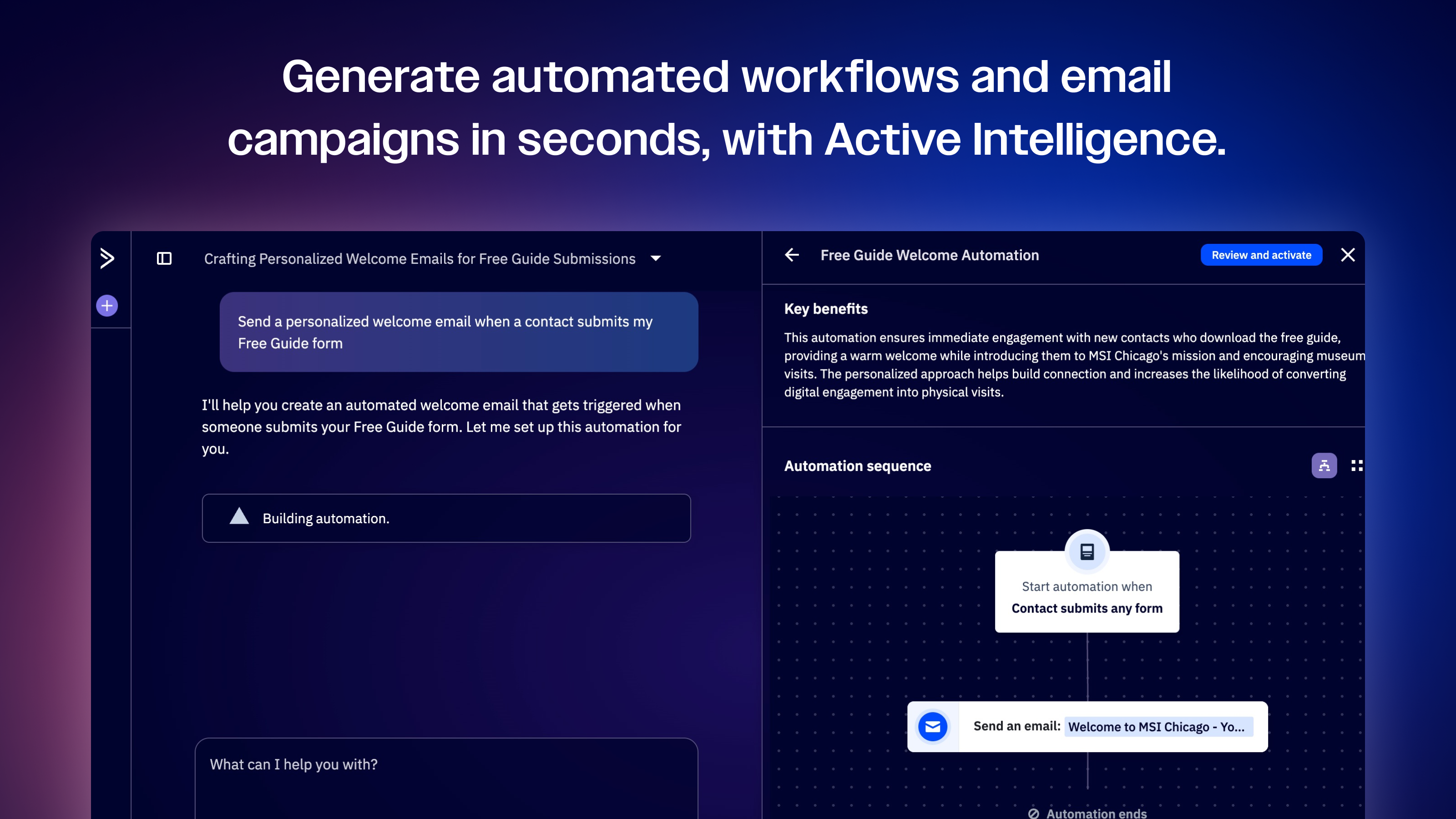
Active Intelligence Workspace
-
Form Builder
-
Automation Builder
-
Settings page for ActiveCampaign plugin
-
Configuring your form settings
-
AI Brand Kit
-
Active Intelligence
-
Cross-channel marketing
About this plugin
ActiveCampaign is the autonomous marketing platform built to transform how marketers, agencies, and business owners work. Use Active Intelligence to power goal-aware automations and orchestrate personalized experiences across email, SMS, and WhatsApp. Effortlessly integrate with 1000+ apps, uncover deep performance insights, and optimize your workflows so you win every day.
- Autonomous marketing
Built on the foundation of marketing automation, fuel your marketing strategy and customer journeys with AI-driven execution, optimization, and insight at every step. - AI agents
Run entire marketing campaigns through simple prompts, backed by Active Intelligence. - Cross-channel marketing
Reach prospects and customers wherever they are, with email, SMS, WhatsApp, and more. - On-brand, personalized content
Creative tools that deliver professional, conversion-ready designs for email and landing pages. - CRM
Track, manage, and automate your sales process. - 1000+ apps & integrations
Connect ActiveCampaign to your favorite tools.
WooCommerce + ActiveCampaign
Turn on ActiveCampaign site tracking in just a few clicks.
Seamlessly add ActiveCampaign forms to your WordPress website.
Learn more: How to use the ActiveCampaign WordPress Plugin
Questions
- How do I create ActiveCampaign subscription forms to use in WordPress?
You need to be using ActiveCampaign email marketing platform to use this widget. Create new subscription forms in the platform by going to the “Integration” section, then they will be available through this plugin.
- How does this plugin differ from copying and pasting the subscription form onto my site manually?
This plugin makes it much easier to do without requiring you to know which theme (or core WordPress) files to modify. Also, copying and pasting HTML into WordPress can often cause odd display issues (depending on your WordPress theme).
- What happens after someone submits the subscription form on my WordPress site?
The same thing that would happen if they submitted it from another site: it redirects back to the ActiveCampaign confirmation message, or a custom URL if you have that set up for the subscription form in ActiveCampaign (modify your forms under the “Integration” section).
If you enable the “Ajax” option of the plugin settings, you can have the form submitted without the page reloading (so the viewer never leaves the page).
- Can my form require an opt-in email confirmation be sent?
Yes, you would just make sure that your form settings (in ActiveCampaign) have the Opt-in confirmation setting checked.
- I get a “Connection failed” message. What does this mean?
Please make sure that your login information is correct, and that you have at least one Integration form already created in the ActiveCampaign system.
- Can ActiveCampaign send transactional emails for my WordPress site?
With ActiveCampaign Postmark — that’s ActiveCampaign’s transactional email provider — you can make sure your transactional emails (including password reset emails, form notifications, or account setup emails) are getting delivered, every time. With WordPress’ default mailer, crucial transactional emails often end up in the spam folder or aren’t delivered at all. With Postmark, deliverability issues are a thing of the past. Learn more about Postmark for WordPress →
- How can I report security bugs?
You can report security bugs through ActiveCampaign’s security disclosure form here: Report a security vulnerability.
sandywp / also on the shelf
Try another plugin

CartBounty – Save and recover abandoned carts for WooCommerce
4.8 · 10K+ installs
Save abandoned carts and send automated abandoned cart recovery messages. Get more leads, reduce cart abandonment, and increase…

ActiveCampaign for WooCommerce
4.0 · 5K+ installs
Autonomous marketing to transform your store. Fuel your customer journeys with personalized experiences across email, SMS, and…

Active Campaign & Contact Form 7
4.4 · 3K+ installs
Add Contact Form 7 submissions to ActiveCampaign automatically. Simple, reliable ActiveCampaign integration for Contact Form 7…
Spin up a real WordPress site in seconds.
Test plugins, build a demo, hand a client a link — then squash it and start again. No local setup, no Docker.