sandywp / plugins / 3r-elementor-timeline-widget

Vertical Timeline Widget for Elementor
Create a vertical timeline in Elementor to showcase your journey, history, story, milestones or roadmap with this Elementor timeline plugin.
Ready in seconds.
v2.7.6 10,000+ installs WP 5.2+ PHP 7.2+
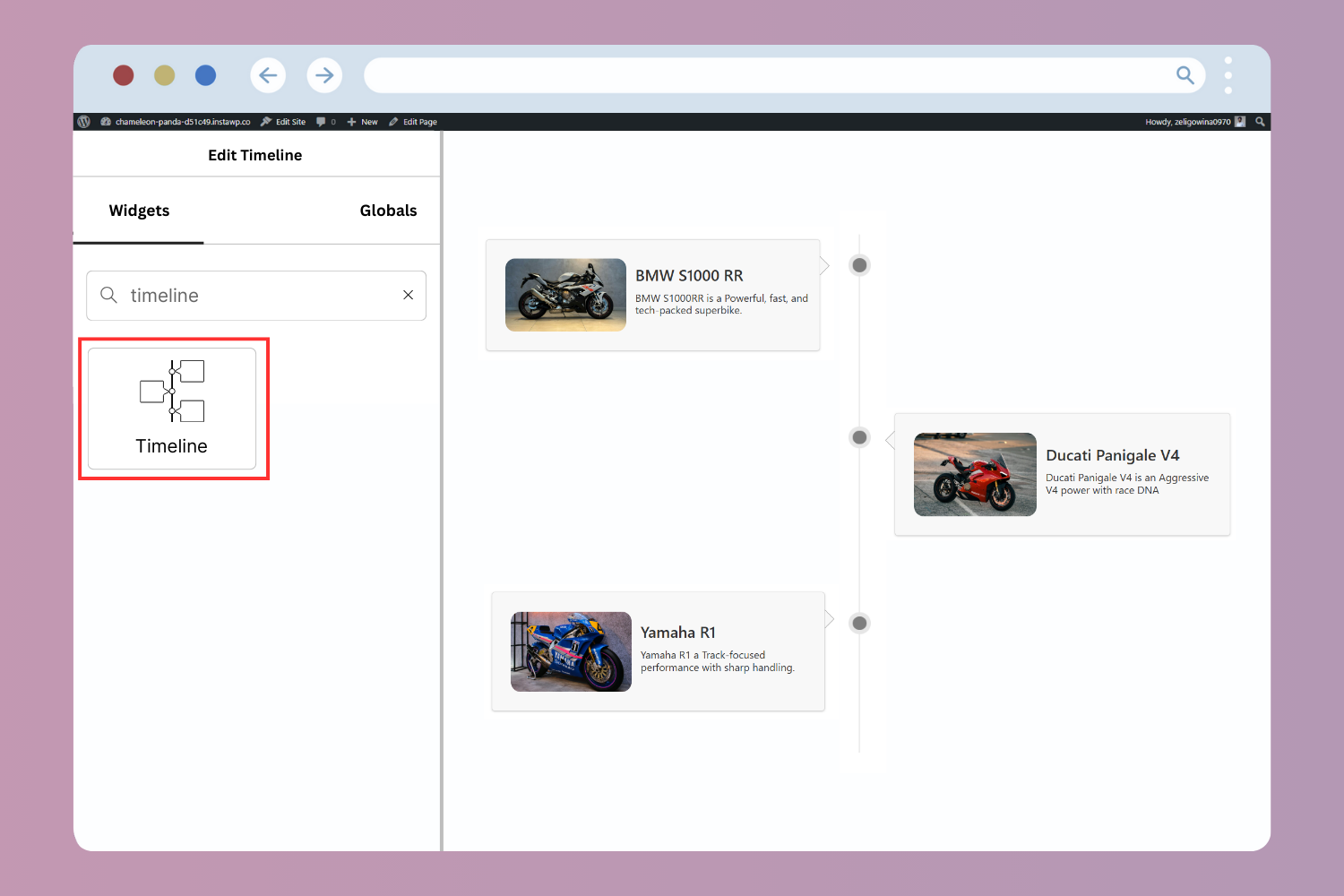
What you get inside
4 screens-
Vertical Timeline Widget Demo Preview
-
Both Sided Layout Preview
-
One Sided Layout Preview
-
Timeline Item Content Settings
About this plugin
Vertical Timeline Widget for Elementor is a powerful plugin that helps you showcase your company history, achievements, personal journey, milestones, and more in a vertical timeline layout, directly inside the Elementor editor.
Simply drag, drop, and customize your timeline stories without writing a single line of code.
Key Features
-
Vertical Timeline Layouts: Display your timeline in a one-sided or both-sided vertical layout that alternates stories on the left and right side.
-
Add Images: Visually tell your timeline story by adding interactive images.
-
Timeline Customization: Customize your timeline’s colors, typography, icons, spacing, and more directly inside Elementor.
-
Story Direction: Choose how stories flow in the vertical timeline to match your content structure.
-
Compatible with all WordPress Themes: Vertical Timeline widget plugin is fully compatible with all WordPress themes.
-
Fully Responsive: This plugin is fully responsive, ensuring that your timeline displays perfectly on all screen sizes.
Upgrade to Pro Version
You have to upgrade to Timeline Widget Pro to unlock more advanced features like:
* Layout Options: Choose from Vertical, Horizontal, and more timeline layouts to match your design needs.
* Advanced Style Settings: Easily adjust text size, fonts, and colors for each story in your timeline.
* Image/Video/Slideshow: Add images, videos, or slideshows to your timeline.
* Ajax Load More: Load more stories as users scroll down the timeline.
* Story Migration: You can easily migrate all your existing timeline stories to Timeline Widget Pro for Elementor without any data loss.
Check our other plugins demos
- Cool Timeline: Display your company’s history, product roadmaps, personal stories, or key events using the built-in block or via simple shortcode. View Demo
- Timeline Block For Gutenberg: Create interactive timelines directly within the WordPress Block Editor to display step-by-step tutorials, a company’s history, and a product roadmap. View Demo
- Timeline Module Pro For Divi: Showcase your personal story or company history using stunning vertical or horizontal timelines directly inside the Divi Builder. View Demo
Questions
- Does this plugin work with Elementor Free?
Yes. Vertical Timeline Widget for Elementor works perfectly with the free version of Elementor.
- Can I display timelines on both sides?
Yes. You can choose between a one-sided vertical layout or a both-sided layout for your timeline story.
- Can I add images/videos/slideshows to timeline stories?
Yes, you can add images to each timeline story, but to add videos and slideshows, you’ll need to upgrade to Timeline Widget Pro for Elementor.
- Will my timeline data be lost after upgrading?
No. Timeline Widget Pro for Elementor supports story migration with zero data loss.
- Is coding required to use this plugin?
Not at all. Everything is controlled through Elementor’s visual editor.
- How can I report security bugs?
You can report security bugs through the Patchstack Vulnerability Disclosure Program. The Patchstack team helps validate, triage, and handle any security vulnerabilities. Report a security vulnerability.
sandywp / also on the shelf
Try another plugin

Elementor Website Builder – more than just a page builder
4.5 · 10M+ installs
The Elementor Website Builder has it all: drag and drop page builder, Atomic Editor, pixel perfect design, global and reusable…
-
Elementor addons with 18+ free widgets, Header & Footer Builder, WooCommerce widgets & templates. Trusted by 2+ million…

Essential Addons for Elementor – Popular Elementor Templates & Widgets
4.9 · 1M+ installs
Elementor addon offering 120+ widgets and templates — Elementor Gallery, Slider, Form, Post Grid, Menu, Accordion, WooCommerce…

Spin up a real WordPress site in seconds.
Test plugins, build a demo, hand a client a link — then squash it and start again. No local setup, no Docker.